User manual
Strona 24 z 36 IU_M710P_MANUAL_05i00_ENG
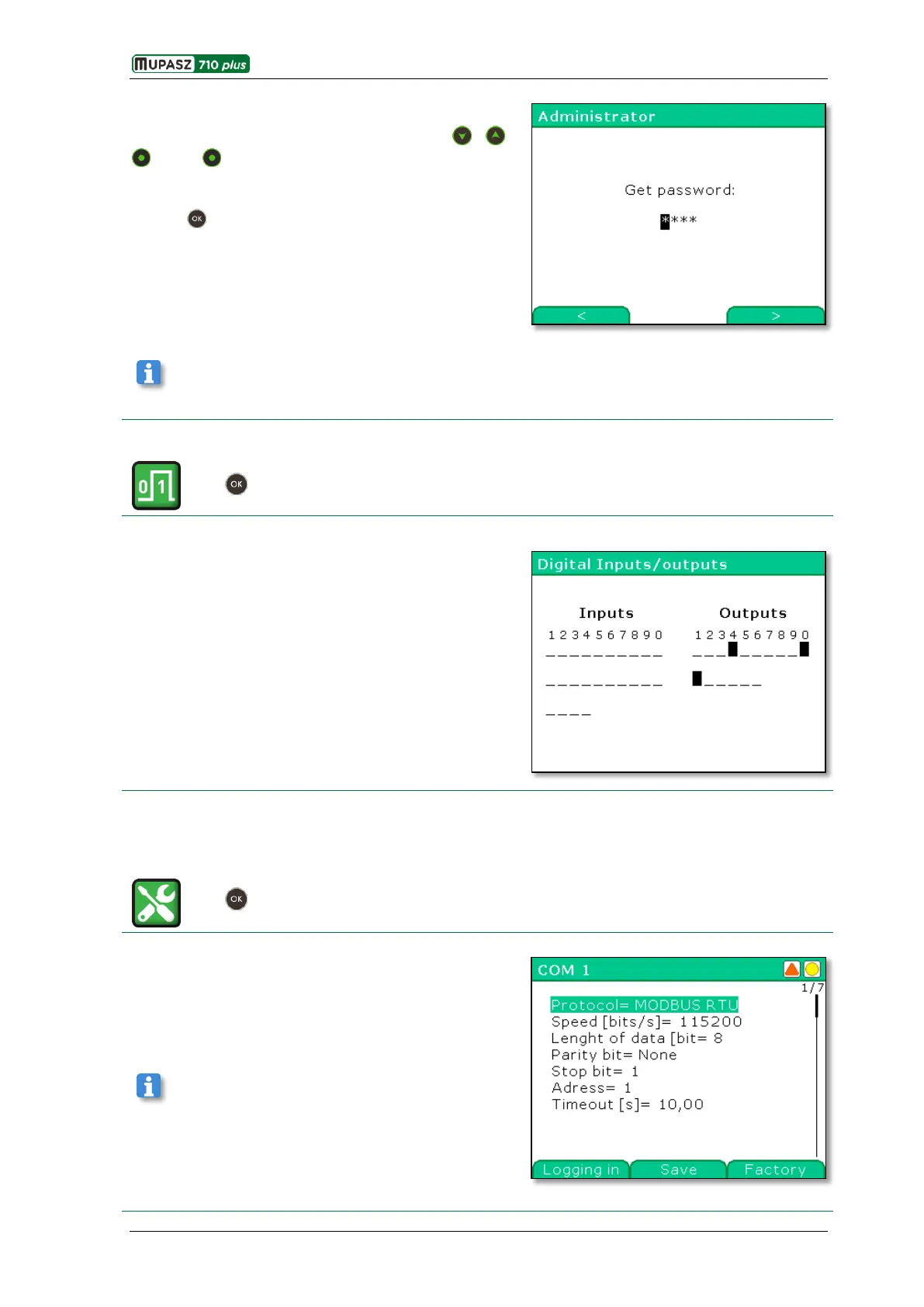
Each user may log in by entering a 4-digit password defined
by the Administrator.
The password is entered by means of the , ,
< and > keys (in the same way as the NUMBER
parameter).
In order to log in the correct password must be entered
and the key pressed.
Factory password of the Administrator: 1111
3.9.2.2. Digital inputs and outputs
Menu > Control >Supervision> Digital Inputs/outputs
In this window current states of device binary inputs and
outputs are displayed.
High state of input/output is marked with the █ symbol,
low state with the _ symbol.
3.9.3. Configuration
3.9.3.1. Communication
Menu > Management > Configuration > Communication
Window is used for configuration of transmission
parameters for particular Communications ports.
Configuration parameters displayed in the window depend
on transmission protocol available for the given COM port.
Particular parameters are edited in accordance with their
type, as in the edition examples.
See chapter 3.9.1.1 Edition of parameters.



 To Next Page