User manual
IU_M710P_MANUAL_05i00_ENG Strona 25 z 36
3.9.3.2. Interfejs użytkownika
Menu > Management > Configuration > User interface
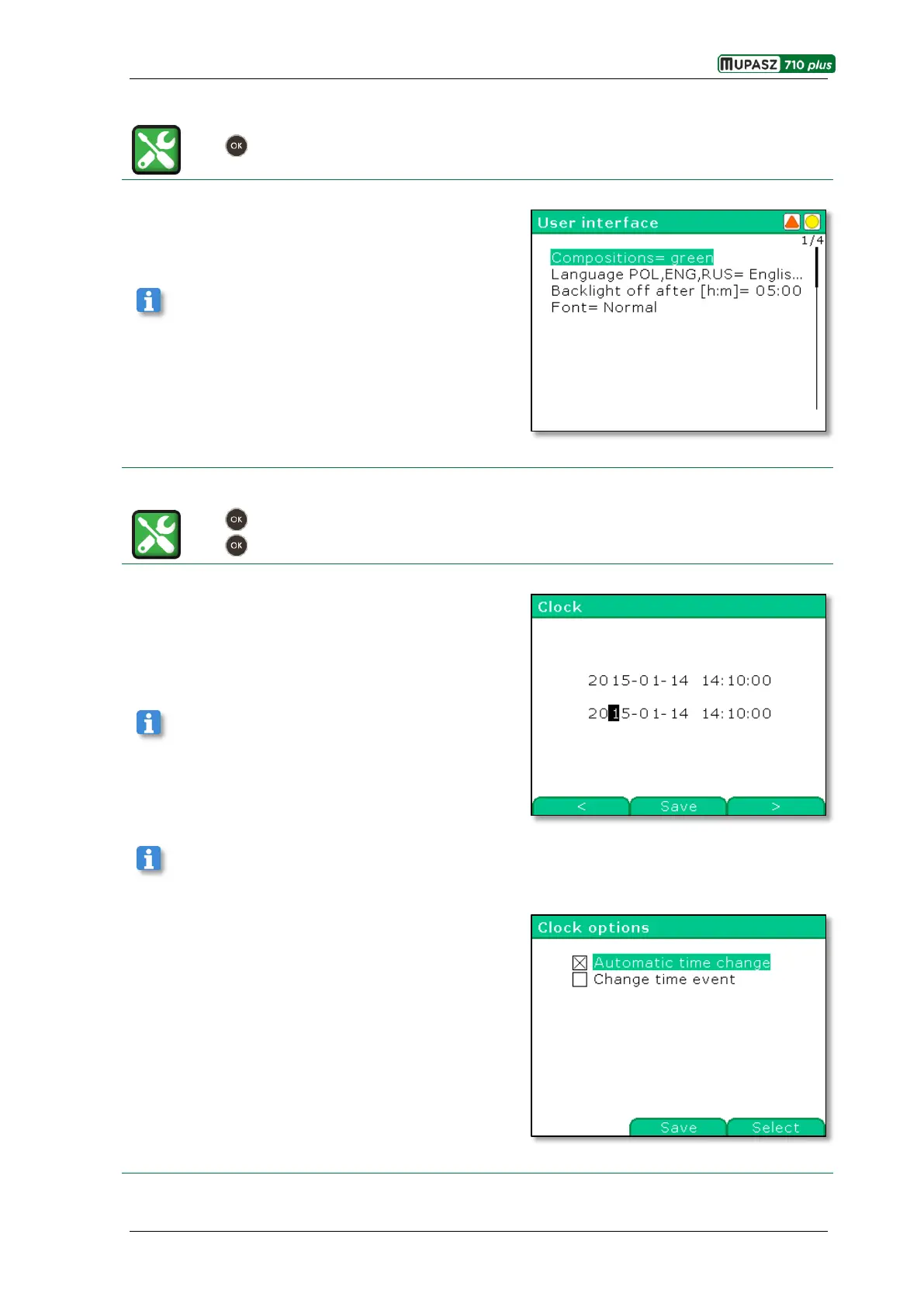
User interface menu branch allows modification of the
device menu appearance, selection of language and setting
display blanking time. Particular parameters are edited in
accordance with their type, as in the edition examples.
See chapter 3.9.1.1 Edition of parameters.
3.9.3.3. Date and time
Menu > Management > Configuration > Clock
Menu > Management > Configuration > Clock options
After entering the Clock window in the first line current
date and time is displayed, and in the second line date and
time to edit.
See chapter 3.9.1.1 Edition of parameters
Confirmation of date and time results in automatic zeroing of milliseconds.
In the Clock options window Automatic time change
option may be activated (it results in automatic change
between standard and summer time). The second option
allows to log time change event in the Event log.



 To Next Page