User manual
Strona 16 z 36 IU_M710P_MANUAL_05i00_ENG
Table 3.5.1 Event types
Standard event type, such as user login.
Activation of an algorithm, e.g. protection
Execution of algorithm, e.g. protection set to UP signalization - “UP
signalization” item selected in Options
Deactivation of an algorithm, e.g. protection
Execution of algorithm, e.g. protection set to opening of the main switch -
“Tripping” selected in Options
Execution of an algorithm, e.g. protection set to lock - “Lock” or “Temporary
lock” selected in Options
Execution of an algorithm, e.g. protection
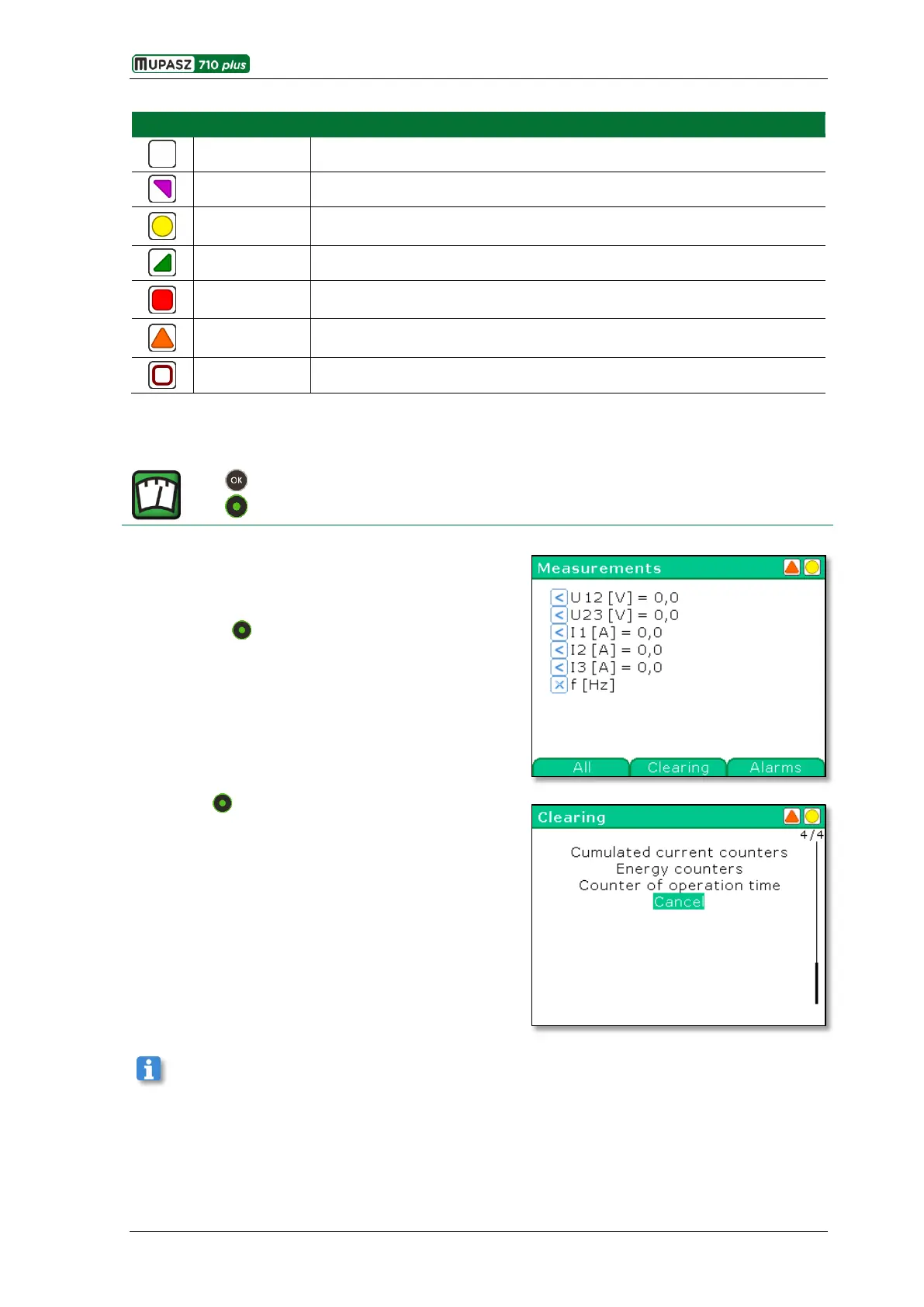
3.6. Measurements
Menu > Measurements
Measurements
The resource stores and provides access to all
measurements carried out by the device. Measurements
have flags assigned to them that represent their state and
validity status (see table below).
By pressing the All / Selected keys either all available or
only user selected measurements will be displayed.
Pressing the Clearing key opens the window for clearing
counters, e.g. work time or energy counters.
Configuration of Selected measurements is also possible via the ELF software tool.



 To Next Page