Control panel
6 720 802 419 (2012/06) en
40
11 Control panel
Settings for the control of the heat pump are made with the control unit's
control panel, which also provides information about current status.
11.1 Panel overview
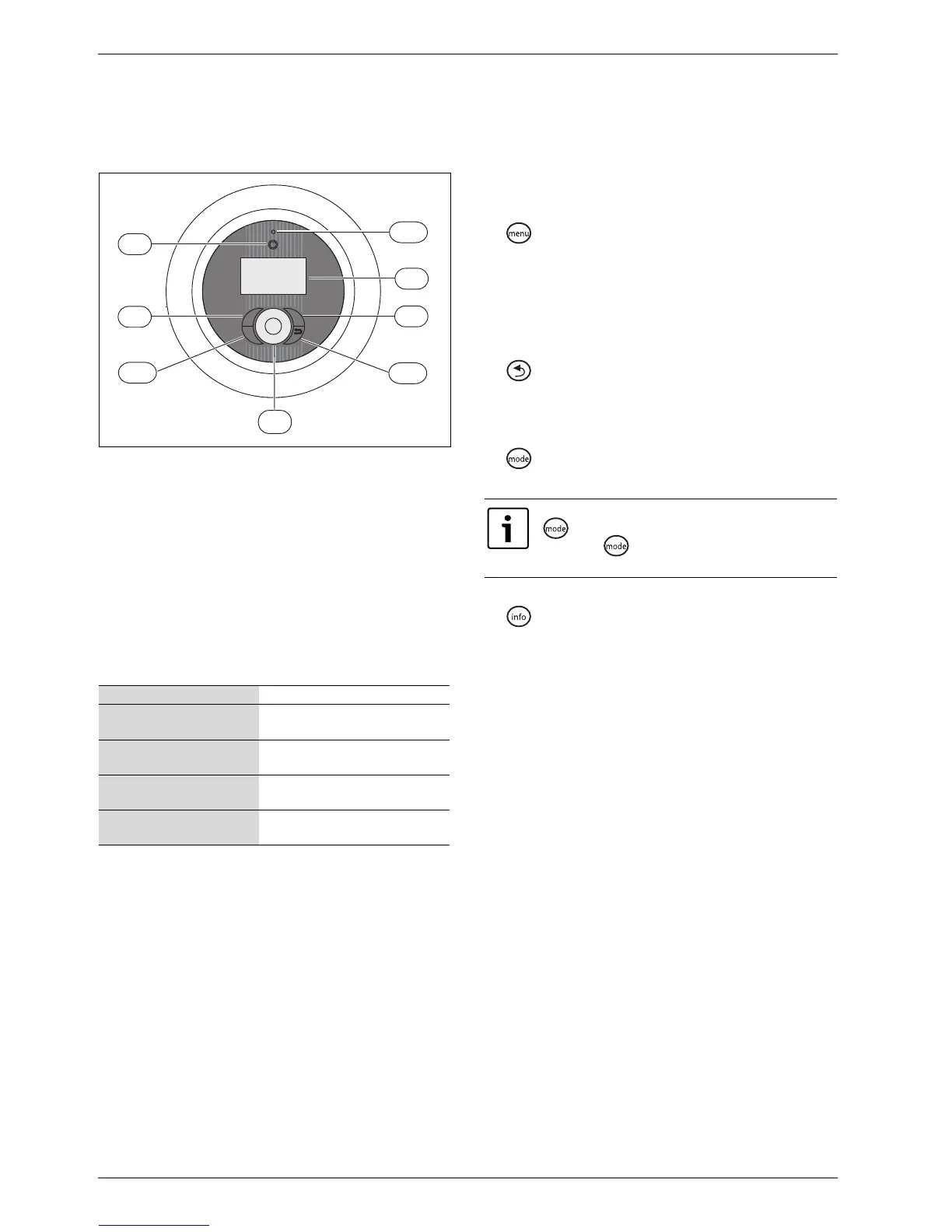
Fig. 39 The control panel
[1] On/Off button
[2] Mode button
[3] Info button
[4] Menu dial
[5] Status lamp
[6] Return button
[7] Menu button
[8] Menu display
11.2 On/Off button
Use the On/Off button to switch the heat pump on and off.
11.3 Status lamp
11.4 Menu display
Use the menu display in order to:
• View information from the heat pump.
• View available menus.
• Change set values.
11.5 Menu button and menu dial
Use to get from Initial menu to the menus. Use the menu dial in
order to:
• Navigate the menus and get to the setting displays.
– Turn the dial to see more menus on the same level or change a set
value.
– Press the dial to change to a lower menu level or save a change.
11.6 Return button
Use to:
• Go back to the previous menu level.
• Leave a setting display without changing the set value.
11.7 Mode button
Use to change type of operation.
• Change type of operation.
11.8 Info button
Use to see information from the control unit about operating
mode, temperature, program version, etc.
The lamp lights green. The heat pump is running.
The lamp flashes red.There is an alarm which has not been
acknowledged.
The lamp lights red. The alarm has been acknowledged
but the alarm cause remains.
The lamp flashes slowly green,
menu window not lit.
The heat pump is in stand-by mode
1)
.
1) Stand-by means that the heat pump is running but no heating or hot water
demand exists.
The lamp and menu display not
lit.
No voltage to the control unit.
Table 20 Lamp functions
menu
mode
i
6 720 641 855-08.1I
5
6
2
8
1
7
4
3
The controller language can be changed with the
button.
B Press the button in the initial menu for at least 5
s, then select the required language.



 To Next Page