Settings
6 720 802 419 (2012/06) en
50
>>> Time factor
B Select how long the compressor should be on or off in heating mode.
Higher set values result in fewer compressor starts and stops, which
achieves higher economy. However, more pronounced temperature
fluctuations in the heating system may result than with lower values.
>> Room sensor
> Room temperature influence
B Set how much a 1 K ( °C) difference in room temperature should
influence the set point value for the flow temperature.
Example: at a 2 K ( °C) deviation from the set room temperature, the
set point value for the flow temperature is changed by 6 K ( °C) (2 K
deviation * factor 3 = 6 K).
The menu is displayed only if a room sensor is installed.
>>> Acknowledge room sensor
B Indicate No only if the room sensor, even if it is installed, should not
be used.
>> Room temperature program
B Choose if the circuit should be controlled with a program or not.
Optimised operation
This means that the control unit is only controlled by the flow set point
value (Æ Chapter 16.1.1 ), without programmed changes during the
day. Optimised operation provides the best comfort and energy savings
in the vast majority of cases.
Program 1 and 2
These selections provide an opportunity to define user programs for
time control by adjusting the start and stop times, as well as a normal and
an exception temperature.
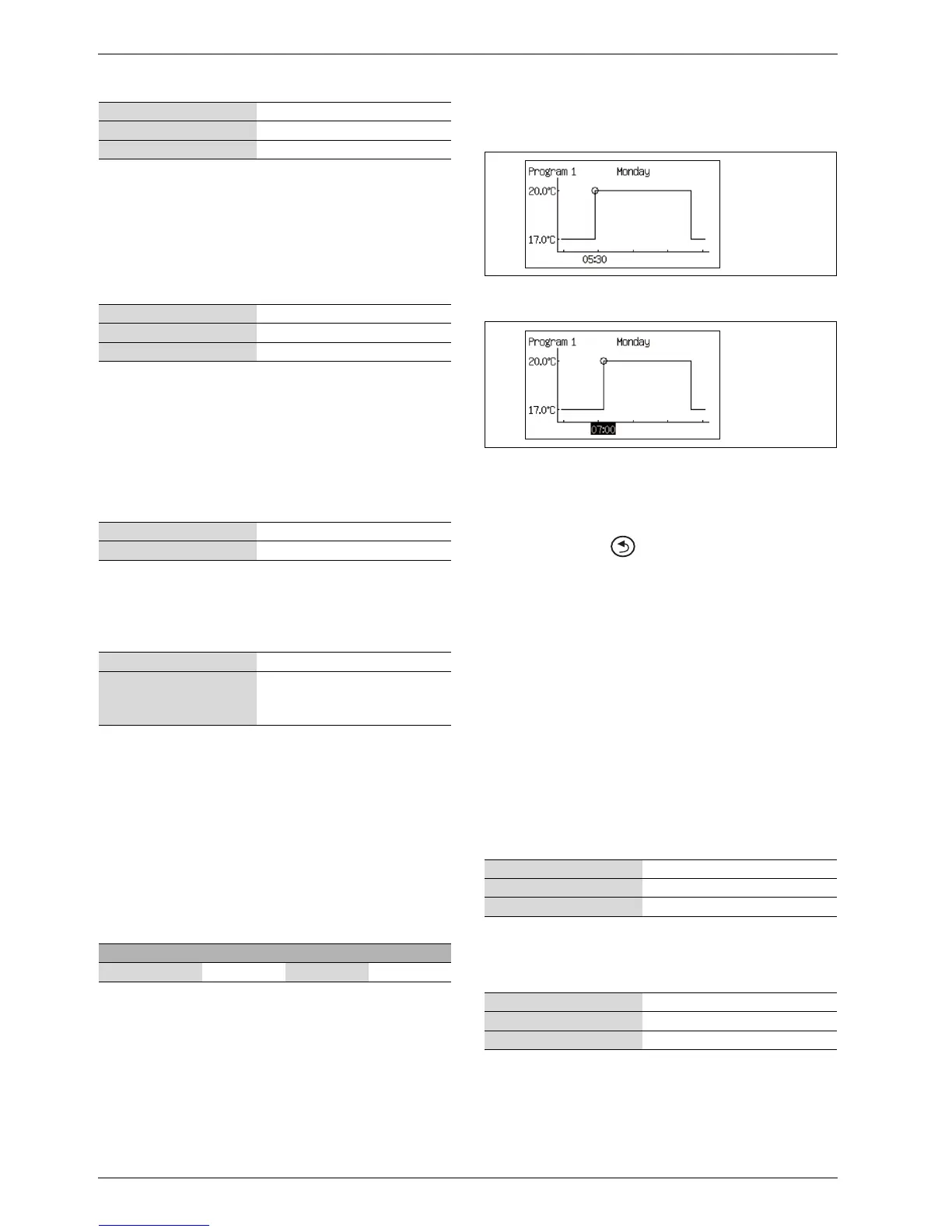
To set the desired time of day:
B Select Program 1 or Program 2.
B Go to menu View/edit active program.
B Select day by turning the menu dial.
Fig. 50
B Press the menu dial to mark the value to be changed.
Fig. 51
B Turn the menu dial until the desired setting has been selected.
B Then press the menu dial.
B Turn the menu dial to be able to set additional values in the same way
as above.
B Go back one step with .
B Select Saving alternative:
– Return without saving
– Program 1
– Program 2
The set changes are saved as a selected program or not at all.
B To adjust the normal temperature, proceed to menu Room
temperature normal.
B To adjust the exceptional temperature, proceed to menu Room
temperature exception.
Room temperature program when there is a room sensor:
>> Room temperature program
>>> Active program
If a program is selected, the following (if the menu button is turned) is
displayed:
>>> View/edit active program
>>> Room temperature normal
B Set the desired set point for the room temperature.
>>> Room temperature during time program
B Set the temperature that should apply as exceptional temperature in
the program.
The menu is displayed only if Program 1or Program 2has been
selected.
Factory setting 20.0
Lowest value 1.0
Highest value 30.0
Table 45 Time factor
Factory setting 3.0
Lowest value 0.0
Highest value 10.0
Table 46 Room temperature influence
Factory setting Yes (if correctly installed)
Alternative Yes/No
Table 47 Acknowledge room sensor
Factory setting HP optimized
Alternative • HP optimized
• Program 1
• Program 2
Table 48 Program selection, circuit 1
Program Day Start Stop
Program 1, 2 Mon - Sun 5:30 22:00
Table 49 Program 1 and 2
Factory setting 20.0 °C
Lowest value 10.0 °C
Highest value 35.0 °C
Table 50 Room temperature, normal
Factory setting 17.0 °C
Lowest value 10.0 °C
Highest value 30.0 °C
Table 51 Room temperature, exception
6 720 643 415-13.1I
6 720 643 415-14.1I



 To Next Page