Operation Manual – ITW GSE 7400 Battery Powered GPU
90 kVA
Setup Lock / Output Mode / Compensation
Document No. 575.410DB Page 83 of 195
7.0 Setup Lock / Output Mode / Compensation
7.1 Preventing Changes to Setup Parameters
To avoid unintentional modification of the setup parameters, it is possible to block access to the icon
menu by means of the set-up menu.
Please refer to section 6.5.3 & 7.28 “How to lock / unlock display”
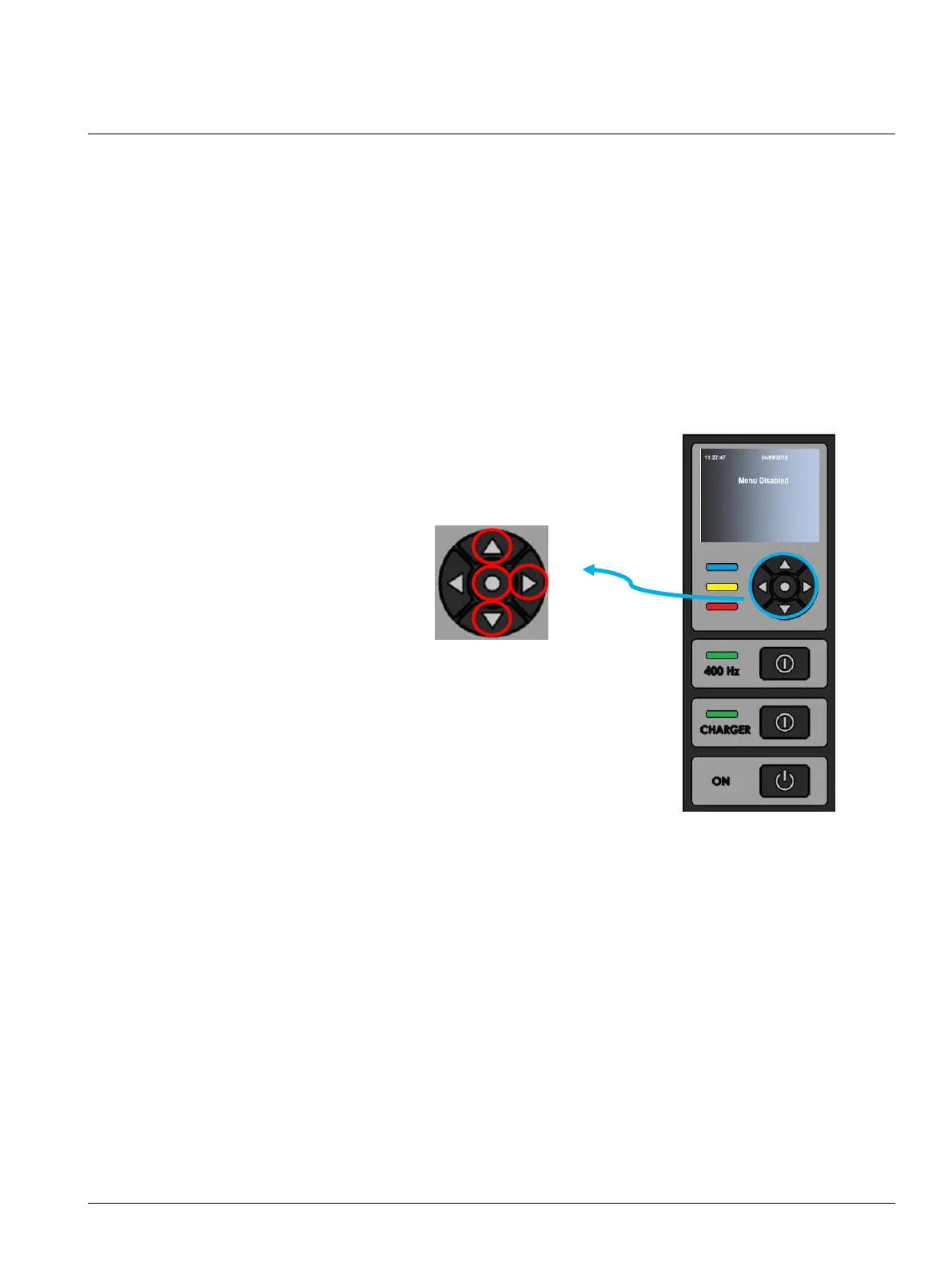
To enter a locked display*, press and hold center until “Menu Disabled” is shown in the display, simply
push buttons in the sequence below.
1. Press arrow “Right”
2. Press arrow “Up”
3. Press arrow “Down”
4. Press arrow “Down”
5. Press and hold “Center”
*Locked display shown at the display itself and then start the push button combination



 To Next Page