Backspace
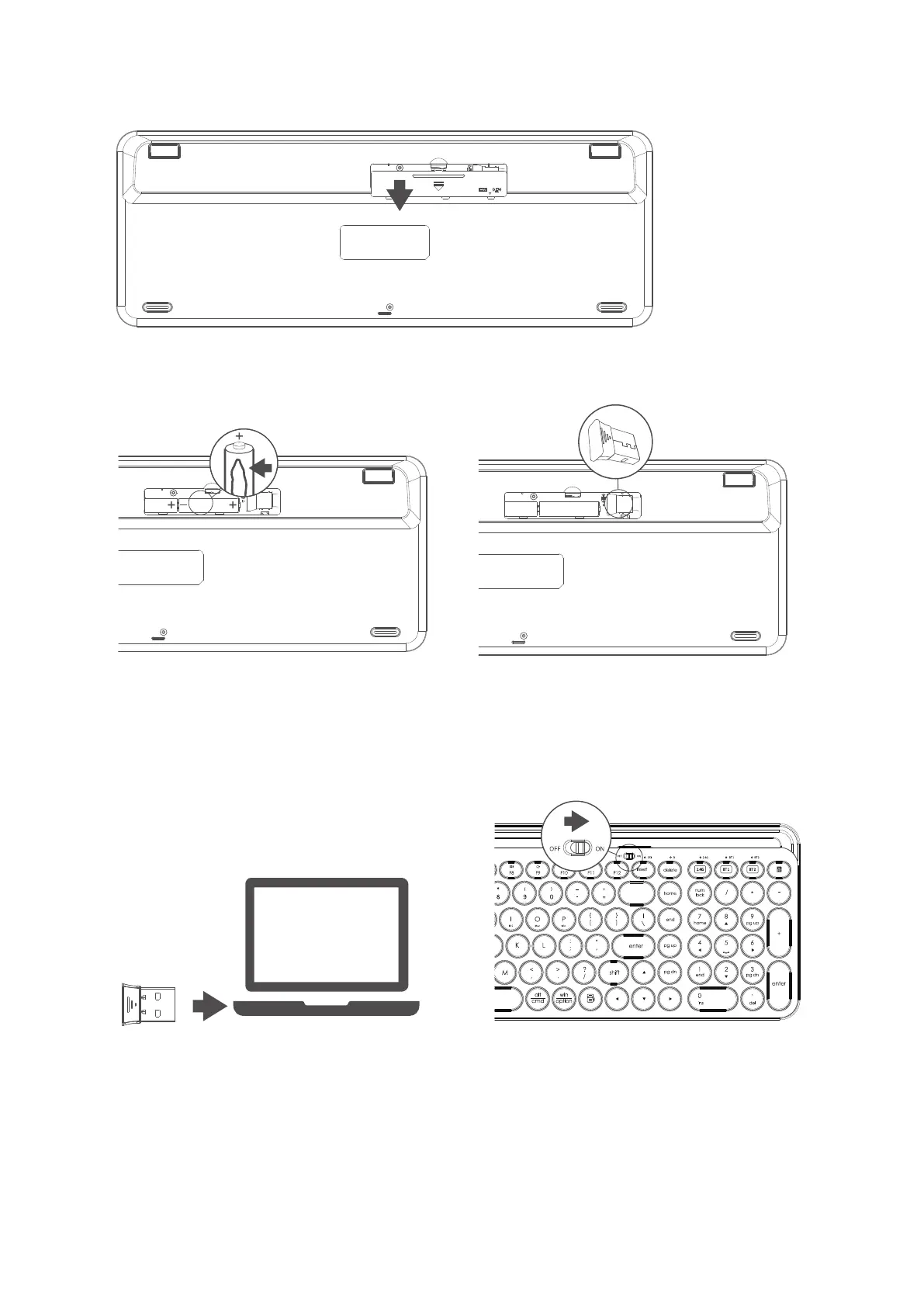
2.4G wireless connection guide
1. Open the battery compartment cover.
2. Place the 2*AAA batteries(included) into the battery compartment as per
correct polarity, then take out the receiver and close the cover.
3. Plug the receiver into the USB
port of a PC.
4. Turn on the power switch.
Note: the factory default setting of the connection mode of keyboard is 2.4G mode. If the connection is
successful, the 2.4G mode indicator will automatically turn off.
3/6



 To Next Page