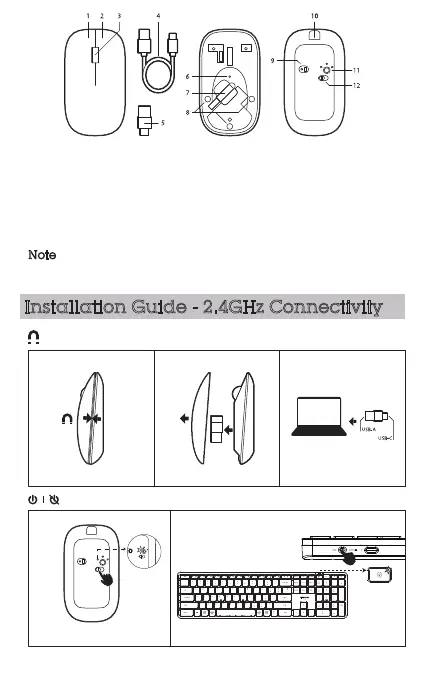
1. Left button
2. Right button
3. Scroll wheel
4. Charging cable
5. USB-A / USB-C receiver
6. Indicator light
7. Receiver compartment
8. Magnetic closure
9. Optical sensor
10. Charging port
11. Mode button
12. On/Off switch
Note
3/8
Installation Guide - 2.4GHz Connectivity
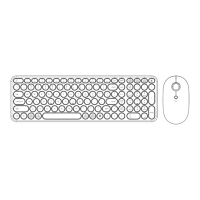
Turn on the power switch of the keyboard and mouse.
The white light flashes once.
The white light flashes once.
Remove magnetic top cover and retrieve USB receiver from the mouse. Reattach
the top cover. Plug the USB receiver in computer port.
Press left button and scroll wheel together for more than three seconds to modify the
DPI/mouse sensitivity.



 To Next Page