3/6
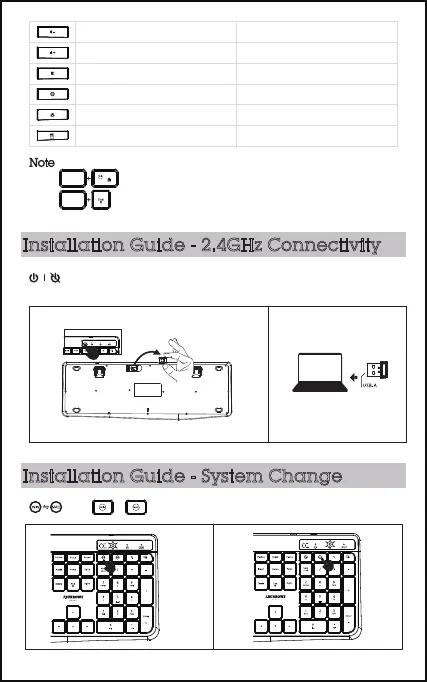
Note
Open Browser
Mail
Calculator
N/A
N/A
N/A
MuteMute
Volume upVolume up
Volume downVolume down
3. The multimedia keys may vary depending on the versions of Windows and MacOS.
2. Press to adjust the backlight, three backlight level to adjust.
to lock the multimedia function. The F-keys will no longer function. 1. Press
FN
FN
Installation Guide - 2.4GHz Connectivity
Installation Guide - System Change
Take out USB receiver from the receiver compartment of the keyboard bottom.
Turn on the power switch.
Plug the USB receiver in computer port.
Press or for different operation system, the blue light will be on.



 To Next Page