3/6
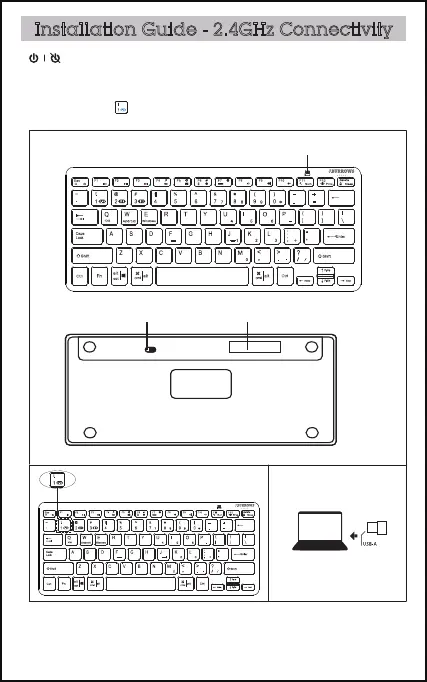
indicator light
Installation Guide - 2.4GHz Connectivity
Take out USB receiver from the battery compartment, place the 2 x AAA
batteries (included) into the battery compartment as per correct polarity.
Turn on the power switch. Plug the USB receiver in computer port.
battery compartment
+
-
power switch
OFF ON
Press Fn+ , the red light flash three times quickly.



 To Next Page