Note
The indicator light flashes red once every two seconds when the
batteries are low.
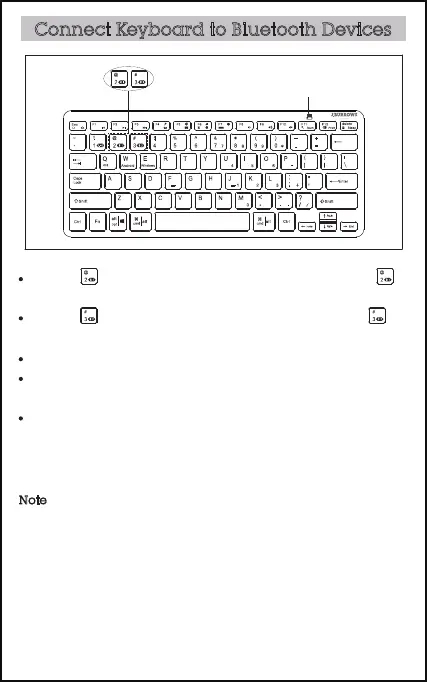
Connect Keyboard to Bluetooth Devices
Press Fn+ , the green light flash three times quickly. Hold Fn+
more than 3 seconds until the green light flash.
Press Fn+ , the blue light flash three times quickly. Hold Fn+
more than 3 seconds until the blue light flash.
Make sure your device has workable Bluetooth function.
Turn on the Bluetooth function on your device and select “search for
Bluetooth device” .
Press “KB210” in the available Bluetooth device list and connect.
indicator light



 To Next Page