J2 680 System Manual
Version 1.0 May 11, 2012
Ethernet Connection
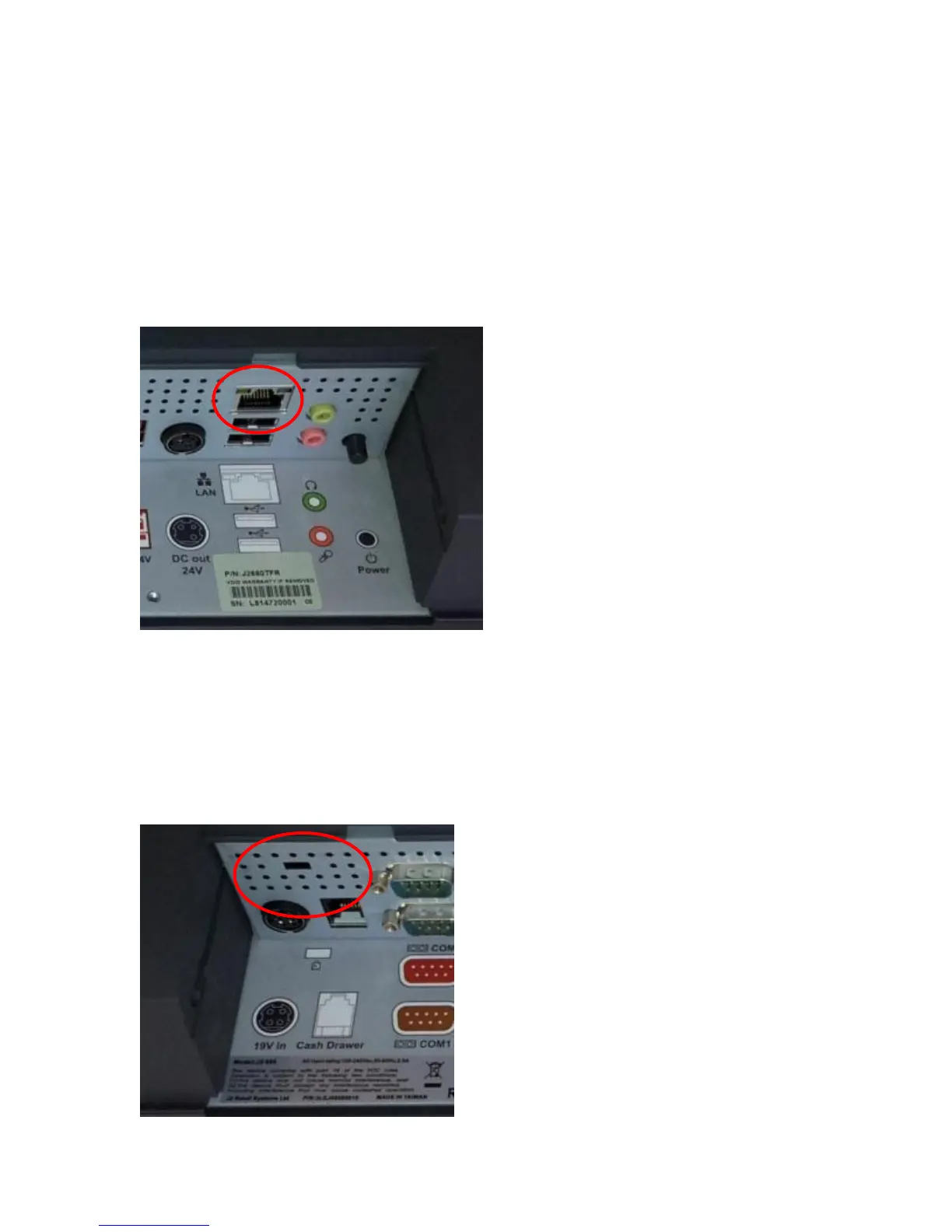
The 680 uses the Intel 82579LM Gigabit Ethernet controller. The Ethernet connector is
located in the cable well, as shown below. The Ethernet controller supports Wake on
LAN, the BIOS supports a PXE boot ROM as well. There are two LEDs on the LAN
connector: the Green LED lights up when the LINK signal is present and the Amber
LED lights comes on when there is LAN activity. This Ethernet supports Intel AMT
feature when used with the correct processor.
Ethernet Connector
Kensington Security Slot
There is a Kensington Security Slot (lock slot) on the 680. (Please see below).
It is located on the head in the cable well. The Kensington locks are normally used as a
deterrent to prevent opportunistic theft. Most retail locks will work with the 680, however
please check to see if a lock fits, as not all do.
Kensington slot Cable Well



 To Next Page