J2 680 System Manual
Version 1.0 May 11, 2012
Removing the Back Cover
The following steps show how to disassemble the 680 for servicing:
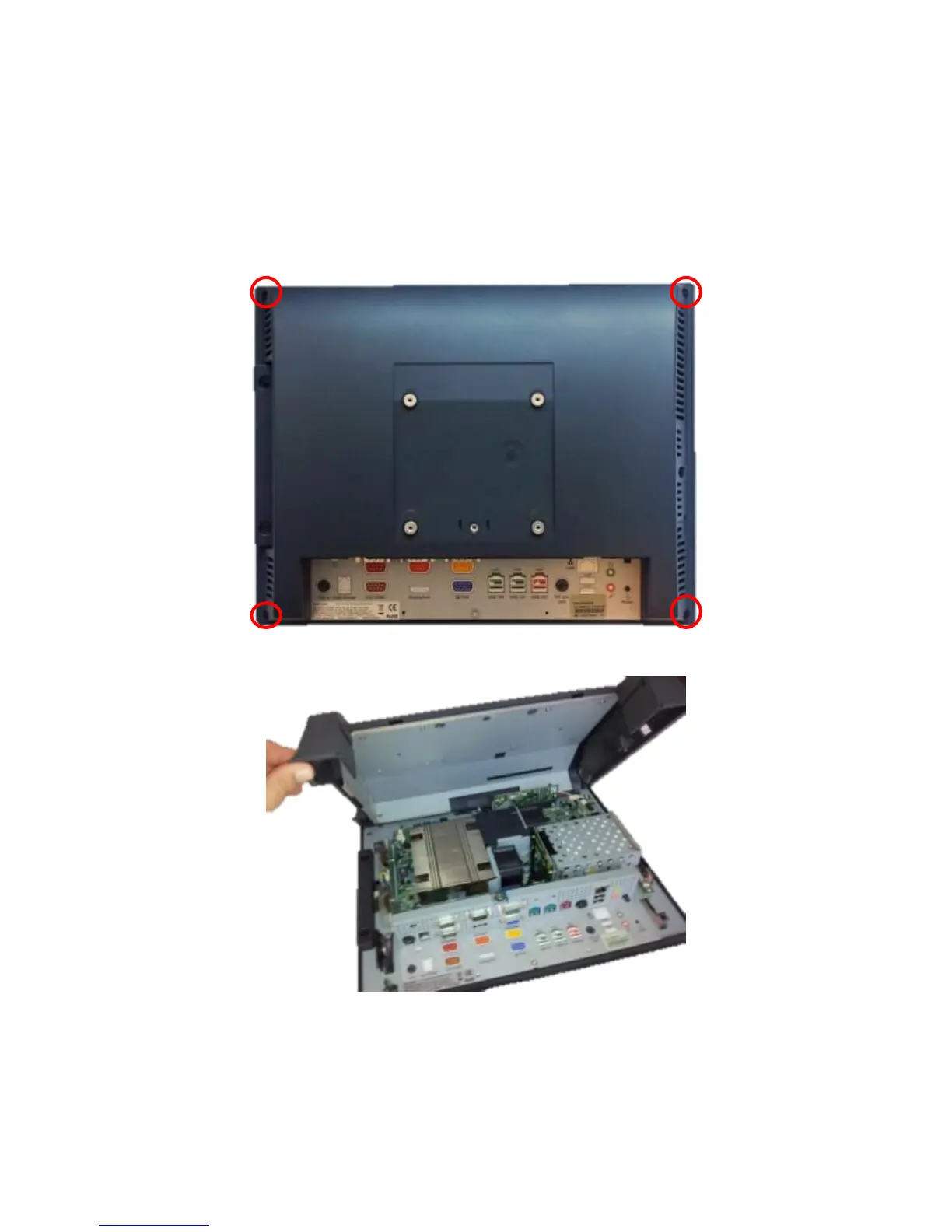
On a clean, protected surface, place the unit screen-side down. Remove the four cover
screws as shown. Carefully lift the back cover as shown.
Remove four screws where shown
Carefully tilt up the back cover to remove
Note: The 680 was designed so that the internals of the unit could be accessed without
having to remove the mounting base or the mounting bracket of the unit.



 To Next Page