J2 680 System Manual
Version 1.0 May 11, 2012
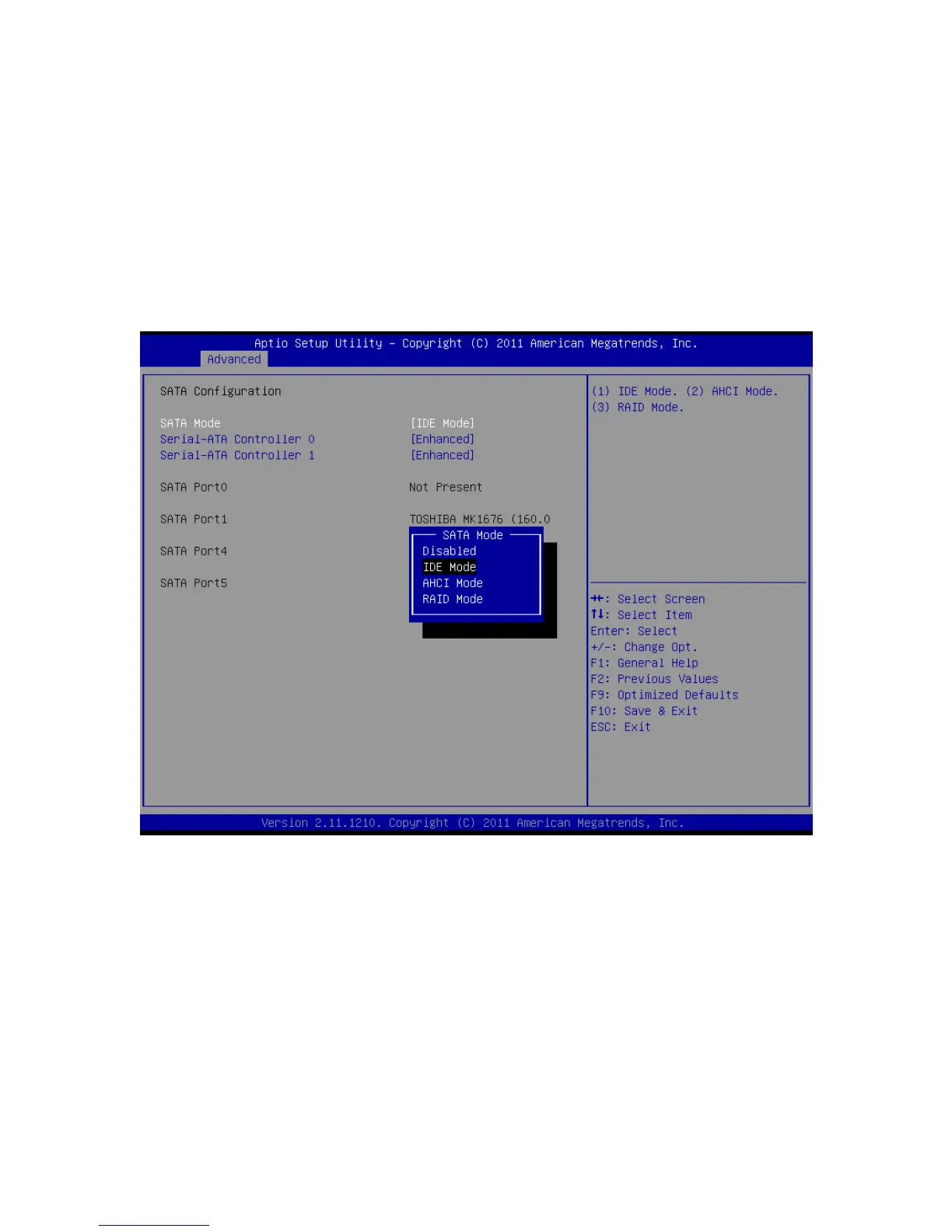
SATA Configuration
In this screen the SATA hard drives can be set to work in one of three modes, SATA,
RAID or AHCI.
When set to SATA, the SATA drive works the same as a normal IDE HDD. This is the
IDE compatible mode and default BIOS setting. The other two selections are RAID and
AHCI modes. Please see the separate section in the manual for RAID Setup for further
information on using RAID and AHCI modes.
SATA Configuration Screen



 To Next Page