J2 680 System Manual
Version 1.0 May 11, 2012
Changing the System Board
*Special Note: An anti-static workplace with proper grounding is required when
changing the System Board.
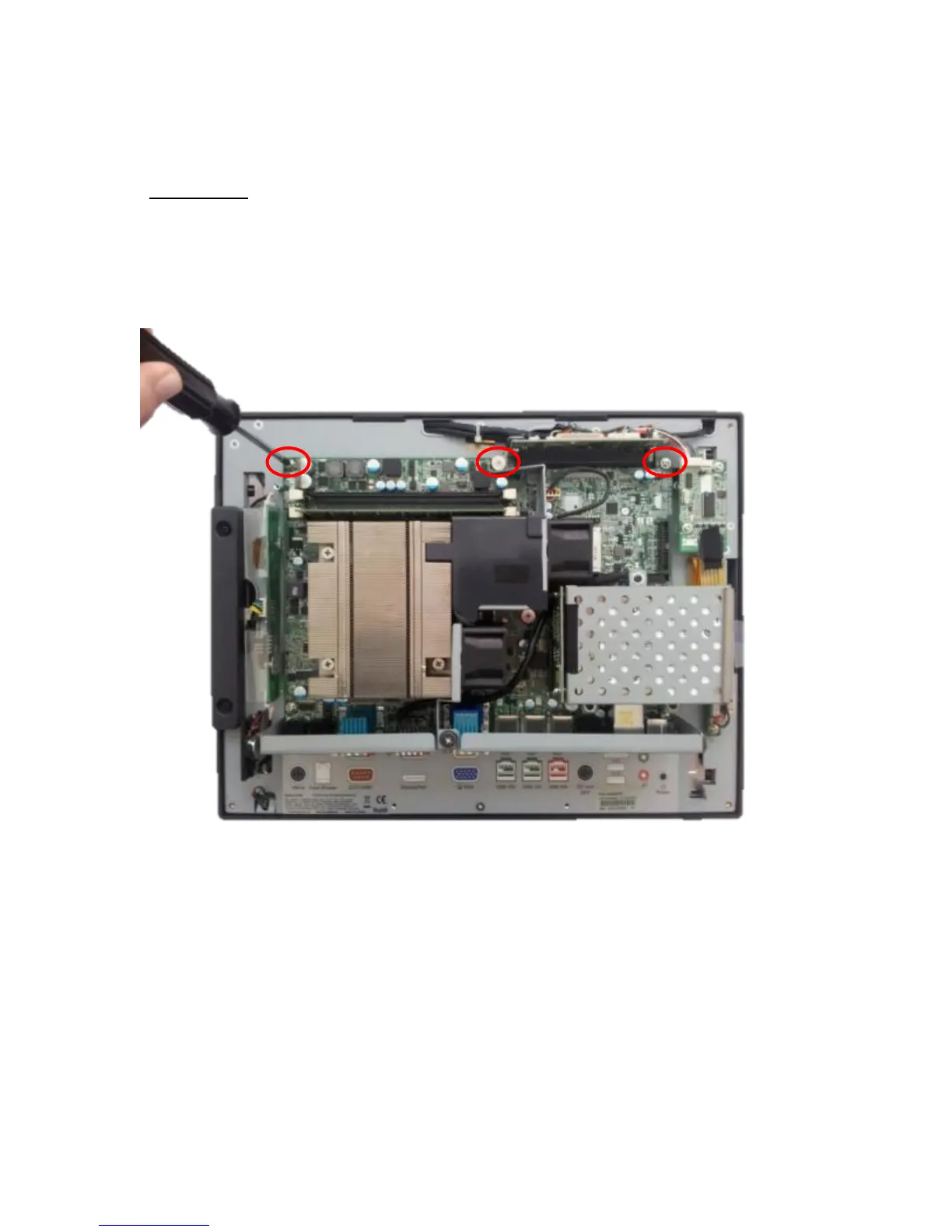
First remove the back cover. There are 3 screws that hold the system board in place that
will need to be removed. (see photo below)
Three screws to remove System Board



 To Next Page