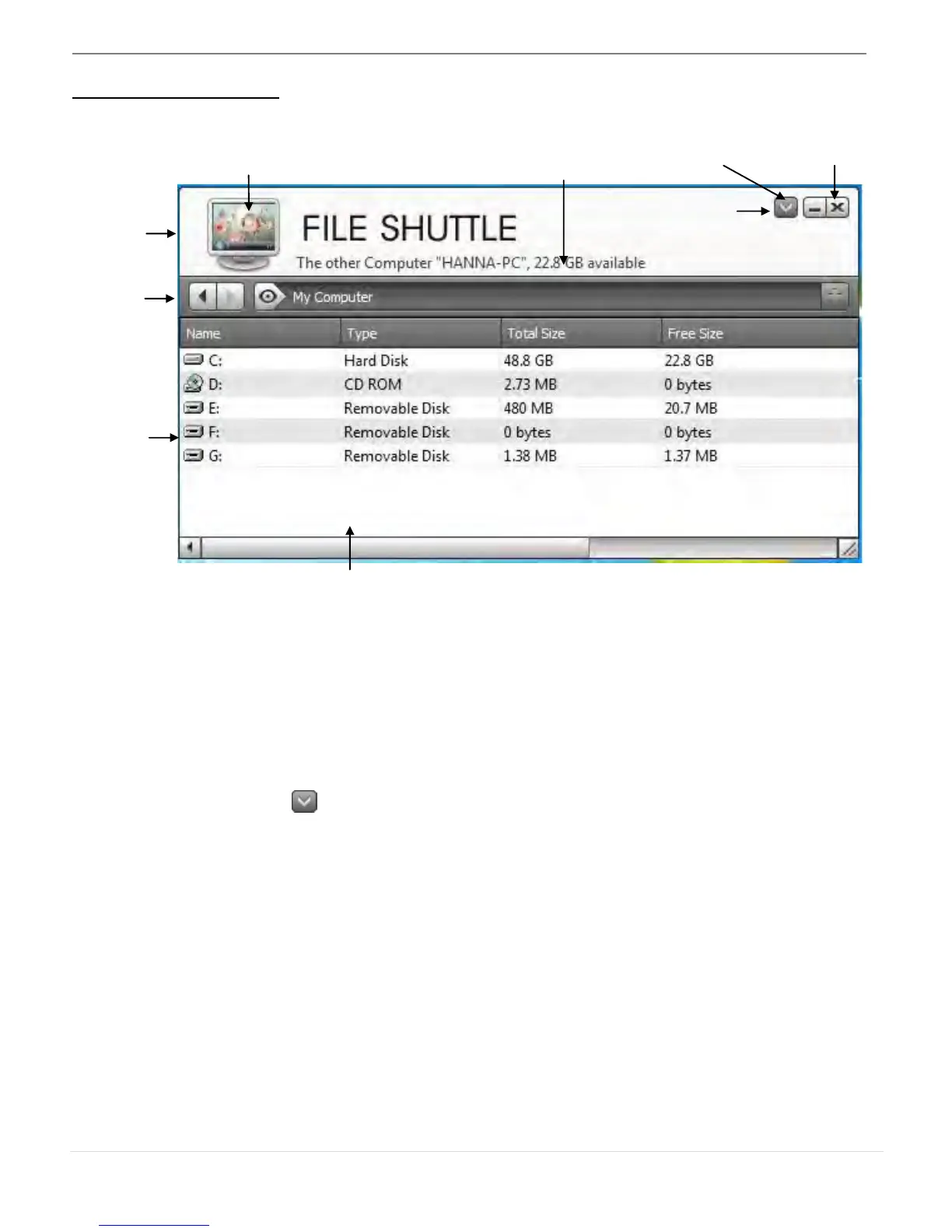
You can enlarge the window by using the left mouse button and press the title bar to move the
whole window.
o Computer Icon: it shows the other Computer’s desktop image.
o Active Information: It shows the name & space available of the other computer.
o Option
Left click on the icon, a pull-down menu will drop down:
1. About File Shuttle
The Version of File Shuttle is shown here.
2. Always on Top:
when you select this option the File Shuttle window will always be in the front of all
application windows.
3. Open Dock is a convenient tool that allows you collect numerous files needed
temperately.
a. Just drag all the files you need to the Dock
Simply Drag a file from your computer to here. The file will copy to the
destination of another computer.



 To Next Page