13
english
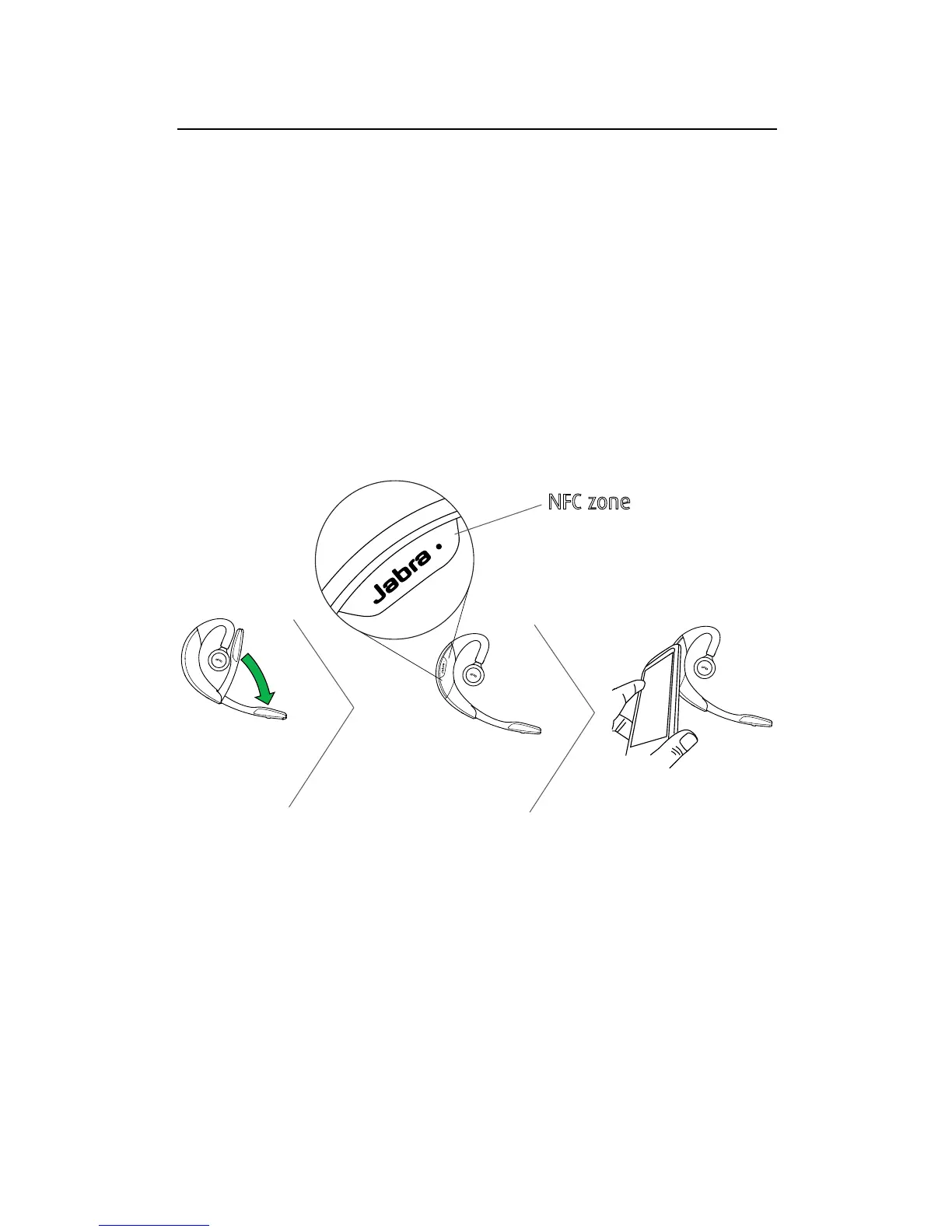
5.4 CONNECT WITH AN NFC DEVICE
1. Ensure that NFC is enabled on your mobile
device.
2. Open the flip boom-arm on the headset.
3. Locate and gently tap the NFC zone on the
headset against the NFC zone on your mobile
device. The mobile device will announce that
the headset is now paired when the connection
is successful.
NFC zone
NOTE: NFC devices have NFC implemented in different
ways. The size and sensitivity of the NFC zone and how
to connect the headset may vary between devices.





 To Next Page