16
english
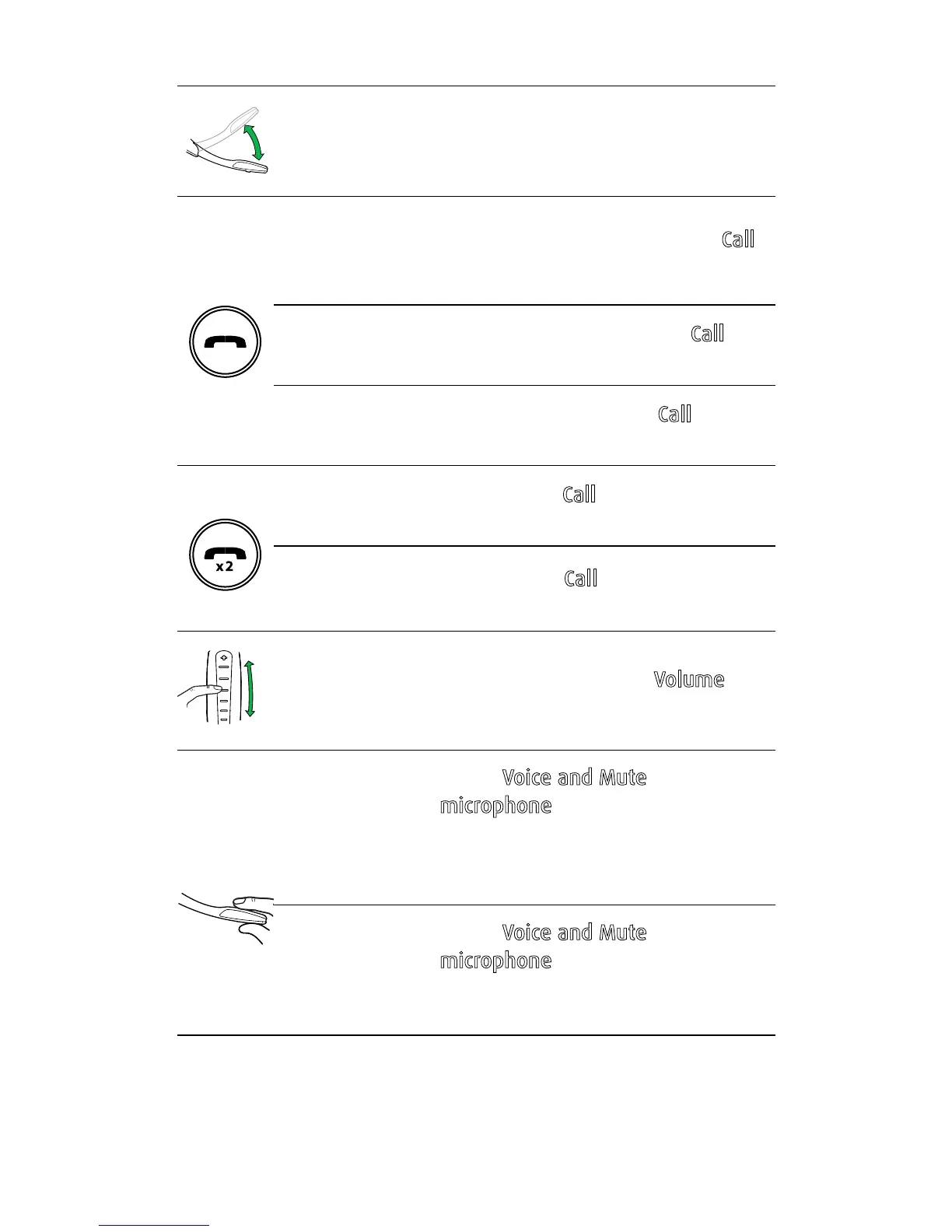
On/off Open or close the flip boom-arm
Answer call
Open the flip boom-arm, or tap the
Call
button if the boom-arm is open
End call
Close the boom-arm, or tap the
Call
button
Talk time
status
When not on a call, tap the
Call button
to hear the remaining talk time
Reject call
Double-tap the
Call button when there
is an incoming call
Redial last
number
Double-tap the
Call button when not
on a call
Adjust
speaker
volume
Slide a finger up/down the
Volume
touch-sensitive panel
Voice
commands
Tap the
Voice and Mute
microphone button when not on a
call, until you hear 'Say a command'.
Say 'What can I say?' for a list of voice
commands
Mute/
un-mute
microphone
Tap the
Voice and Mute
microphone button during a call to
mute the microphone. Tap again to
un-mute.





 To Next Page