16
The Avenger HT-E comes equipped with a PLC programmed to make troubleshooting
and diagnostics more user-friendly. The following pages detail each screen associated
with the Avenger HT-E PLC display.
PLC TROUBLESHOOTING
MAINTENANCE
SCREEN 1:
HOME
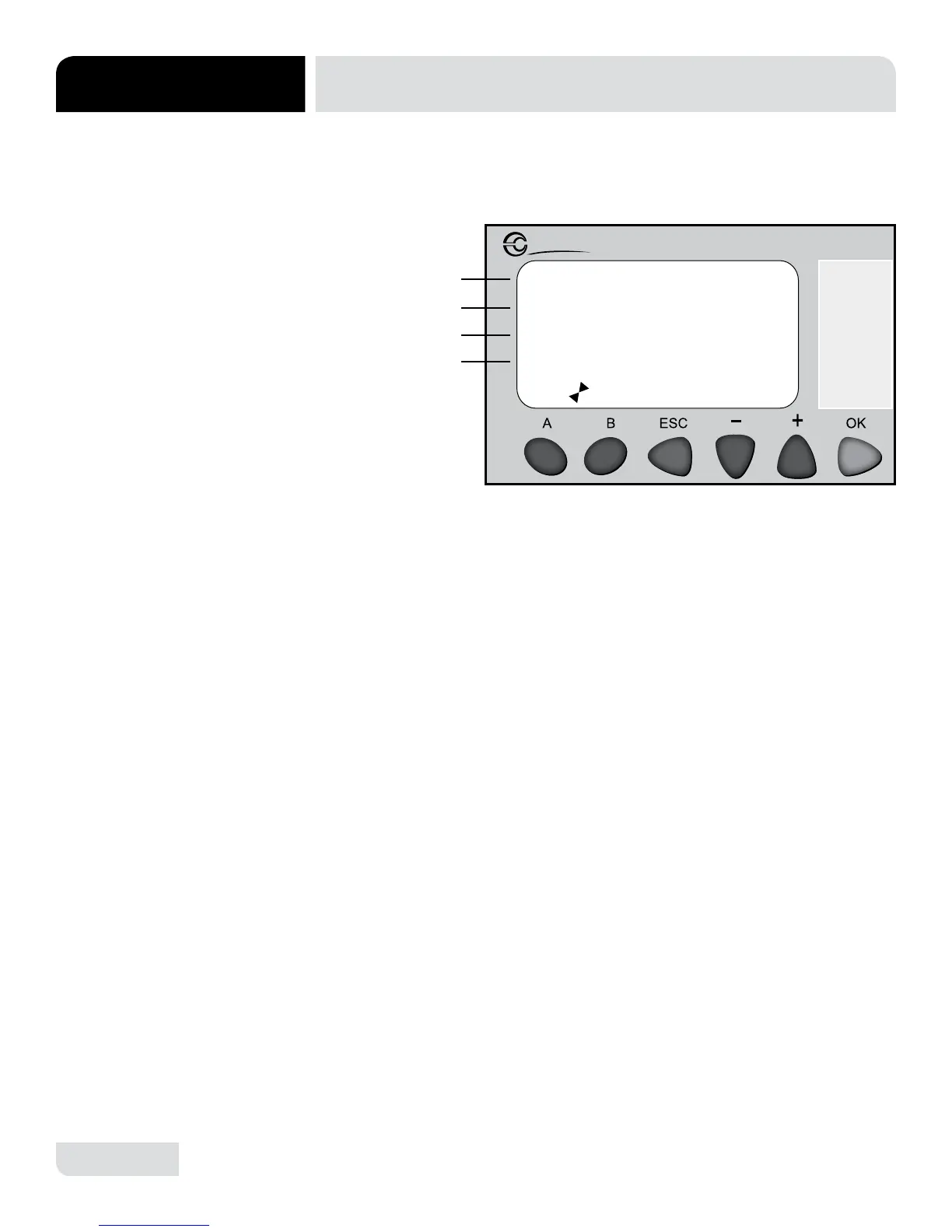
The home screen will be displayed when the machine is powered on and is intended
to show the technician the status of the machine, any faults that may be present,
and the wash and rinse temperatures.
1. Line A shows the status of the machine: Power On, Power Off or Delime.
2. Line B shows the action of the machine and will show one of the following options:
• Fill: The machine is in the initial ll cycle.
• Ready: The machine has completed the initial ll cycle and is ready to wash.
• Wash: The machine is in the wash cycle.
• Rinse: The machine is in the rinse cycle.
• Drain: The machine has been turned off and is draining.
3. Line C will display the wash tank temperature and rinse line pressure.
• If a fault is present, “!!FAULT!!” will replace the rinse line pressure.
• If “!!FAULT!!” is displayed the operator should continue to screen #2 to
identify the issue.
4. Line D will display current software version loaded onto the PLC.
5. Pressing “A” and “B” simultaneously will return user to screen #1.
6. Pressing “A” will proceed to the next screen.
7. Pressing “B” will return to the previous screen.
Millenium 3
Crouzet
STATUS: POWER ON
ACTION: READY
00156F 0010 PSI
00182F VER 1.0
A
B
C
D




 To Next Page