JADEVER JCE/JWE Service Manual - V05
As per the right of proprietary intellectual property, may not be reproduced in any form without written permission.
13
, ,
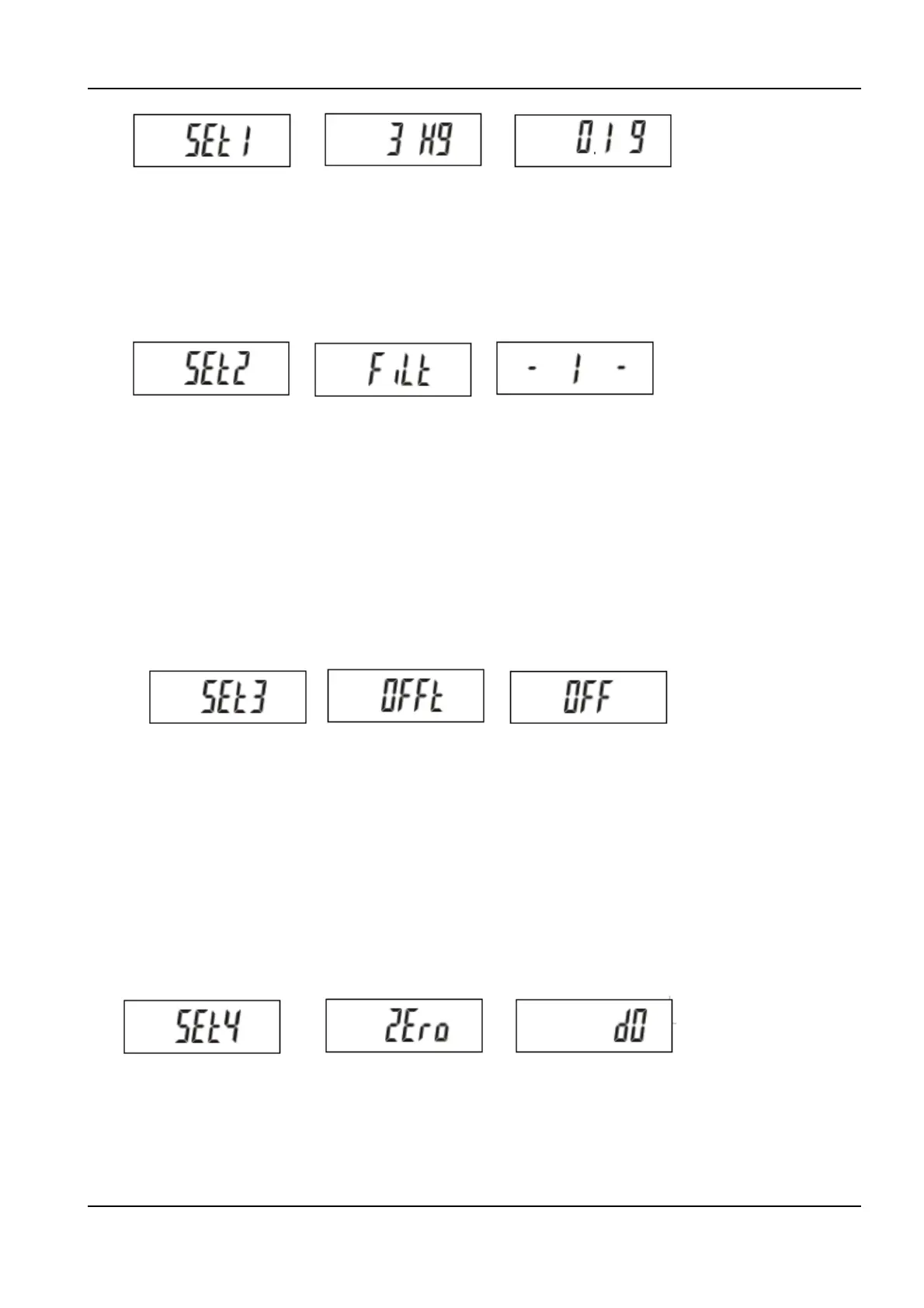
Press 1 key to select the desired capacity-resolution.
Ø Digital filtering
Press 2 key to enter the digital filter setup. The display will show:
Press 2 key to set up backlight function, as following:
Level 1:
Weighing response is faster, while effect to filter vibration is less
Level 2:
Weighing response is slower, while effect to filter vibration is better
Ø Auto power-off
Press 3 key to enter the auto power-off setup. The display will show:
, ,
Press 3 key to set up auto power-off function, as following:
Off:
Off the auto power-off function
5/10/30/60:
Auto power-off function is actuated 5/10/30/60 minutes after, respectively,
there is no weighing loading or no key pressed.
Ø Zero band
Press 4 key to enter the auto power-off setup. The display will show:
, ,
Press 4 key to set up zero-band function, as following:
d0/d1/d2/d3/d4/d5:
Zero-band function is to define the weight range within which the scale
will remain zero indication whenever there is disturbance. Weight range
is expressed in terms of number of display division, both in positive and
negative direction.


 To Next Page