Description and Operation
DELTA Configuration
Establishing a USB Cable Connection
22 www.javad.com
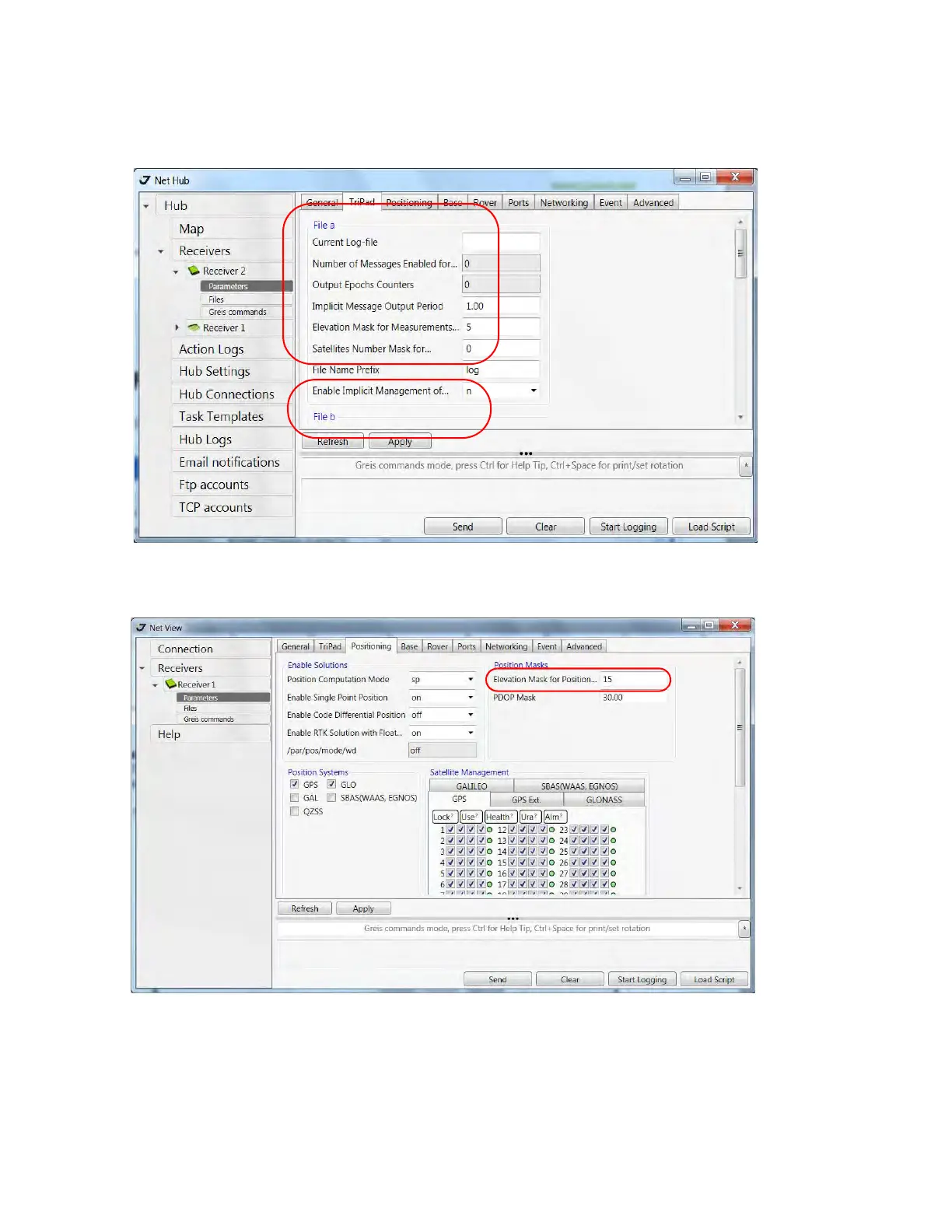
Figure 1-8. TriPad tab settings
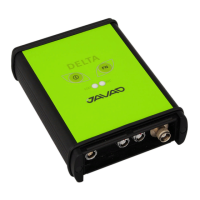
5. Open Positioning tab and set the Elevation mask to 15 degrees (Figure 1-9).
Figure 1-9. Positioning tab - Elevation Mask
6. To set up the base station, open the Base tab and set the following parameters (see Figure 1-10 on
page 23):


 To Next Page