Description and Operation
DELTA Configuration
Establishing a USB Cable Connection
23www.javad.com
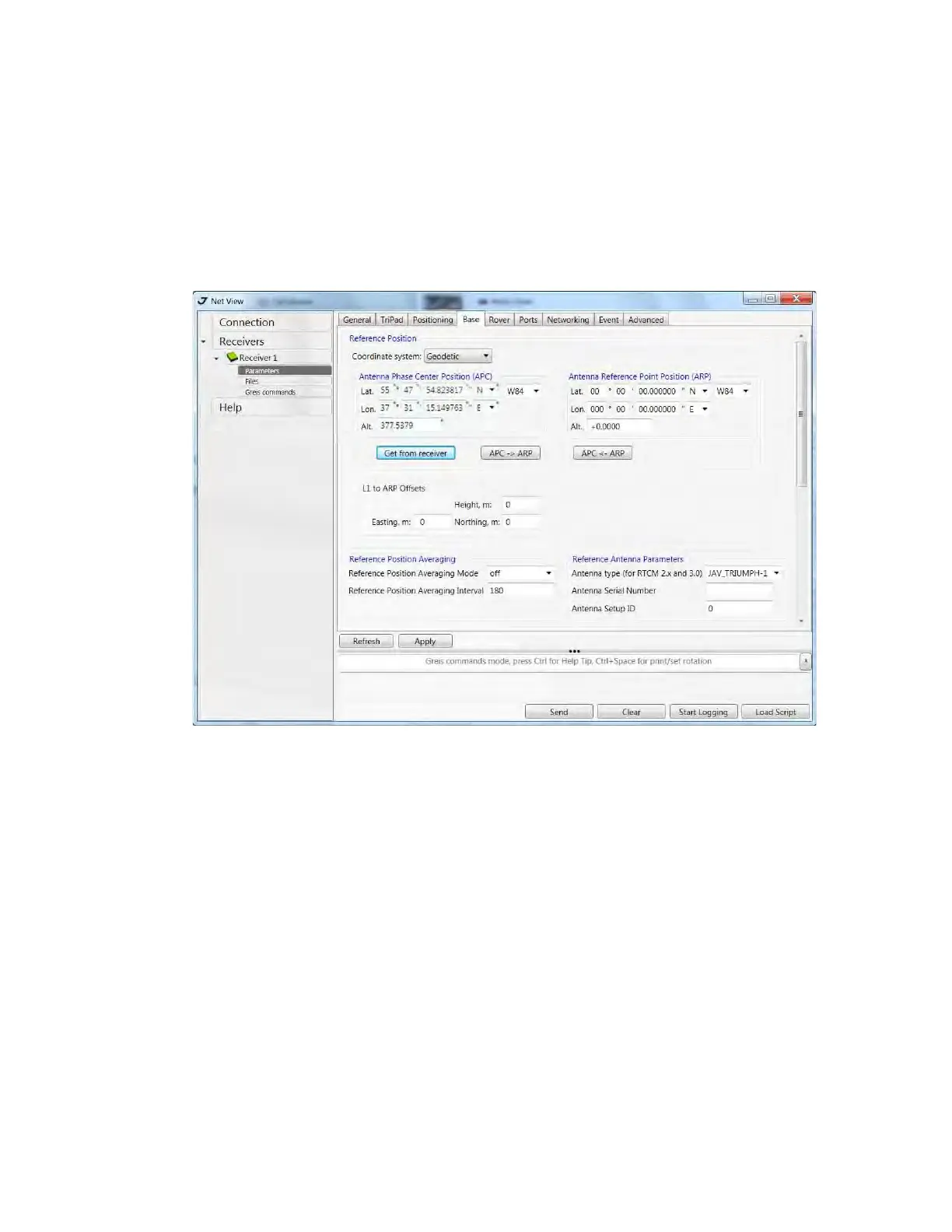
• Antenna Phase Center Position (APC) - enter latitude, longitude, and altitude (ellipsoidal height)
values of the antenna position. Do one of the following:
• If known, type in the values.
•Click Get from receiver to use the current antenna position.
7. Restart your receiver. Open the Base tab and check coordinates. Click Refresh, to refresh the
parameters.
Figure 1-10. Base tab
• To set up the rover, open Positioning tab and set the Position Computation Mode - this drop-down
list box allows selecting the mode of position computation:
• pd -carrier phase differential (RTK) with fixed ambiguities
• pf - carrier phase differential (RTK) with float ambiguities
• cd- code differential (DGPS) mode
• wd - wide area code differential mode (WDGPS)
• sp - single point positioning mode1
• Open the Rover tab and set up the following parameters:
• RTK Position Computation Mode – select Extrapolation for RTK float (kinematic), or Delay for
RTK fixed (static).
If Extrapolation is selected, the rover will extrapolate the base station's carrier phase
measurements when computing the rover's current RTK position. If Delay is selected, the rover
will not extrapolate the base station's carrier phase measurements to compute the current rover
position. Instead, the RTK engine will compute either a delayed RTK position (for the epoch to
which the newly received RTCM/CMR message corresponds) or the current stand-alone position
(while waiting for new RTCM/CMR messages coming from the base).


 To Next Page