110
Once activated, the water pump (also known as the demand pump) will self-prime,
and provide water. The pump is designed for Using the pump
continuously or with high pressure will shorten the life of the pump and is not covered in
your warranty.
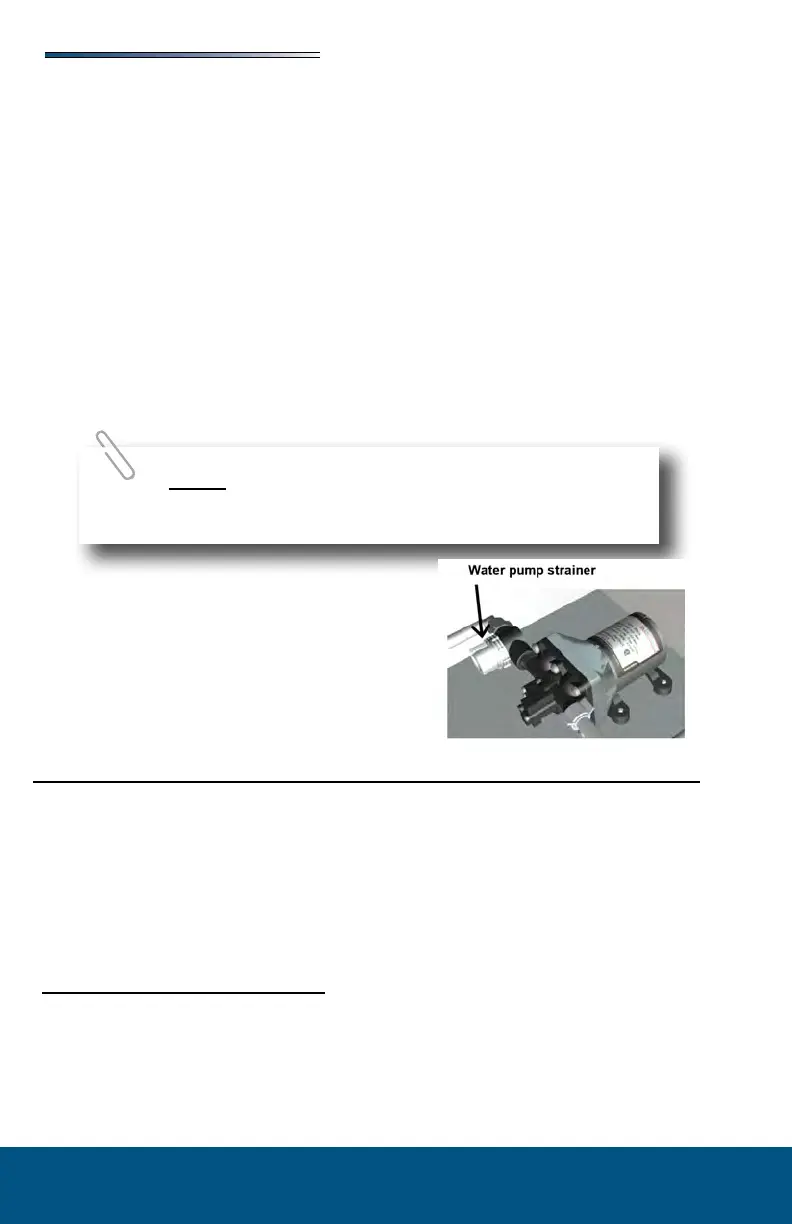
Periodically check the in-line water pump strainer for accumulated debris. To clean, shut o
the water pump, unscrew the clear cap, remove the re-useable metal strainer and clear any
debris, then reinstall.
For additional information on the care and operation of the pump, read the safety and
operating information in the pump manufacturer’s owner’s manual.
Most water pump switches illuminate when the
water pump is activated. In most models, the (red) pump switch is located on the monitor
panel or the utility center. When the water pump switch is ON the pump runs until 45 lbs.
of pressure has been achieved. The red light will stay on. The water pump automatically
recycles when pressure drops. Some cycling may occur depending on the volume of water
being released. Turn the water pump switch OFF when it is not in use.
In some models the water pump switch will be a black rocker
switch located near the sink cabinet
Water Purification System (If So Equipped)
If equipped with a water purication system:
If the water supply has not been used for some time, allow the water to ow for several
minutes to ush the system.
When not in use, the water lter cartridge should be stored out of freezing temperatures.
RV antifreeze will damage the water lter cartridge.
Filter canister is typically located in a compartment behind the utility center.
1. Turn o water supply using two valves located on the water lines on each side of the
canister. Water pump should be OFF.
2. Place drip pan below lter housing to catch any spillage.
3. Press the red button on top of the lter housing to release pressure.
4. Using a spanner wrench, rotate the lter housing. Unscrew the housing completely,
dump water out and remove the lter (dispose of the old lter properly.




 To Next Page