JB-lighting Lichtanlagen GmbH Sallersteigweg 15 D-89134 Blaustein Telefon ++49(0)7304 9617-0
- 78 -
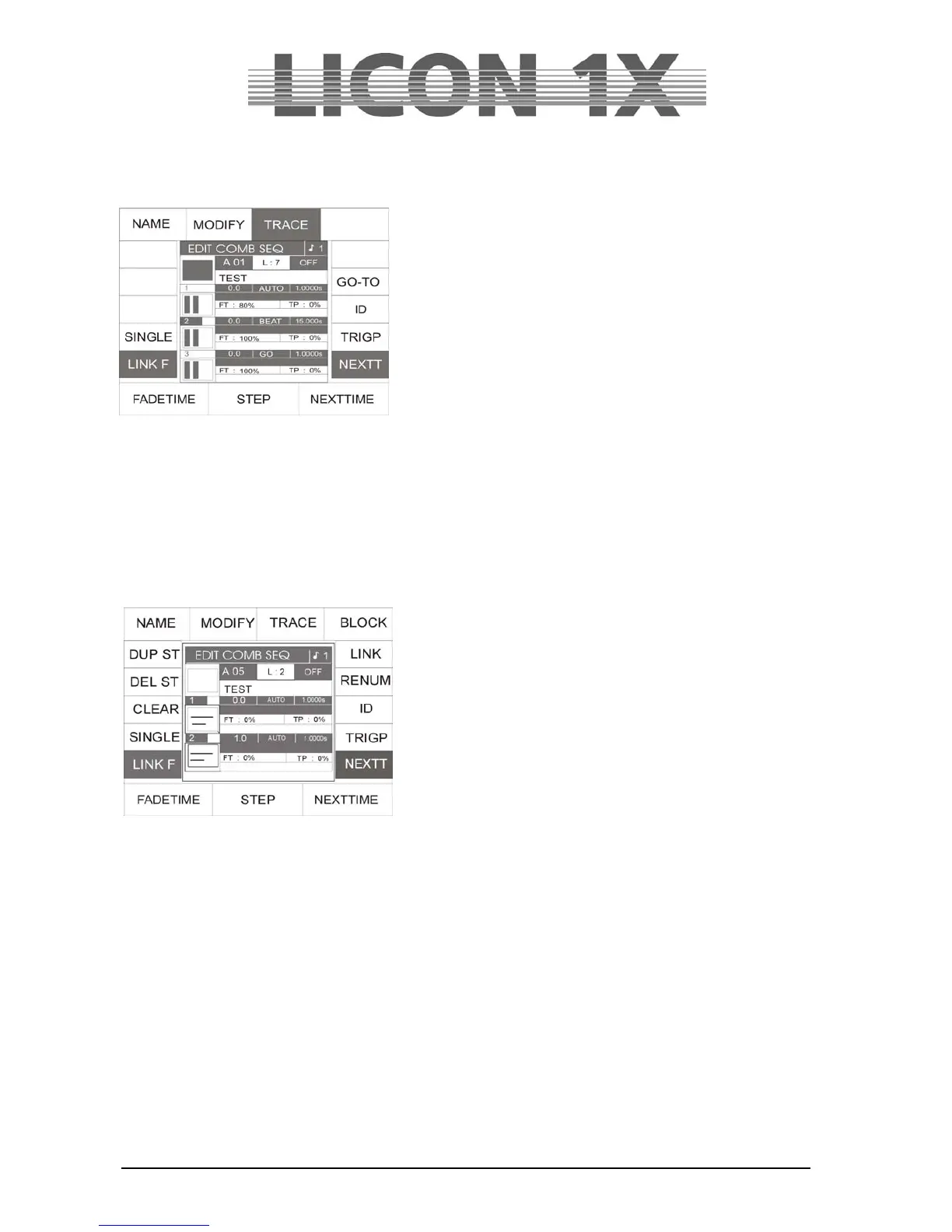
If a sequence is recalled by pressing the Store key, the following display is shown:
The individual fields have the following function:
NAME : names the sequence.
SINGLE inverted: the sequence runs once and stops
after the last step.
SINGLE not inverted: the sequence runs endlessly.
LINK F inverted: specifiies the fade time in %.
LINK F nicht invertiert: specifiies the fade time in absolute
values.
FADETIME: enters fade time with the left encoder
wheel (FADETIME).
STEP: selects the desired step with the
middle encoder wheel.
NEXTTIME invertiert: enters step length with the right encoder wheel (NEXTTIME),
inserts intermediate steps with the softkey ID.
TRIGP: enters the trigpoint. When the function is activated (displayed inverted), enter the
data with the right encoder wheel (TRIGPOINT).
ID: numbers intermediate steps. When the function is activated, enter the data with
the right encoder wheel (ID).
GO-TO selections steps directly, when GO-TO key is used in combination with the keys
of the CUES/CHASES/SEQUENCE section.
If you press the softkey MODIFY in addition, the following functions are shown on the display:
DUP ST: duplicaties the active step.
DEL ST: deletes the active step.
CLEAR: deletes the complete sequence
(attention: no confirmation prompt).
BLOCK: forms a block from a several
successive steps.
LINK: links a chase within a sequence.
RENUM: renumbers the sequence steps using
integral numbers.
The following data are related to the example and will vary from sequence to sequence:
L: 2: The sequence has a length of two steps.
A 05: The activated sequence is stored on Bank A key 05.
OFF: The sequence selected is deactivated.
With the following functions, you can determine flow control of a sequence. The functions are activated
with the corresponding keys in the Sequence Control section:
AUTO: The steps run automatically according to preprogrammed time intervals. The
auto-function is activated by pressing the Rate key in the Sequence Control
section.
MFAD: The step is faded with the ManFader fader.
GO: The step is switched with the Go+ and Go- keys.
SOUND: The step is switched with the Sound function.


 To Next Page