© 2016, JCM Global Corporation 15 Part No. 960-000177R_Rev. A
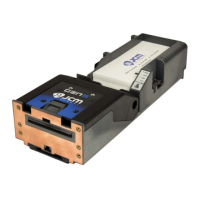
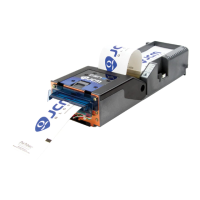
GEN2U™ Printer
PREVENTIVE MAINTENANCE
To ensure high performance printing quality, the GEN2U Printer
must be cleaned periodically using the following methods:
– Perform the Cleaning Card Method every three (3) months.
– Manual Cleaning should be performed every six (6) months.
Cleaning Supplies
C
LEANING
THE
P
RINTER
(C
LEANING
C
ARD
M
ETHOD
)
To clean the Printer using the Cleaning Card Method:
1. Slide the Printer out of the EGM.
2. Remove Tickets from the Printer’s Paper Tray (see Figure 13 a on page
16).
3. Verify that the Printer is powered ON.
4. Remove the Cleaning Card from its package.
5. Insert the Cleaning Card into the Ticket-In Slot (see Figure 13 b on page
16). The Cleaning Card will feed into the Slot up to the loading point.
6. Press the FEED button to feed the Cleaning Card through the Paper Path.
7. Remove the Cleaning Card from the Printer.
8. Turn the Cleaning Card over.
9. Repeat Steps 5 through 7 for a second cleaning cycle.
10. Reload the Tickets.
11. Feed at least two (2) Tickets through the Printer to wipe off excess
moisture on the Print Head.
Table 5 Required Supplies
Description Part No.
Cleaning Kit, Bagged
P/N 350-00292-100
*
* Cleaning Kit includes (10) Cleaning Swabs (P/N 350-00291-100), (10) Cleaning Wipes
(P/N 350-00259-100) and (10) Cleaning Cards (P/N 350-00287-100).
Isopropyl Alcohol (I.P.A.) 99% or greater N/A
Non-Flammable Compressed Air N/A
NOTE: The Cleaning Cycle may need to be changed,
depending on operating environment conditions.
Smoke-filled and/or dusty environments require more
frequent Cleaning Cycles.
GEN2U_FlipBookRevA_v12.fm Page 15 Thursday, October 6, 2016 1:29 PM


 To Next Page