3
SPX532 – QUICKSTART GUIDE
1. TURN ON THE POWER
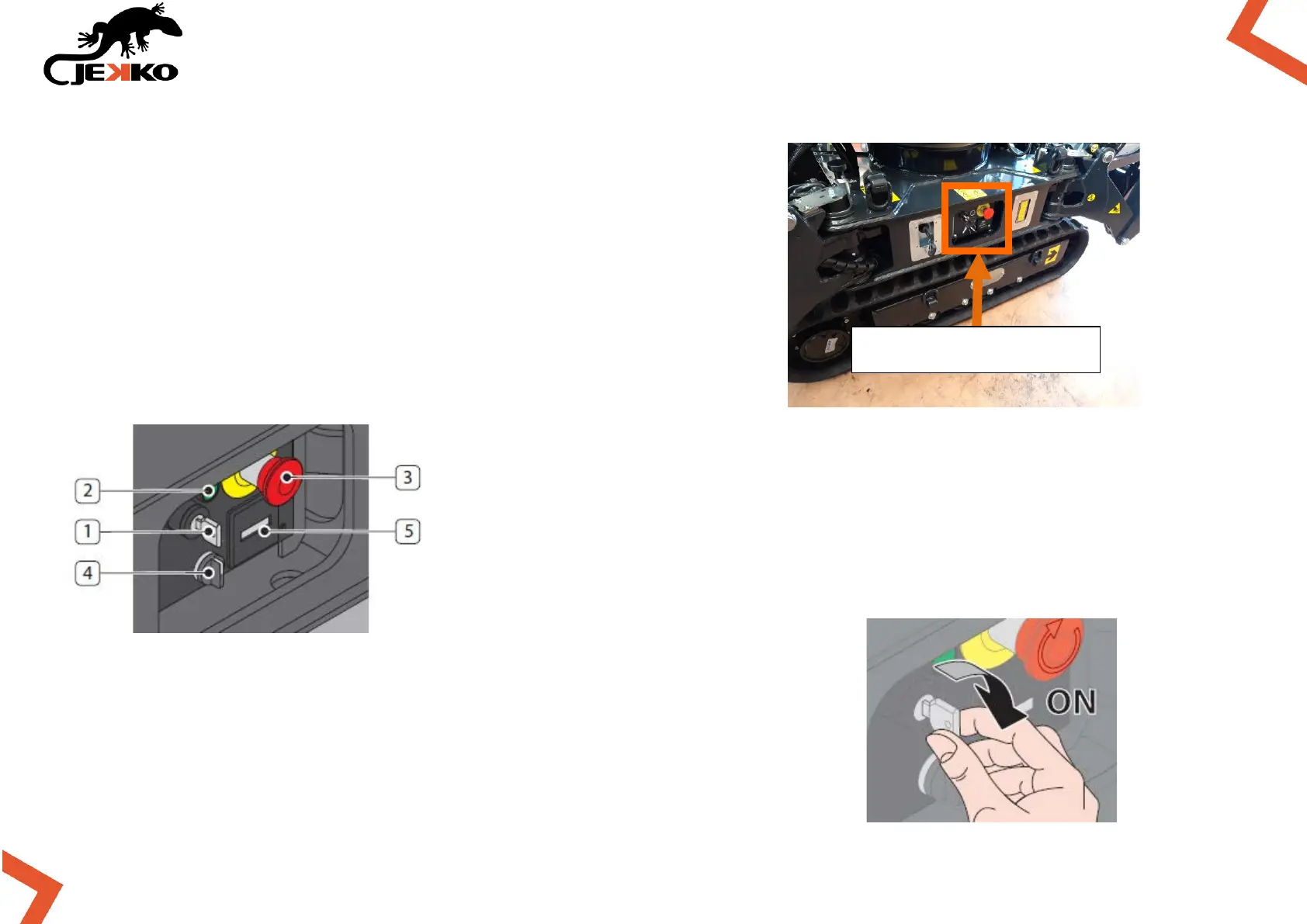
Go to the right side of the machine’s central frame, where the
main switch is placed.
On the right side panel there are the following devices:
• main power switch (1);
• main power led indicator (2);
• emergency button (3);
• power unit switch selector (4);
• hour counter (5).
Turn on the Main power switch to energize the machine (the Main
power led indicator will turn on).



 To Next Page