13
SPX532 – QUICKSTART GUIDE
9. TRACKS
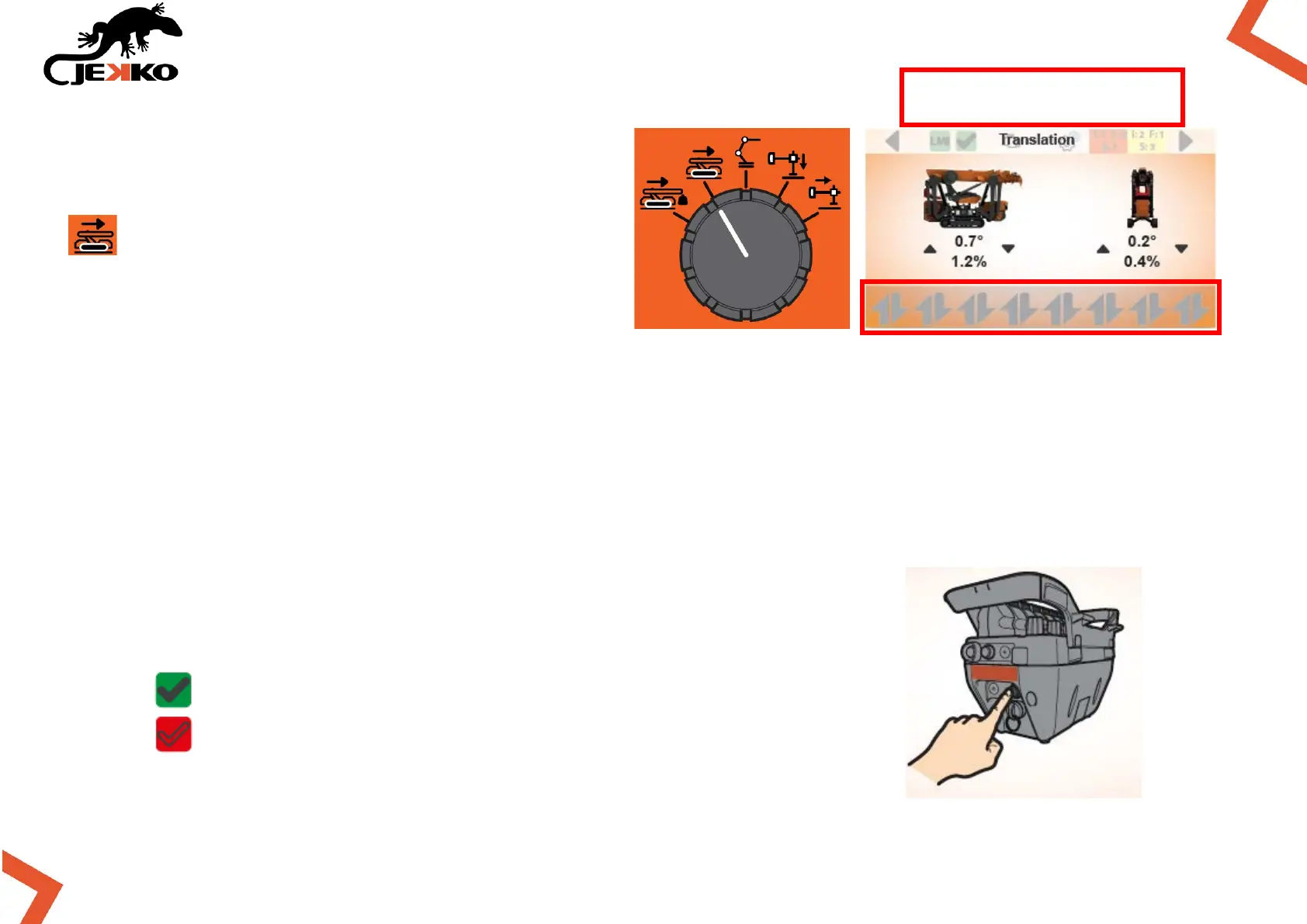
Rotate the Working mode selector in position
and the Tracks page will be displayed on
the screen (see the picture beside).
IMPORTANT:
If the icons of the levers are not displayed on bottom of the screen, the working mode needs to be
enabled!
9.1. ENABLE TRACKS FUNCTIONS
To enable the translation functions press once the Start button on the remote control.
The conditions to enable tracks functions are in the next page.
Once the functions are enabled, the Machine enabled icon (on top of
the screen) will become green and the icons of the levers will appear
(on the bottom of the screen).
MACHINE WORKING MODE ENABLED
MACHINE WORKING MODE NOT ENABLED
NO ICONS = WORKING MODE
NOT ENABLED


 To Next Page