AWM960
7
JENSEN
MP
3
CD-RW
AUX A/V IN
DVD/CD/MP3 PLAYER
SPEAKER
A
SPEAKER
B
SPEAKER
C
MENU
LANG
STOP
RDMINT
RPT
ENTER
1
2
3
4
5
6
ALARM
SET
ALARM
ON/OFF
AUD
AM/FM
DVD
AUX
T/F
MUTE
AS/PS
LOUD
PUSH ON/OFF
VOL
TUN/TRK
DN
UP
AWM960
10
12
11
13
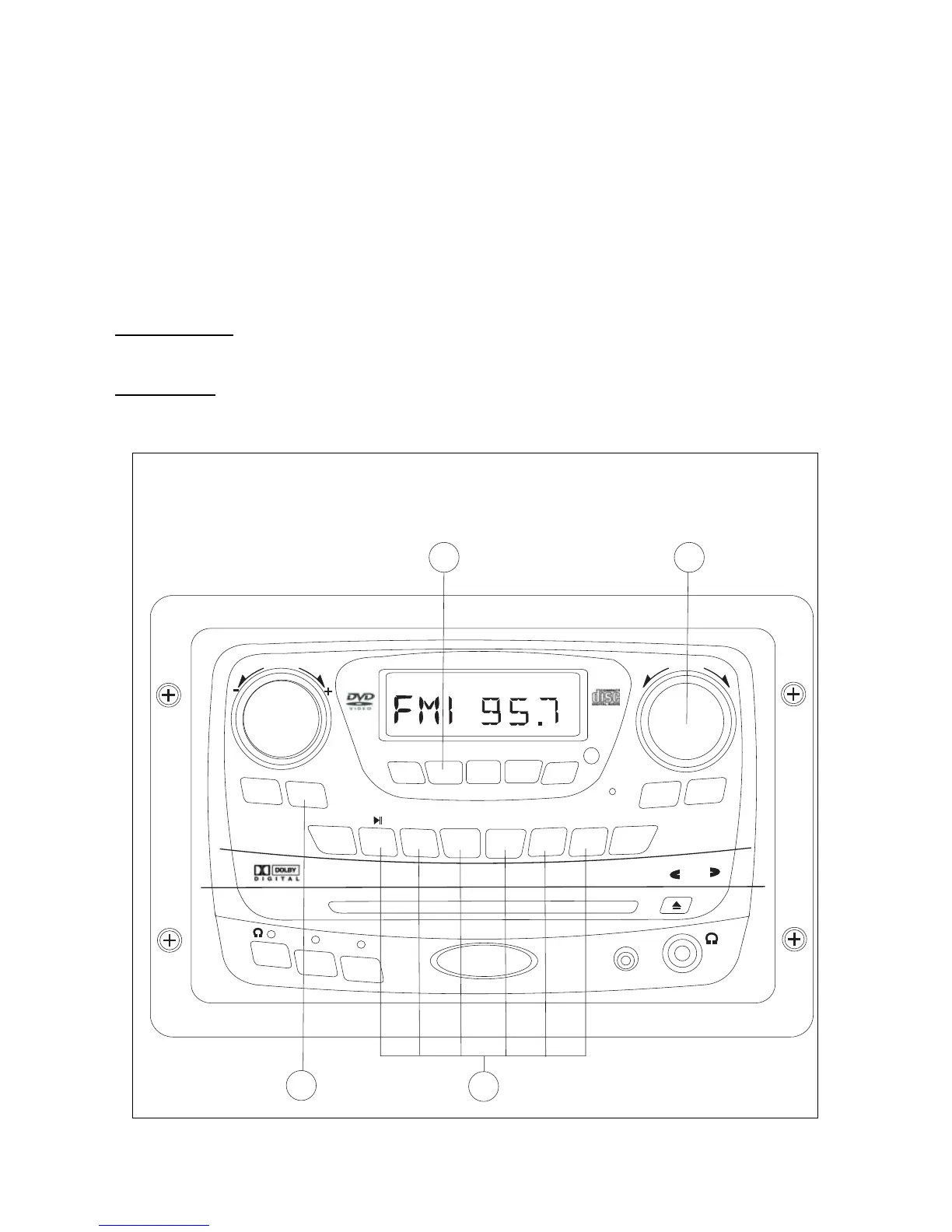
Tuner Operation
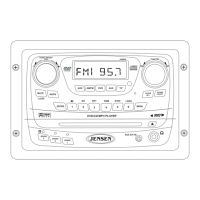
10. Select a Band
Press AM/FM (10) momentarily to directly access tuner mode from any other function mode. When
the unit is already in tuner mode, briefly press AM/FM to change between two AM bands (AM1 and
AM2) and three FM bands (FM1, FM2 and FM3).
11. Tuning
Manual Tuning
Briefly rotate the TUN/TRK (11) knob to tune the frequency one step higher or lower.
Seek Tuning
Rotate and hold the TUN/TRK knob to automatically tune up or down to the next strong station.
Tuner Operation









 To Next Page