EasyManua.ls Logo

Jensen CD-565 - User Manual

Jensen CD-565
16 pages
Print Icon
To Next Page IconTo Next Page
Loading...
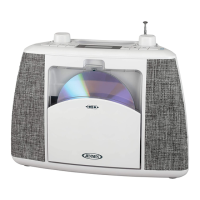
Portable Stereo Bluetooth
Music System with CD
USER MANUAL
CD-565
PLEASE READ THIS USER MANUAL COMPLETELY BEFORE OPERATING
THIS UNIT AND RETAIN THIS BOOKLET FOR FUTURE REFERENCE.

Questions and Answers

  • M
    Megan GarciaJul 27, 2025
    What to do if there is no sound via Bluetooth on my Jensen CD-565?
    • T
      Tyrone BuckJul 27, 2025
      If you're not getting any sound via Bluetooth on your Jensen Stereo System, here are a few things to check: * Ensure the unit is paired with your Bluetooth device by following the "Bluetooth Operations" process. * Make sure the unit is within the Bluetooth operating range (30 feet). * Verify that the volume on your Bluetooth device is turned up.
  • K
    Kathryn RhodesAug 2, 2025
    How to fix a Jensen Stereo System CD player that won't play?
    • B
      Brian GreenAug 2, 2025
      If the CD player on your Jensen Stereo System isn't playing, try these solutions: * Make sure the unit is in CD mode by pressing the SOURCE button until it is. * Ensure the CD is inserted correctly with the label side facing outward. * If using a self-compiled CD, the media may not be compatible. Try using a better quality blank media and retest.
  • J
    jillholmesAug 6, 2025
    How to resolve noise or distorted sound on FM broadcast on Jensen CD-565 Stereo System?
    • T
      Taylor GutierrezAug 6, 2025
      To fix noise or distorted sound on FM broadcast on your Jensen Stereo System: * Fine tune the FM broadcast station. * Fully extend the FM Telescopic antenna.
  • A
    Amy ClarkAug 11, 2025
    What to do if my Jensen CD-565 CD Player has intermittent sound?
    • M
      marshjeffAug 11, 2025
      If the CD player on your Jensen Stereo System has intermittent sound, consider the following: * The disc may be dirty or defective. Clean or replace the disc. * The pick-up lens may be dirty. Use a CD-lens cleaning disc to clean the lens. * The player may be subject to excessive shock or vibration. Relocate the player away from such disturbances.
  • P
    perezkathleenAug 16, 2025
    Why is there no sound on FM radio on my Jensen CD-565?
    • J
      Jeffery WoodardAug 16, 2025
      If there's no sound on FM radio with your Jensen Stereo System: * Ensure the unit is in Radio mode by pressing the SOURCE button repeatedly until you reach RADIO mode. * Check that the volume isn't at its minimum. Increase the volume level.
  • S
    Stephen RobertsAug 22, 2025
    What to do if my Jensen CD-565 Stereo System CD skips while playing?
    • R
      richardmendozaAug 22, 2025
      If the CD skips while playing on your Jensen Stereo System, the disc might be dirty or scratched. Try wiping the CD with a clean cloth or using another disc.

Summary

Safety Instructions

General Safety Precautions

Essential safety precautions for operating the audio system, covering installation and usage.

Additional Safety Guidelines

Further safety instructions regarding appliance exposure, power sources, and usage conditions.

Regulatory Compliance and Laser Safety

FCC Compliance Statement

Statement regarding compliance with FCC rules for radio frequency emissions.

Laser Product Warning

Warning about Class 1 laser product and avoiding exposure to the laser beam.

Unit Operation and Care

Laser Exposure Protection

Guidelines to prevent exposure to hazardous laser radiation when operating the unit.

Condensation Handling

Instructions on how to handle condensation inside the unit to ensure proper function.

Furniture Protection Advice

Advice on protecting furniture from the unit's rubber feet.

Customer Information and Safe Listening

Safe Listening Guidelines

Recommendations for setting volume to protect hearing and enjoy sound quality.

Customer Record Keeping

Instructions for recording the unit's serial number for warranty and security purposes.

Unit Overview and Controls

Top and Front Views

Identification of buttons and displays on the top and front of the unit.

Rear Panel Connections

Identification of ports and features on the back of the unit.

Power Source and Operation

Control Identification

Detailed list of all controls and their functions on the unit.

AC Power Operation

Instructions for connecting and operating the unit using the AC adapter.

Battery Power Operation

Instructions for installing and operating the unit using batteries.

Battery Management and Radio Operation

Battery Care and Replacement

Guidelines for battery usage, care, and replacement to prevent damage and ensure performance.

Radio Tuning and Volume

Step-by-step guide for tuning FM radio stations and adjusting volume.

Radio Features and CD Playback

Radio Reception Tips

Advice for optimizing FM radio signal reception for clearer sound.

Storing and Recalling Radio Presets

Instructions on how to save and recall favorite FM radio stations.

CD Playback Introduction

Guide on inserting a CD, starting playback, and basic playback controls.

CD Advanced Operation and Bluetooth

Advanced CD Controls

Instructions for track selection, searching within tracks, repeat, and shuffle play.

Programmed Playback Setup

How to set up and play tracks in a custom sequence.

Bluetooth Device Pairing

Steps to connect a Bluetooth device to the system for wireless audio streaming.

Bluetooth and External Audio Input

Bluetooth Re-linking Procedure

How to re-establish a connection with a previously paired Bluetooth device.

Aux In Audio Connection

Instructions for connecting and playing audio from external devices via the AUX input.

Unit Maintenance and Usage

Headphone Usage Guidelines

Guidelines for using headphones safely and effectively.

Unit Reset Procedure

Procedure to reset the unit in case of malfunction or electrostatic discharge.

Unit Care and Cleaning

Instructions on how to clean and maintain the unit to preserve its finish and function.

Troubleshooting Common Issues

FM Radio Problems

Solutions for common problems related to FM radio reception and sound.

Bluetooth Sound Issues

Troubleshooting steps for no sound or connection issues with Bluetooth devices.

CD Player Problems

Solutions for problems encountered with CD playback, including loading and skipping.

Product Specifications and Warranty

Technical Specifications

Technical details of the unit, including power requirements and frequency range.

Environmental Responsibility

Information on the manufacturer's commitment to environmental responsibility and recycling.

90-Day Limited Warranty

Details of the product's 90-day limited warranty terms and conditions.

Warranty Service and Support

Out-of-Warranty Service Policy

Procedures and costs for obtaining service for units outside the warranty period.

Customer Support Contact Information

Contact information for customer service and support for product inquiries or issues.

Jensen CD-565 Specifications

General IconGeneral
BrandJensen
ModelCD-565
CategoryStereo System
Disc FormatsCD, CD-R, CD-RW
TunerAM/FM
CD PlayerYes
AM/FM RadioYes
USB PortNo
Auxiliary InputYes
Remote ControlNo
TypePortable
Audio OutputStereo
Power SourceAC 120V/60Hz or 6 x C size batteries

Related product manuals