GB
10
LISTENING TO THE FM RADIO
FM Antenna
Fully extend the FM antenna wire for the best FM radio reception.
Radio Tuning
1. Press the button to turn on the unit.
2. Tap the / FUNCTION button on main unit or FUNC button on remote to select FM radio mode,
the radio indicator ĀFMā displays.
3. To manually tune to a desired station, repeatedly press the TUN +/- / button.
4. To automatically search for stations with strong signals, press and hold the TUN+/- /
button until the frequency digits on display begins to scan then release the button. The tuner will
stop on the first strong signal it finds.
5. Press the Volume Up (+) and Volume Down (-) buttons on the unit or remote to adjust the volume output level.
6. If necessary, you may tap the ST./MONO button to select stereo (the stereo indicator
displays)
or mono (the indicator is off) reception.
7. Press and hold the / FUNCTION button on main unit or tap button on the remote control to
turn unit into standby mode after listenning. The power status LED lights off.
Notes:
- Manual tune to select weaker stations that might be skipped during automatic tuning.
- If the automatic tuning does not stop on the exact frequency of the station, for example, it
stops on 88.9 MHz instead of 88.8 MHz, use the manual tuning method to "fine tune" to the
exact frequency of the desired station.
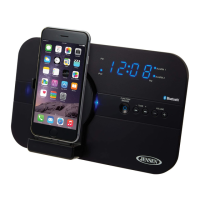
- If you dock an iPod or iPhone for charging while listening to the radio, the unit will
automatically switch to iPod mode for authentication. Wait a few seconds, then tap the
FUNCTION button twice to switch the unit back to FM radio mode.
Radio Preset Stations
The unit allows you to store up to 20 FM stations for easy recall at any time.
Setting Preset Stations
Auto Preset
1. Tap the button to turn on the unit.
2. Tap the FUNCTION (FUNC) button to select FM radio mode.
3. Press and hold the MODE / MEM button for auto preset. The tuner will automatically scan for stronger
radio stations from low frequency to high frequency and then store them in the preset channels.
Manual Preset
1. Tap the
button to turn on the unit.
2. Tap the FUNCTION (FUNC) button to select FM radio mode.
3. Tune to the radio station you want to store in memory by using the TUN +/-
/ button.
4. Tap the MEM button. The preset channel number appears on display and blinks.
5. To select desired preset station number, tap the / button on the main unit or PRESET +/-
button on the remote control.
6. To confirm preset location, tap the MEM button.
7. Repeat steps 3 to 6 to store other stations if necessory.
Notes:
- There is a 5 seconds delay when programming, after 5 seconds, the unit will automatically
switch back to normal tuner mode.
- You can overwrite a preset station by overwriting and storing the new frequency in its place.
Recalling a Preset Station
1. Tap the button to turn on the unit.
2. Tap the FUNCTION (FUNC) button to select FM radio receiving mode.
3. To select desired preset channel, tap the PRESET button and then the
/ button from the
main unit or press the PRESET +/- button from the remote control directly.
ES
10
PARA ESCUCHAR RADIO FM
Antena FM
Extienda totalmente la antena de cable FM para obtener la mejor recepción.
Sintonía del Radio
1. Oprima el botón para encender la unidad.
2. Dé un ligero golpecito al botón de
/ FUNCIÓN en la unidad principal o al botón de FUNCIÓN del
control remoto para seleccionar modalidad de Radio FM, el indicador “FM” aparecerá en pantalla.
3. Para sintonizar manualmente su radiodifusora favorita, oprima repetidamente el botón
SINTONIZAR +/-
/.
4. Para efectuar una búsqueda automática de radiodifusoras con buena señal, oprima y sostenga el
botón SINTONIZAR+/-
/ hasta que aparezca la secuencia de los dígitos de las
frecuencias en la pantalla, y luego suelte el botón. El sintonizador se detendrá en la primera señal
fuerte que encuentre.
5. Oprima los botones para subir (+) o bajar (-) el volumen en la unidad o en el control remoto para
ajustar el nivel de volumen.
6. Si fuera necesario, dé un ligero golpecito al botón ESTÉREO/MONO para seleccionar la recepción
estéreo (aparecerá el indicador de estéreo
, o bien mono (en el cual el indicador estará
apagado
.
7. Oprima y sostenga el botón de / FUNCIÓN en la unidad principal o dé un ligero golpecito al
botón
del control remoto para colocar la unidad en modalidad de espera después de escuchar.
Se apagará la luz LED indicadora de suministro de corriente eléctrica.
Notas:
- Sintonice manualmente las estaciones más débiles que podrían pasar desapercibidas durante la
sintonización automática.
- Si la sintonización automática no se detiene en la frecuencia exacta de la radiodifusora, por
ejemplo, si se detiene en 88.9 MHz y no en 88.8 MHz, use el método manual de sintonización
para "afinar" la sintonía a la frecuencia exacta de la radiodifusora.
- Si acopla su iPod o iPhone para cargarlo mientras escucha radio, la unidad cambiará
automáticamente a modalidad de iPod para autenticación. Espere unos segundos, luego dé dos
ligeros golpecitos al botón de FUNCIÓN para regresar a la modalidad de radio FM.
Estaciones de Radio Pre-configuradas
La unidad le permite almacenar en la memoria hasta 20 estaciones FM y reactivarlas en cualquier momento.
Configuración de Estaciones en la Memoria
Auto-configuración
1. Oprima el botón para encender la unidad.
2. Dé un ligero golpecito al botón FUNCIÓN (FUNC) para seleccionar la modalidad de radio FM .
3. Oprima y sostenga el botón MODALIDAD / MEM para hacer la pre-configuración. El sintonizador
escaneará automáticamente las estaciones más fuertes, desde una baja frecuencia hasta una alta
frecuencia, y luego las almacenará en los canales pre-configurados.
Pre-configuración Manual
1. Dé un ligero golpecito al botón
para encender la unidad.
2. Dé un ligero golpecito al botón FUNCIÓN (FUNC) para seleccionar la modalidad de radio FM.
3. Sintonice la estación de radio que quiera guardar en la memoria, usando el botón
SINTONIZADOR +/-
/.
4. Dé un ligero golpecito al botón MEM. En la pantalla aparecerá y parpadeará el número de canal
pre-configurado.
5. Para seleccionar el número deseado para la estación pre-configurada, dé un ligero golpecito al
botón
/ en la unidad principal o al botón PRE-CONFIGURAR +/- en el control remoto.
6. Para confirmar la ubicación pre-configurada, dé un ligero golpecito al botón MEM.
7. Repita los pasos del 3 al 6 para guardar otras estaciones si lo desea.
W166-R(JiMS-252i)_GB_ES IB.indd10 18 - 1027 2012-2-28 8:36
size:148x210mm,80gms book paper,BK+BK.


 To Next Page
 Loading...