ES
15
CUIDADO Y MANTENIMIENTO
- No someta la unidad a esfuerzos excesivos, golpes, polvo o temperaturas extremas.
- No manipule los componentes internos de la unidad.
- Para limpiar la unidad utilice un paño ligeramente húmedo (pero nunca utilice uno mojado). Nunca
use solventes ni detergentes.
- Evite dejar la unidad bajo los rayos del sol, o en lugares con exceso de calor, humedad o polvo.
- Mantenga la unidad alejada de aparatos y fuentes de ruido eléctrico, como por ejemplo, lámparas
fluorescentes o motores.
Restauración de la Unidad
En caso de que la unidad haya sido sometida a sobretensión o descarga eléctrica, el micro-controlador
interno puede bloquearse y la unidad no responderá a ninguno de los controles del tablero.
Para resolverlo, use un clip para papeles enderezado, un palillo de dientes o algún otro objeto similar para
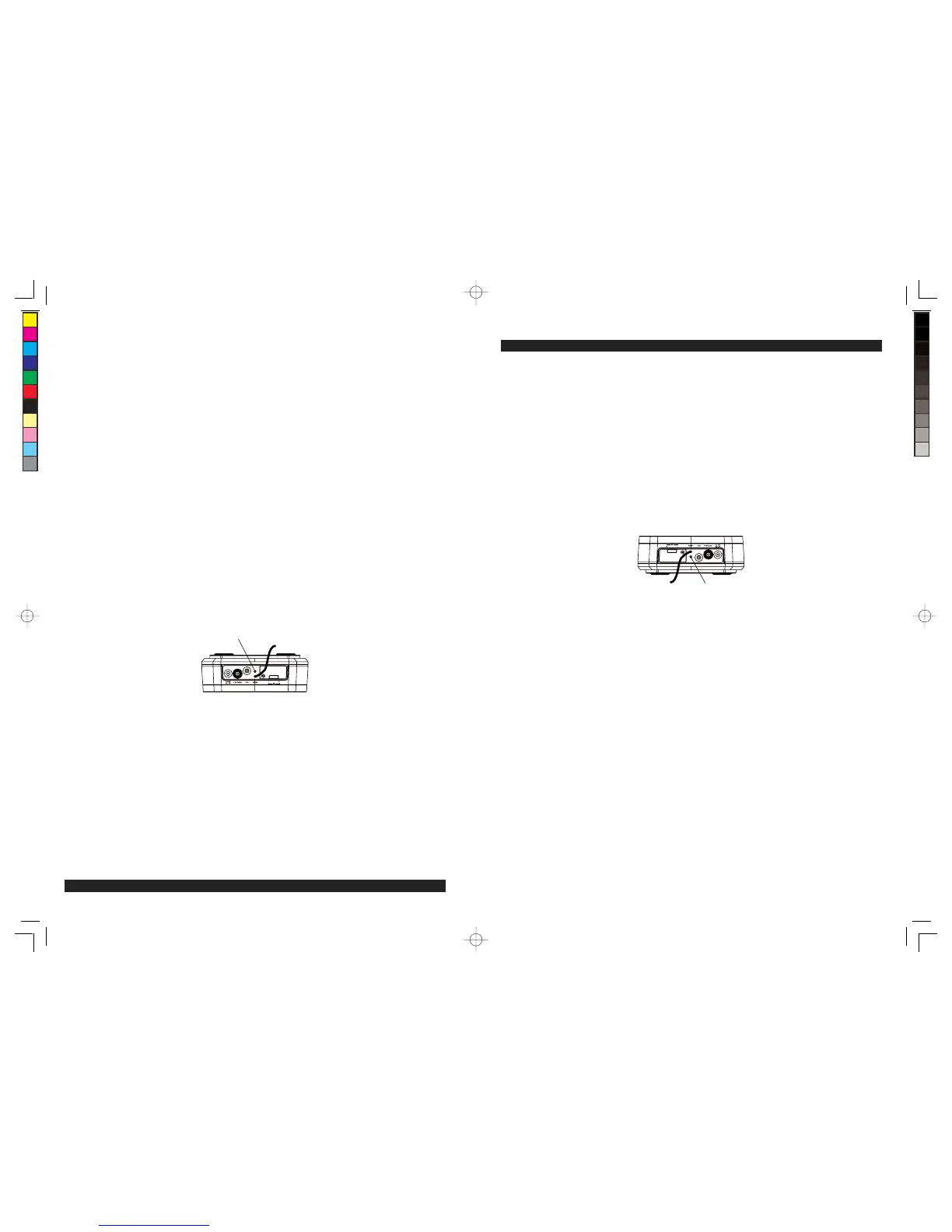
oprimirelbotóndeREINICIOubicadoenlaparteposteriordelaunidad(vealafiguraacontinuación).La
operación del reinicio borra la memoria del sistema borrando todas las configuraciones que usted haya
colocado.
PRECAUCIÓN: PARA OPRIMIR EL BOTÓN DE RENICIO NUNCA USE OBJETOS AFILADOS NI
PUNZANTES. ÉSTOS PODRÍAN DAÑAR EL INTERRUPTOR DE REINICIO DENTRO DE LA
UNIDAD.
BOTÓN DE REAJUSTE
GB
15
CARE AND MAINTENANCE
- Do not subject the unit to excessive force, shock, dust or extreme temperature.
- Do not tamper the internal components of the unit.
- Clean your unit with a damp (never wet) cloth. Solvent or detergent should never be used.
- Avoid leaving your unit in direct sunlight or in hot, humid or dusty places.
- Keep your unit away from heating appliances and sources of electrical noise such as fluorescent
lamps or motors.
Resetting the Unit
If the unit experiences a power surge or electric shock, it is possible that the internal micro-controller
may lock up and the unit will not respond to any commands from the panel controls.
In this event, use a straightened paper clip, toothpick or similar objects to press the RESET button
located at rear of the unit (see the below figure). The reset operation clears the system memory and all
of your previous settings will be erased.
CAUTION: DO NOT USE A SHARP OR POINTED OBJECT TO PRESS THE RESET BUTTON.
IT MAY DAMAGE THE RESET SWITCH INSIDE THE UNIT.
RESET Button
W166-R(JiMS-252i)_GB_ES IB.indd15 18 - 2215 2012-2-28 8:36
size:148x210mm,80gms book paper,BK+BK.


 To Next Page