VM9314
Table
5:
DVDNCD Remote Control Functions
Button
Function
Name
eve
vee
ANGLE
Play
alternate
angles
if
DVD
con-
tains
scenes
shot
simultaneously
from
different
angles
Controlling
Playback
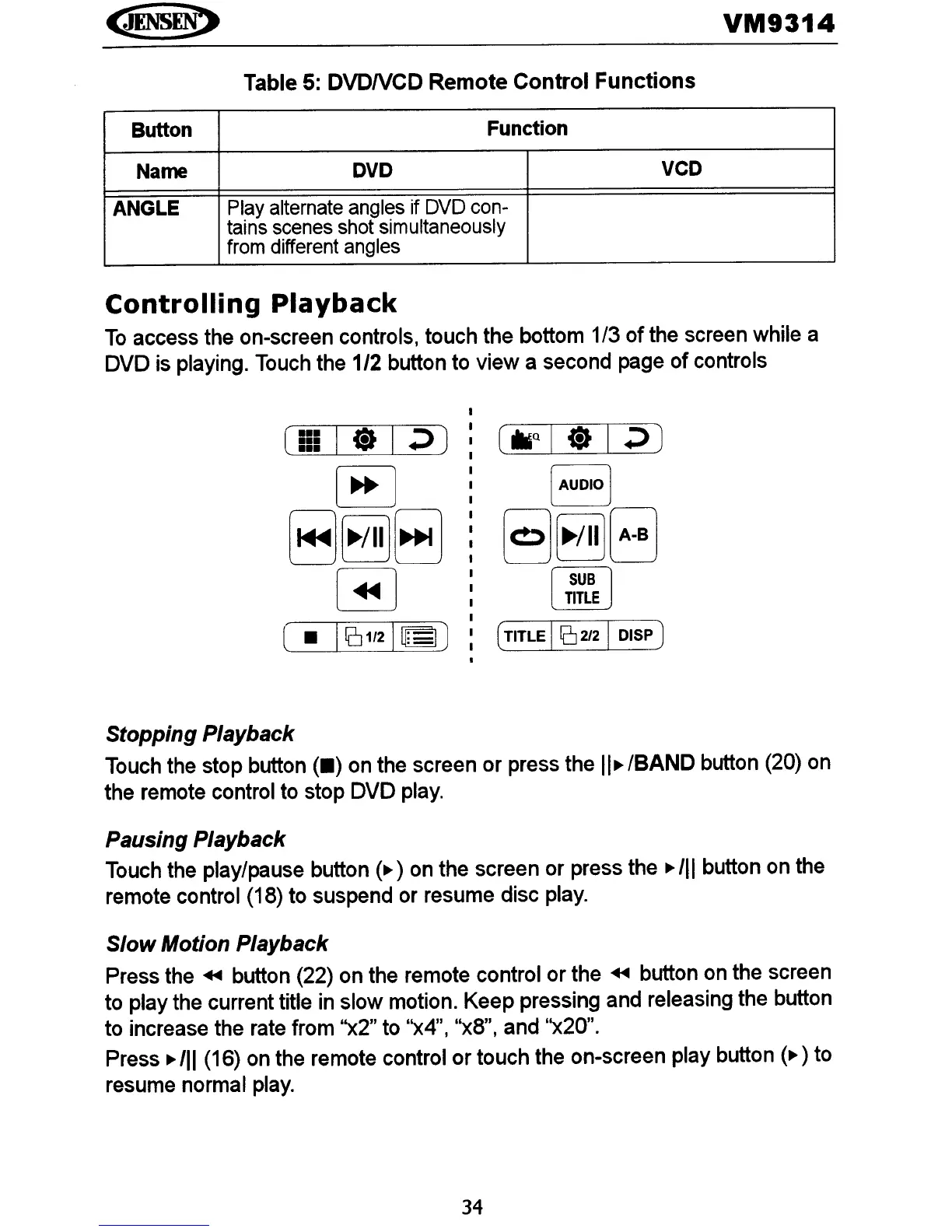
To
access the on-screen controls, touch the bottom 1/3 of the screen while a
DVD is playing. Touch the
1/2
button to view a second page
of
controls
[
AUDIO]
§J~EJ
rSUBl
~
(TITLE I [[]
2/2
I DISP J
Stopping Playback
Touch the stop button
(.)
on the screen or press the
II~
IBAND
button (20) on
the remote control to stop DVD play.
Pausing Playback
Touch the play/pause button
(~
) on the screen or press the
~
III
button on the
remote control (18) to suspend or resume disc play.
Slow Motion Playback
Press the
+II
button (22) on the remote control or the
+II
button on the screen
to play the current title in slow motion. Keep pressing and releasing the button
to increase the rate from '')(2'' to
")(4"
I
")(8",
and ")(20".
Press
~
III
(16) on the remote control or touch the on-screen play button
(~
) to
resume normal play.
34















 To Next Page