EasyManua.ls Logo

Jensen XCD 9020 - Reset

Jensen XCD 9020
23 pages
Print Icon
To Next Page IconTo Next Page
To Previous Page IconTo Previous Page
Loading...
JENSEN'
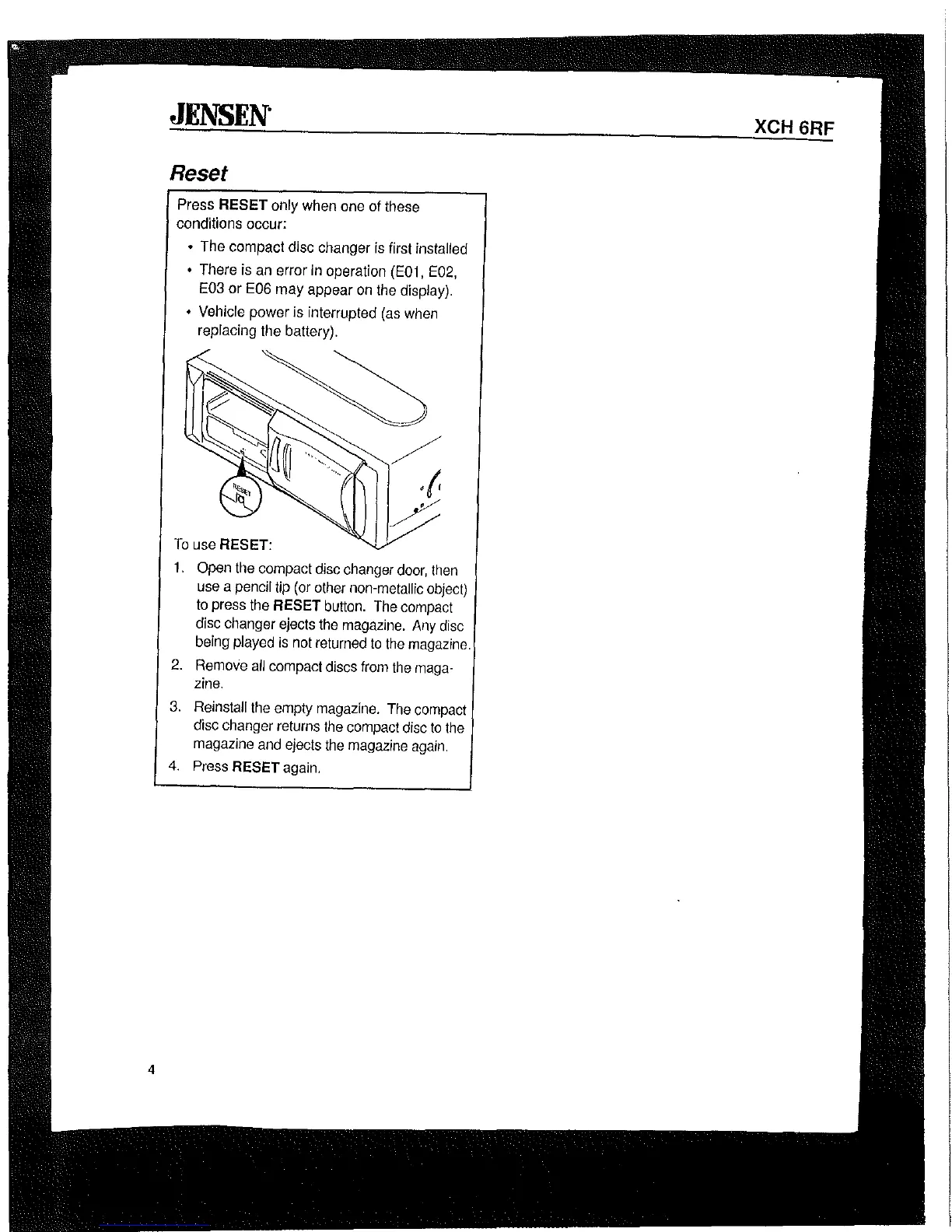
Reset
Press
RESET only
when
one
of
these
conditions occur:
The
compact disc changer
is
first installed
There
is
an
error
in
operation
(E01,
E02,
E03
or
E06
may appear
on
the
display).
Vehicle
power
is
interrupted
(as
when
replacing
the
battery).
To
use
RESET:
1.
Open
the
compact
disc
changer
door,
then
use
a
pencil
tip
(or
other
non-metallic
object)
to
press
the
RESET
button.
The
compact
disc
changer
ejects
the
magazine.
Any
disc
being
played
is
not
returned
to
the
magazine.
2.
Remove
all
compact
discs
from
the
maga-
zine.
3.
Reinstall
the
empty
magazine.
The
compact
disc
changer
returns
the
compact
disc
to
the
magazine
and
ejects
the
magazine
again.
4.
Press
RESET
again.
XCH 6RF

Related product manuals