www.jlltness.co.uk www.jllelectronics.co.uk
22
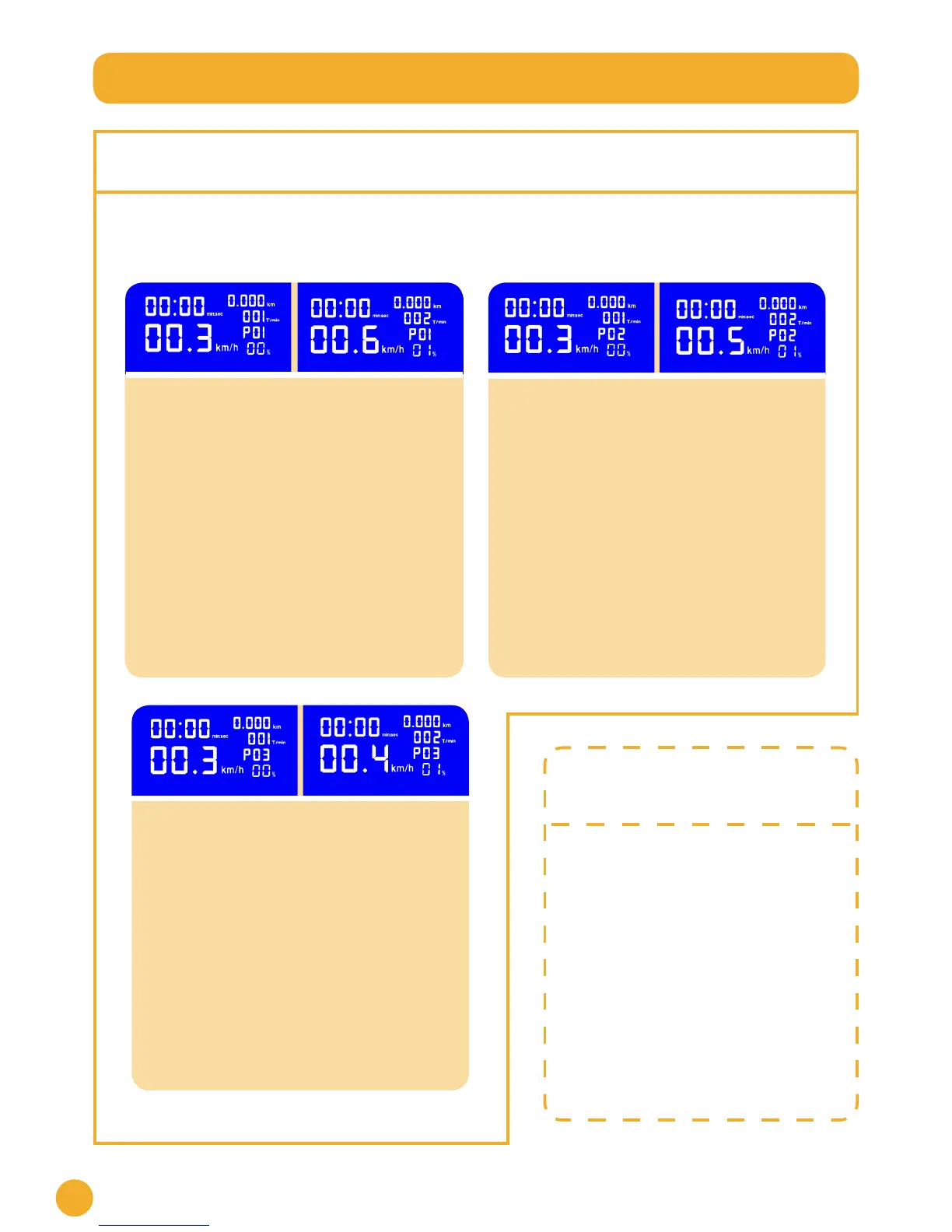
1. Press PROGRAM button twice and hold
for 10 seconds until you see PO2 on the
heart rate section and 1 on the distance
section (Left image).
2. Press FAST/SLOW button to set up the
speed.
3. Press UP/DOWN button to set up the
incline.
4. Press SET button to save the rst
section. Once this has been done, your
setting will automatically change to
section (Right image).
5. This process can be repeated until you
reach section 10
6. Press SET to save the changes.
Program 02 setting:
1. Press PROGRAM button three times and
hold for 10 seconds until you see PO3
on the heart rate section and 1 on the
distance section (Left image).
2. Press FAST/SLOW button to set up the
speed.
3. Press UP/DOWN button to set up the
incline.
4. Press SET button to save the rst section.
Once this has been done, your setting will
automatically change to section 2 (Right
image).
5. This process can be repeated until you
reach section 10.
6. Press SET to save the changes.
Program 03 setting:
1. Press PROGRAM button and hold for 10
seconds until you see PO1 on the heart
rate section and 1 on the distance section
of the screen (Left image).
2. Press FAST/SLOW button to set up the
speed.
3. Press UP/DOWN button to set up the
incline.
4. Press SET button to save the rst section.
Your setting will automatically change
to section 2 on the distance section (Right
image).
5. This process can be repeated until you
reach section 10.
6. Press SET to save the changes.
Set up
pre-set programmes
The treadmill should be completely
stopped.
1. Press PROGRAM. There are 15
different programmes.
2. Use the PROGRAM button to select
the preferred program.
3. The treadmill will work on the
chosen program.
4. Press STOP once to pause, twice to
skip the program.
NOTE: Each program has 10 sections
that will change every 200 metres. You
will not be able to change the speed or
incline during the pre-set programmes.
They will change automatically.
Set up personal programmes
With the JLL treadmill S400 you can set your own 3 running programmes. Each program has 10 sections
that change every 200 metres and you can set up every section (speed and incline). Follow the steps:
Program 01 setting:


 To Next Page