EasyManua.ls Logo

Johannus One - User Manual

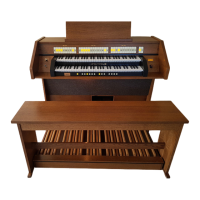
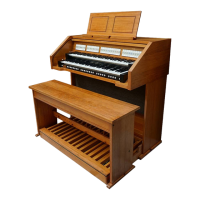
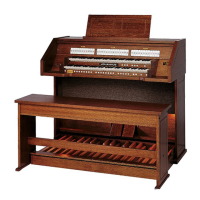
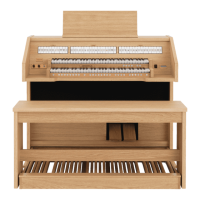
Johannus One
52 pages
Print Icon
To Next Page IconTo Next Page
Loading...
USER
MANUAL

Table of Contents

Questions and Answers

  • A
    Andrea MillerAug 19, 2025
    What to do if my Johannus Musical Instrument power turns off automatically?
    • F
      Frederick ArcherAug 19, 2025
      This is normal behavior due to the Auto Power Off function. If you want to change this, adjust the Auto Power Off parameter. To disable automatic power off completely, set the “AUTO OFF” setting to “Disable.”
  • S
    Steven BartonAug 21, 2025
    What to do if there is no sound from my Johannus Musical Instrument?
    • C
      Chelsea MathisAug 21, 2025
      First, ensure that your Johannus Musical Instrument is switched on. Then, check the [VOLUME] knob and make sure it isn't turned down too low; adjust it to a higher setting. Also, verify that you have selected a sound, whether it's an organ or orchestral sound.
  • R
    rsloanAug 23, 2025
    Why won't my Johannus One Musical Instrument turn on?
    • D
      Dr. Corey BaileyAug 23, 2025
      Check that the AC adapter or power cord is correctly connected both to the AC outlet and to the instrument. Also, if you've just turned the power off, wait at least five seconds before trying to turn it on again.
  • D
    dmooreAug 26, 2025
    Why is the volume level of my Johannus One Musical Instrument too low when connected to an amplifier?
    • S
      Shawn CopelandAug 26, 2025
      The issue may be that you are using a connection cable that contains a resistor. Try using a connection cable that doesn’t contain a resistor.
  • R
    rachael39Aug 27, 2025
    What to do if I can't read from or write to USB Memory on my Johannus One Musical Instrument?
    • C
      Charles EdwardsAug 27, 2025
      Verify that your USB Memory is formatted as FAT. The instrument can only use USB Memory that has been formatted as FAT. If it's formatted differently, re-format it as MS-DOS FAT.
  • J
    John JohnsonAug 30, 2025
    Why is the keyboard volume lower than the song playback volume on my Johannus One?
    • M
      Matthew AlexanderAug 30, 2025
      The volume level for the keyboard performance may be set too low. You can adjust the volume balance to increase the keyboard volume via the Song Control Menu.
  • R
    Robert KimSep 1, 2025
    Why is there insufficient volume from a device connected to the INPUT jack of my Johannus Musical Instrument?
    • C
      Christopher HansenSep 1, 2025
      First, ensure that you are not using a connection cable that contains a built-in resistor; use a cable without a resistor. Also, check if the AUDIO IN Level is set too low and select a higher setting.
  • J
    Jeffery CunninghamSep 3, 2025
    Why does a buzz sound from the external amplifier connected to my Johannus One Musical Instrument?
    • T
      Theresa MckinneySep 3, 2025
      Ensure that the external amplifier or any other device used with the instrument is connected to the same AC power outlet as the instrument itself. The noise might also be due to interference from a mobile phone close to the instrument. Try turning off the phone or moving it further away.
  • P
    Patrick MitchellSep 5, 2025
    Why is the pitch of my Johannus One incorrect?
    • L
      Linda MooreSep 5, 2025
      Check if the “Tuning” or "Temperament" setting is appropriate. Also, check if you accidentally transposed the instrument.
  • W
    Willie JacobsSep 7, 2025
    Why does audio recording on my Johannus One not start or stop unexpectedly?
    • H
      hestertammySep 7, 2025
      Check if there is sufficient free space on the USB Memory.

Summary

Regulatory and Safety Information

Important Safety Instructions

General Operation and Environment Safety

Precautions for safe usage, repair, power, liquids, and environmental conditions.

Panel Description

Front Panel Controls (Part 1)

Description of power, balance, volume, and sound selection buttons on the front panel.

Front Panel Controls (Part 2)

Description of recording, playback, tone, and memory piston controls on the front panel.

Connections Quick Guide

Peripheral Device Connection Diagram

Visual guide illustrating connections for audio, USB, MIDI, and pedals to the instrument.

Before You Start to Play

Connecting Power Adapters and Pedals

Instructions for connecting the AC adapter and expression/damper pedals to the instrument.

Organ Sounds

Selecting Organ Types and MANUAL I Sounds

How to choose organ types and select sounds for the MANUAL I division.

Adding MANUAL II Organ Sounds

How to layer sounds for MANUAL II and adjust volume balance.

Using Orchestral Sounds

Orchestral Sounds for MANUAL II and PEDAL

Selecting and playing monophonic orchestral sounds for MANUAL II and PEDAL divisions.

Piano and Harpsichord Sounds

Working with Memory Pistons

Recording Your Performance

Connecting to MIDI Devices

Wireless Function

Bluetooth Audio Connectivity and Pairing

How to connect and pair a mobile device via Bluetooth for audio streaming.

Troubleshooting Common Issues

Power, Sound, and Volume Troubleshooting

Solutions for power, sound output, volume, pitch, and buzzing issues.

Product Specifications

Technical Specifications Overview

Detailed specifications for keyboard, tone generation, sampling, and DAC.

Organ, Voice, and Connection Specifications

Specifications for organ types, voices, memory, reverb, and connectors.

Power and Consumption Details

Information on power supply requirements and power consumption levels.

Johannus One Specifications

General IconGeneral
BrandJohannus
ModelOne
CategoryMusical Instrument
LanguageEnglish

Related product manuals