32
Useful Functions
Start to edit the Crescendo steps
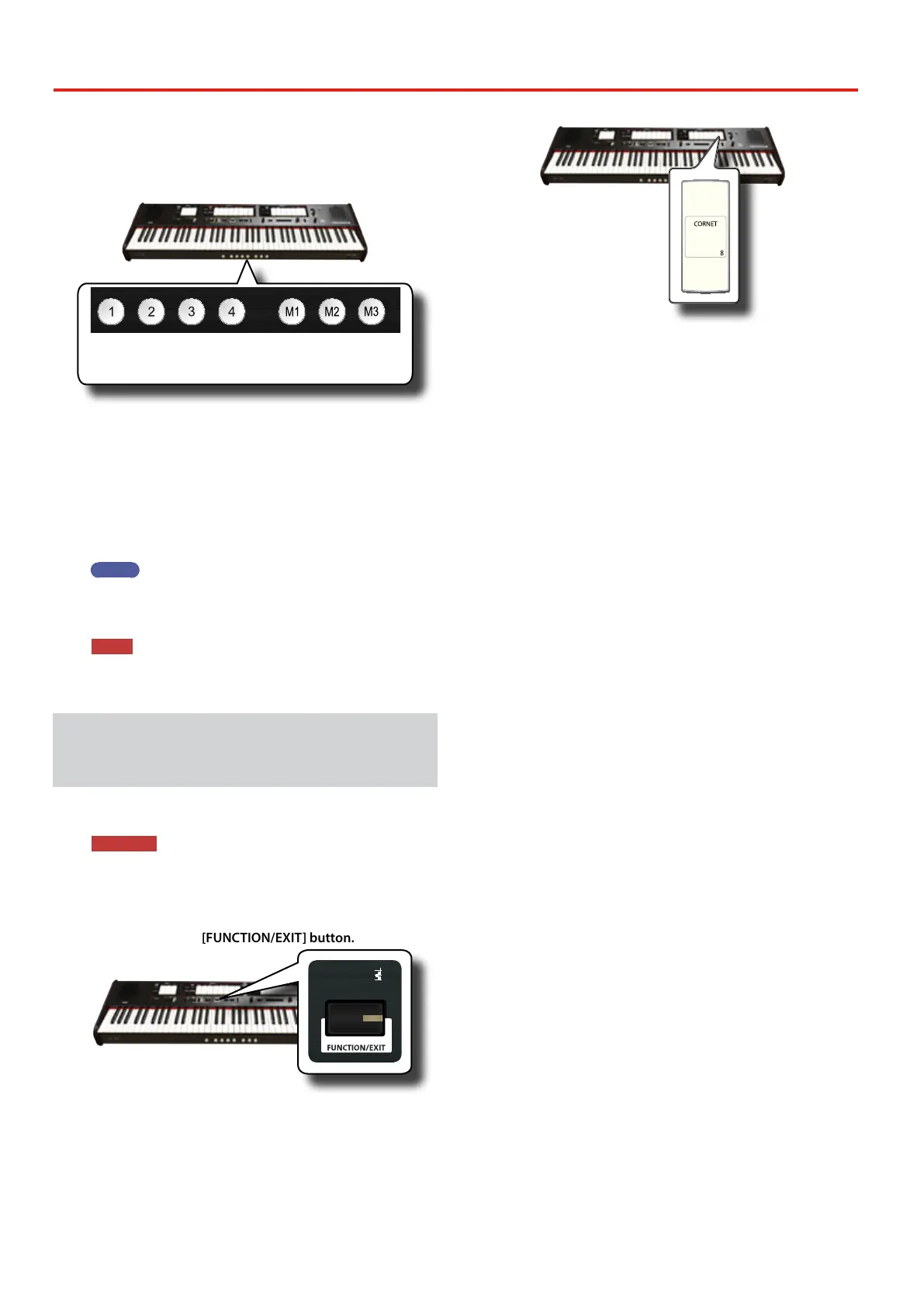
4. Press one of the pistons to select the step which has to be
changed. The tilt tabs active in the step of the crescendo
you choose are lighted.
1
step
2
step
3
step
4
step
5
step
6
step
7
step
The piston you choose light steady and the [VALUE/REV TYPE]/
[CRESCENDO] indicator show the step that you are programming.
5. Change the tilt tabs you want for this step.
6. Repeat steps 3 and 4 if more crescendo steps has to be
changed.
7. At the end of editing, press the [FUNCTION/EXIT] button
to leave this function.
MEMO
If you are satised with your changes and wish to preserve
them, save your settings for crescendo to the USB memory. See
"EXPORT CRESCENDO SETTING" (p. 45).
NOTE
The settings of crescendo are saved in the Global area during
the power o of the instrument.
Restoring the Factory Settings (Factory
Reset)
The following function allows you to recall the ONE’s original factory
settings.
WARNING
All data will be deleted. Backup your own Memory and
Crescendo settings to an USB memory. See "Exporting a
Registration Set to an USB Memory" (p. 33) and "EXPORT
CRESCENDO SETTING" (p. 45).
1. Press and hold the [FUNCTION/EXIT] button.
PRESETFINE
466
444
442
440
432
415
392
EQUAL
PYTHAGOREAN
MEANTONE
YOUNG II
KIRNBERGER III
VALLOTTI
WERCKMEISTER III
SCALE
TRANSPOSE
6
4
2
0
-2
-4
-6
5
3
1
-1
-3
-5
ENHANCER
CHORD
STRINGS
PIANO HARPSICHORD
CHOIR
BOURDON 8
GEDACT 8
BOURDON 8
HOHLFLÖTE 8
VIOLA DI GAMBA 8
SALICIONAL 8
SALICIONAL 8
QUINTATÖN 8
VOX CELESTE 8
VOIX CELESTES II
VOIX CELESTES II
BLOCKFLÖTE 4
ROHRFLUTE 4
CHIMNEY FLUTE 4
FLÛTE OCTAVIANTE 4
QUINTE 2 2/3
NASARD 2 2/3
VIOLA 4
NAZARD 2 2/3
WALDFLÖTE 2
WALDFLUTE 2
BLOCK FLUTE 2
OCTAVIN 2
QUINTE 1 1/3
AMERICAN
ENGLISH
FRENCH
GERMAN
MANUAL I
TUNING TEMPERAMENT
SPLIT POINT
The [FUNCTION/EXIT] button ashes to indicate that we are in
function mode. All other indicators go dark.
2. Press the lower part of the "8" tilt tab to select the FACTORY
RESET function.
The factory reset is performed and the instrument leave the
function mode.
Now the ONE has been initialized.


 To Next Page