36
Practice with Song Player
Play the song
3. Press the [*-,] button.
The [*-,] button’s indicator lights and song playback starts.
4. Press the [*-,] button again to pause song playback.
The [*-,] button goes dark.
5. To return to the beginning of the song, press the [$]
button.
6. Press [*-,] again to resume playback.
Selecting your previous Recording
1. To select a previous recording, just follow the procedure
"Selecting and Playing a Song" (p. 35) and recall the
song number "99".
Adjusting the Song Level
The ONE has useful song that allow you to adjust the volume,
rewind or fast-forward within the currently selected song, etc.
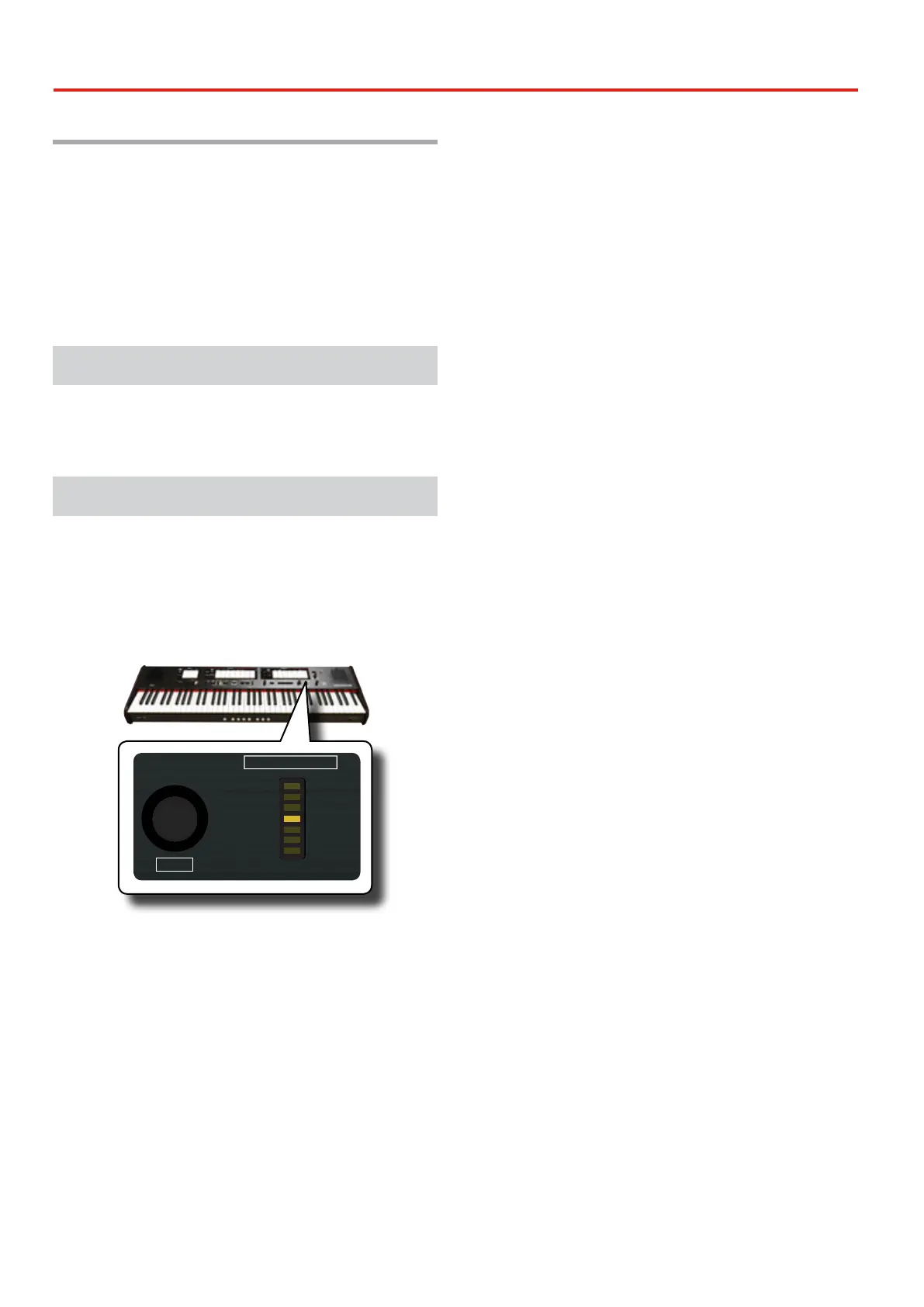
1. Press the [SONG] button to enter in SONG mode. Its
indicator lights.
2. Turn the [TONE/LEVEL] knob to adjust the volume of song
playback.
REVERB
DEPTH TYPE
/
PLAYER
SONG
DEMO
LEVEL
CRESCENDO
VALUE/REV TYPE
7 - TUTTI
6
5
4
3
2
1
TONE
OBOE TRUMPET
FLUTE VIOLIN
PRINCIPAL 8
OPEN DIAPASON 8
MONTRE 8
PRINZIPAL 8
ROHRFLUTE 8
STOPPED DIAPASON 8
FLÛTE HARMONIQUE 8
ROHRFLÖTE 8
MANUAL II
OCTAVE 4
OCTAVE 4
PRESTANT 4
OKTAVE 4
OCTAVE 2
FIFTEENTH 2
DOUBLETTE 2
OKTAVE 2
MIXTURE
FURNITURE
FOURNITURE
MIXTUR
KRUMMHORN 8
CORNET
CROMORNE 8
SESQUIALTERA
TRUMPET 8
TRUMPET 8
TROMP. HARMONIQUE 8
TROMPETE 8
AMERICAN
ENGLISH
FRENCH
GERMAN
Turning the knob clockwise will increase the volume, and turning it
counterclockwise will decrease the volume.
The [VALUE/REV TYPE] LED meter shows the value.


 To Next Page