EasyManua.ls Logo

Johnson Controls TIWM006B22S - User Manual

Johnson Controls TIWM006B22S
44 pages
Print Icon
To Next Page IconTo Next Page
Loading...
P5417089
Operation
Manual
INVERTER-DRIVEN
MULTI-SPLIT SYSTEM
HEAT PUMP
AIR CONDITIONERS
IMPORTANT:
READ AND UNDERSTAND
THIS MANUAL BEFORE
USING THIS HEAT PUMP
AIR CONDITIONER.
KEEP THIS MANUAL FOR
FUTURE REFERENCE.
Type Model
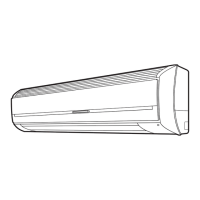
Wall Mount
TIWM006B22S
TIWM008B22S
TIWM012B22S
TIWM015B22S
TIWM018B22S
TIWM024B22S
TIWM030B22S

Questions and Answers

  • S
    Scott MorrowAug 13, 2025
    What to do if my Johnson Controls Air Conditioner operation stopped?
    • M
      Michele FryAug 14, 2025
      If your Johnson Controls Air Conditioner has stopped operating, this could be due to the micro-computer being activated to protect the device from electromagnetic waves. In this case, try restarting the operation. Also, if there was a power failure, try restarting the operation. Note that if the power failure was very brief (within two seconds), the unit should restart automatically.
  • P
    Peggy WrightAug 17, 2025
    Why does my Johnson Controls TIWM006B22S smell?
    • M
      mcgeejerryAug 18, 2025
      If you notice an odor coming from your Johnson Controls Air Conditioner indoor unit, it might be due to cigarette smoke that has infiltrated the unit. To resolve this, ventilate the unit well in fan mode and clean the air filter, the air outlet, and the air inlet grille.
  • T
    Tony Lawson Jr.Aug 21, 2025
    Why is there mist coming from my Johnson Controls Air Conditioner?
    • C
      Christina DayAug 21, 2025
      Mist coming from your Johnson Controls Air Conditioner indoor unit can occur due to several reasons. It might be caused by oil attached to the fins decreasing heat exchange efficiency, or when the air outlet temperature becomes lower. To address this, you can try changing the operation mode. You can also raise the set temperature and the air flow volume.
  • R
    Renee PattersonAug 26, 2025
    Why is my Johnson Controls Air Conditioner making noise?
    • D
      david76Aug 26, 2025
      The sound from your Johnson Controls Air Conditioner indoor unit can be generated for several reasons: the components are rubbing against each other due to the extension and contraction of the resin parts caused by the temperature change; when the refrigerant flows or the drain-up mechanism drains water; or the fan motor makes temporary sound by change of fan speed.
  • L
    Luis RodriguezAug 28, 2025
    Why is there white steam from my Johnson Controls TIWM006B22S Air Conditioner?
    • M
      Mark SnyderAug 29, 2025
      White steam from your Johnson Controls Air Conditioner indoor unit may occur if dust attached to the heat exchanger has dried.
  • J
    jnicholsSep 1, 2025
    Why is there white smoke from my Johnson Controls TIWM006B22S?
    • N
      Nathaniel MitchellSep 1, 2025
      White smoke from your Johnson Controls Air Conditioner indoor unit might occur when dust attached to the heat exchanger has dried.
  • J
    John SloanSep 5, 2025
    Why is there condensation on my Johnson Controls Air Conditioner?
    • C
      Chelsea HendersonSep 5, 2025
      Condensation on the front panel of your Johnson Controls Air Conditioner might occur when the operation is performed in a humid location (relative humidity is approximately 80%) over a prolonged period of time.
  • R
    richjessicaSep 9, 2025
    Why is there temperature irregularity in my Johnson Controls Air Conditioner?
    • J
      Joshua AdamsSep 9, 2025
      Temperature irregularity in your Johnson Controls Air Conditioner might occur for structural reasons, such as the size of the air outlet and the location of the heat exchanger.

Summary

Important Notices

Policy and Safety Information

Policy of improvement, safety, intended use, and standards.

Operating Temperature Range

Specifies the temperature range for operation.

Safety Instructions

Signal Words

Defines warning levels like WARNING, CAUTION, NOTICE.

General Safety Precautions

General safety instructions for installation and handling.

Operation Safety and Precautions

Operation Hazards

Warnings and precautions during unit operation.

Maintenance and Repair Safety

Safety guidelines for maintenance, repair, and relocation.

Before Operation

Operating Range and Efficiency

Recommended operating temperatures and tips for efficient use.

Efficient Use of Cooling and Heating

Airflow Settings (Cooling;Heating)

Adjusting airflow direction and volume for cooling and heating.

Unit Components and Indicators

Wall Mount Type Parts

Identification of parts on the wall mount indoor unit.

Controller Indicators and Options

Notes on controller availability and indicator lights.

Wired Controller (CIW01) Operation

Display and Button Overview

Explanation of the wired controller's display and buttons.

Wireless Controller (CIR01) Overview

Functionality and Range

How the wireless controller sends commands and its effective range.

Controller Buttons

Details on the function of each button on the wireless controller.

Wired Controller Basic Operation

Item Selection and Setting Changes

How to select items and change settings using the wired controller.

Operation Modes (Cooling, Heating, Fan)

Operation Mode Explanations

Details on cooling, heating, dry, and fan operations.

Temperature and Fan Speed Settings

Temperature Adjustment

Steps to increase or decrease the temperature setting.

Fan Speed Adjustment

How to select different fan speeds.

Wired Controller Operation Control

Starting and Stopping Operation

Procedures for starting and stopping the unit using the wired controller.

Louver Swing Direction Control

Louver Angle and Swing Settings

Instructions for adjusting louver angle and setting auto-swing.

Advanced Louver Functions

Vertical Blade and Auto Louver

Vertical blade adjustment and automatic louver behavior.

Comfort Setting Mode

Controlling Discharged Air Temperature

Using the comfort setting for cooler air discharge.

Automatic and Setback Operations

Automatic Heating;Cooling

Explanation of automatic switching between cooling and heating.

Setback Operation Details

How the unit adjusts settings and louver position for setback.

Wireless Controller Operation Modes

Selecting Cooling, Heating, Dry, Fan

Steps to select operation modes using the wireless controller.

Wireless Controller Operation Control

Starting and Stopping Unit Operation

How to start and stop the unit using the wireless controller.

Wireless Controller Settings

Temperature, Fan Speed, Airflow

Adjusting temperature, fan speed, and louver angle via wireless controller.

Automatic Cooling;Heating Mode (Wireless)

Functionality for VRF Systems

Functionality of automatic cooling/heating mode for VRF systems.

Wireless Controller Auto Mode Control

Starting and Stopping Auto Mode

How to start and stop auto cooling/heating via wireless controller.

Wireless Controller Timer Settings

Setting ON and OFF Timers

Setting ON and OFF timers using the wireless controller.

Wireless Controller Louver Functions

Louver Angle and Swing Settings

Adjusting louver angle and setting auto-swing via wireless controller.

Advanced Wireless Louver Settings

Vertical Blade and Auto Louver

Vertical blade adjustment and automatic louver behavior.

Emergency Operation

Using the Temporary Switch

Using the temporary switch for emergency operation.

Other Unit Indications and Alarms

Normal Condition Indicators

Explains indicator lights during normal operation.

Abnormal Condition Indicators

How to interpret alarm codes and flashing indicators.

Indoor Unit Identification and Pairing

Side-by-Side Unit Pairing

Function to prevent interference for nearby units.

Wireless Controller Handling and Automatic Control

Proper Usage and Care

Guidelines for proper handling and care of the wireless controller.

Automatic Control Functions

Explains automatic operations like compressor protection and frost prevention.

Maintenance Procedures

Safety and Air Filter Cleaning

Safety warnings and instructions for cleaning the air filter.

Flat Panel Maintenance

Removing and Cleaning the Flat Panel

Procedure for removing and cleaning the flat panel.

Pre;Post Use Checks and Battery Replacement

Pre-use and Post-use Checks

Checks to perform before and after operating the unit.

Replacing Wireless Controller Batteries

Steps for replacing batteries in the wireless controller.

Troubleshooting - Normal Phenomena

Non-Abnormal Operations

Explains common phenomena that do not indicate a fault.

Troubleshooting - Before Contact

Pre-Contact Troubleshooting Steps

Steps to check for common issues before contacting service.

Contacting the Distributor

When to Contact Service

Guidance on contacting the distributor or contractor for unresolved issues.

Alarm Code Reference

Alarm Code Meanings

A comprehensive list of alarm codes and their meanings.

Johnson Controls TIWM006B22S Specifications

General IconGeneral
BrandJohnson Controls
ModelTIWM006B22S
CategoryAir Conditioner
LanguageEnglish

Related product manuals