Chapter 4 ADJUST MENU SETTINGS
4.9 GPS
4-51
4
NSTALLATION MANUAL
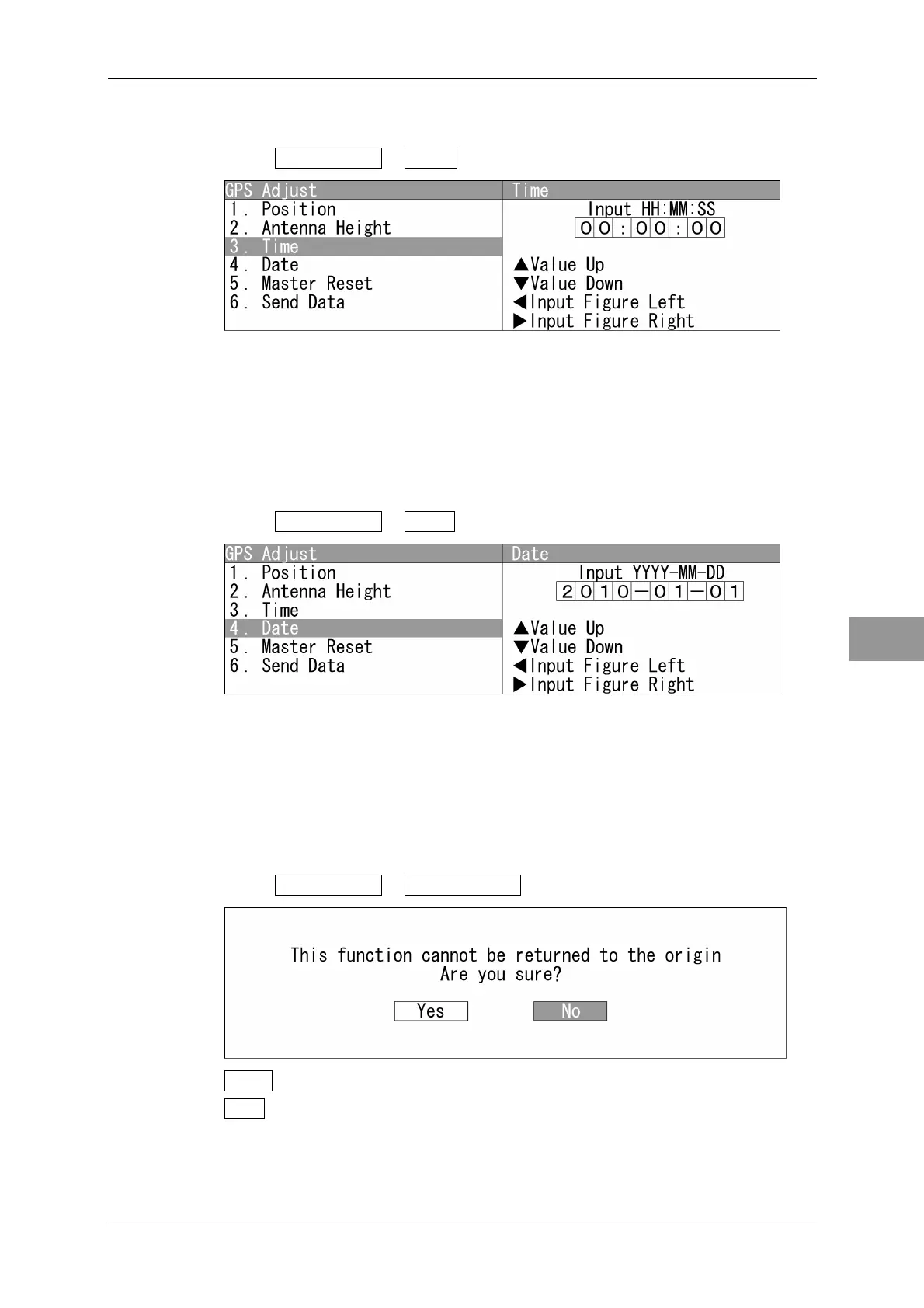
Time
Enters the current time in UTC.
1 Open GPS Adjust - Time .
"Time" menu appears.
Press the cursor key or turn the [MULTI] control to set the time.
After setting, open "6. Send Data", and send the setting to the GPS receiver.
Date
Enters the current date in UTC.
1 Open GPS Adjust - Date .
"Date" menu appears.
Press the cursor key or turn the [MULTI] control to set the date.
After setting, open "6. Send Data", and send the setting to the GPS receiver.
Master Reset
Initializes the GPS receiver.
1 Open GPS Adjust - Master Reset .
Yes : Initializes.
No : Does not initialize.
After setting, open "6. Send Data", and send the setting to the GPS receiver.


 To Next Page
 Loading...