Chapter 4 ADJUST MENU SETTINGS
4.3 RADAR ECHO
4-9
4
NSTALLATION MANUAL
4.3 RADAR ECHO
Sets radar echo.
"RADAR Echo" operations
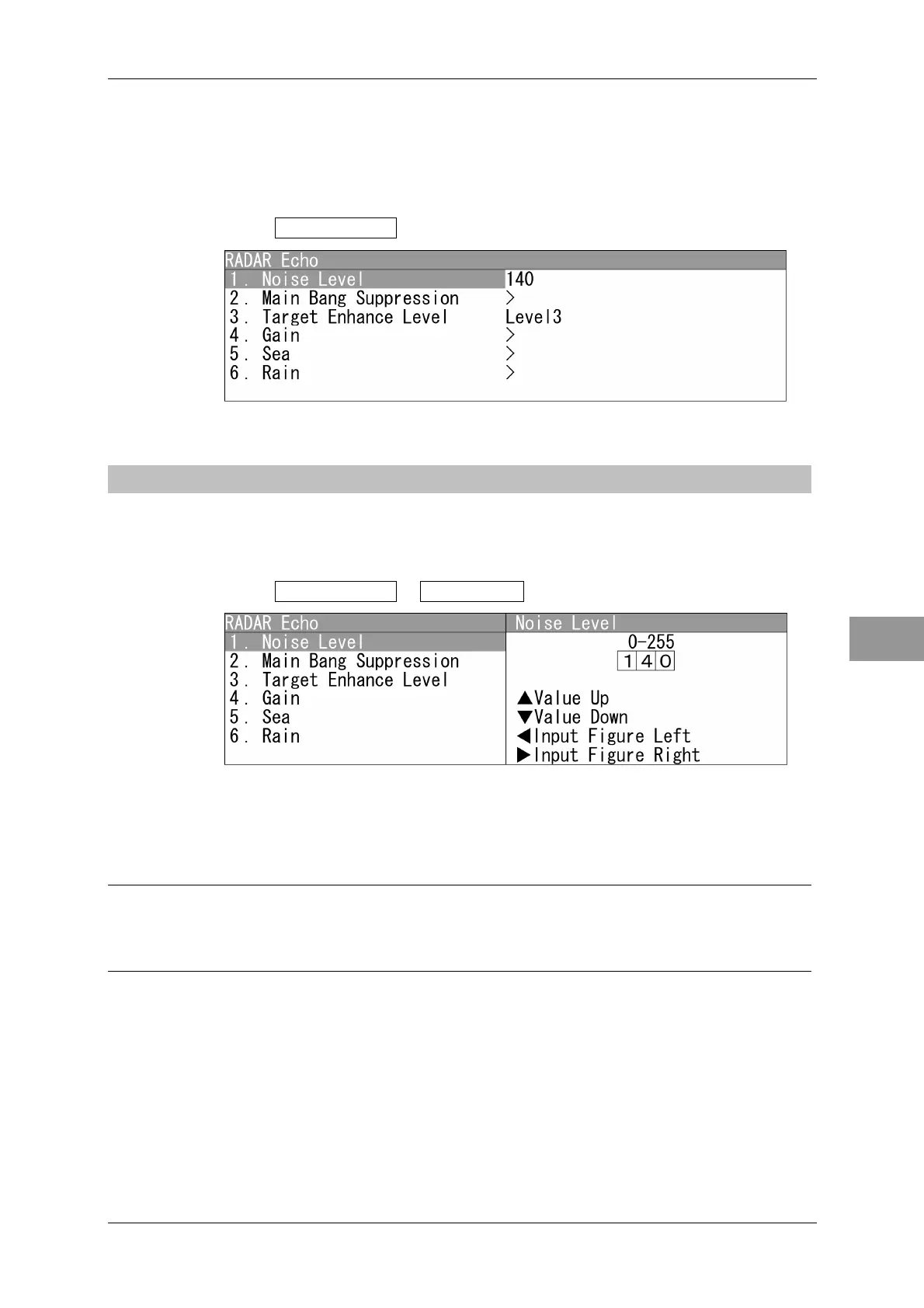
1 Open RADAR Echo from the Adjust Menu.
"RADAR Echo" menu appears.
4.3.1 NOISE LEVEL ADJUSTMENT
Adjusts the noise level.
Noise Level Adjustment
1 Open RADAR Echo - Noise Level .
"Noise Level" menu appears.
Press the cursor key or turn the [MULTI] control to set the noise level.
The noise level can be set between 0 and 255.
Reference:
The noise level is adjusted at the factory.
When adjusting the noise level after installation, perform only fine-tuning within ±5.



 To Next Page