Chapter 4 ADJUST MENU SETTINGS
4.12 SYSTEM SETTING
4-82
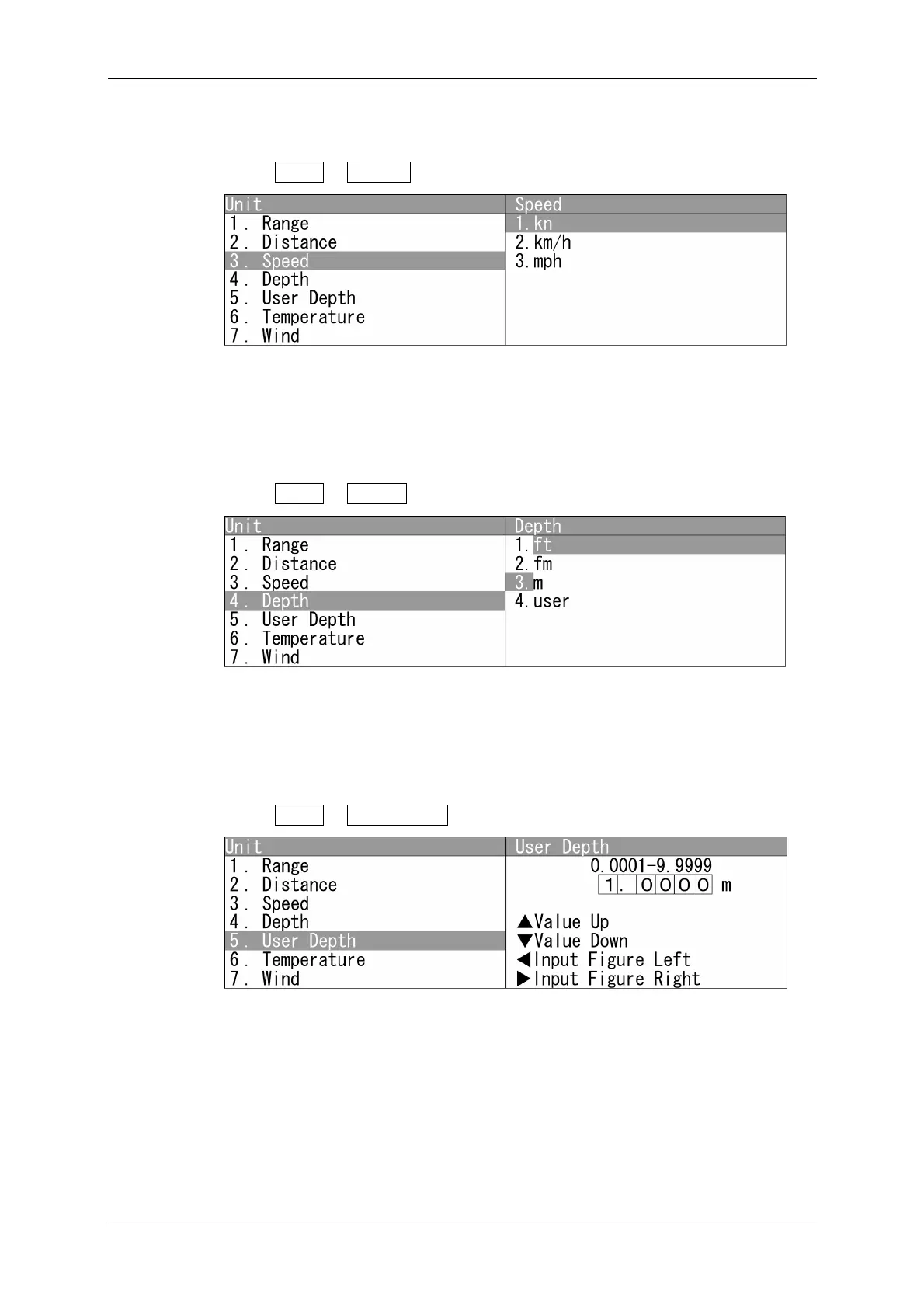
Speed
Sets the unit for speed.
1 Open Unit - Speed .
"Speed" menu appears.
Selects the unit for speed.
Depth
Sets the unit for depth.
1 Open Unit - Depth .
"Depth" menu appears.
Selects the unit for depth.
User Depth
Sets the user depth.
1 Open Unit - User Depth .
"User Depth" menu appears.
Press the cursor key or turn the [MULTI] control to set the user unit.
The user unit can be set between 0.0001 and 9.9999 m.



 To Next Page