Chapter 4 ADJUST MENU SETTINGS
4.14 ERROR ALARM MASK
4-105
4
NSTALLATION MANUAL
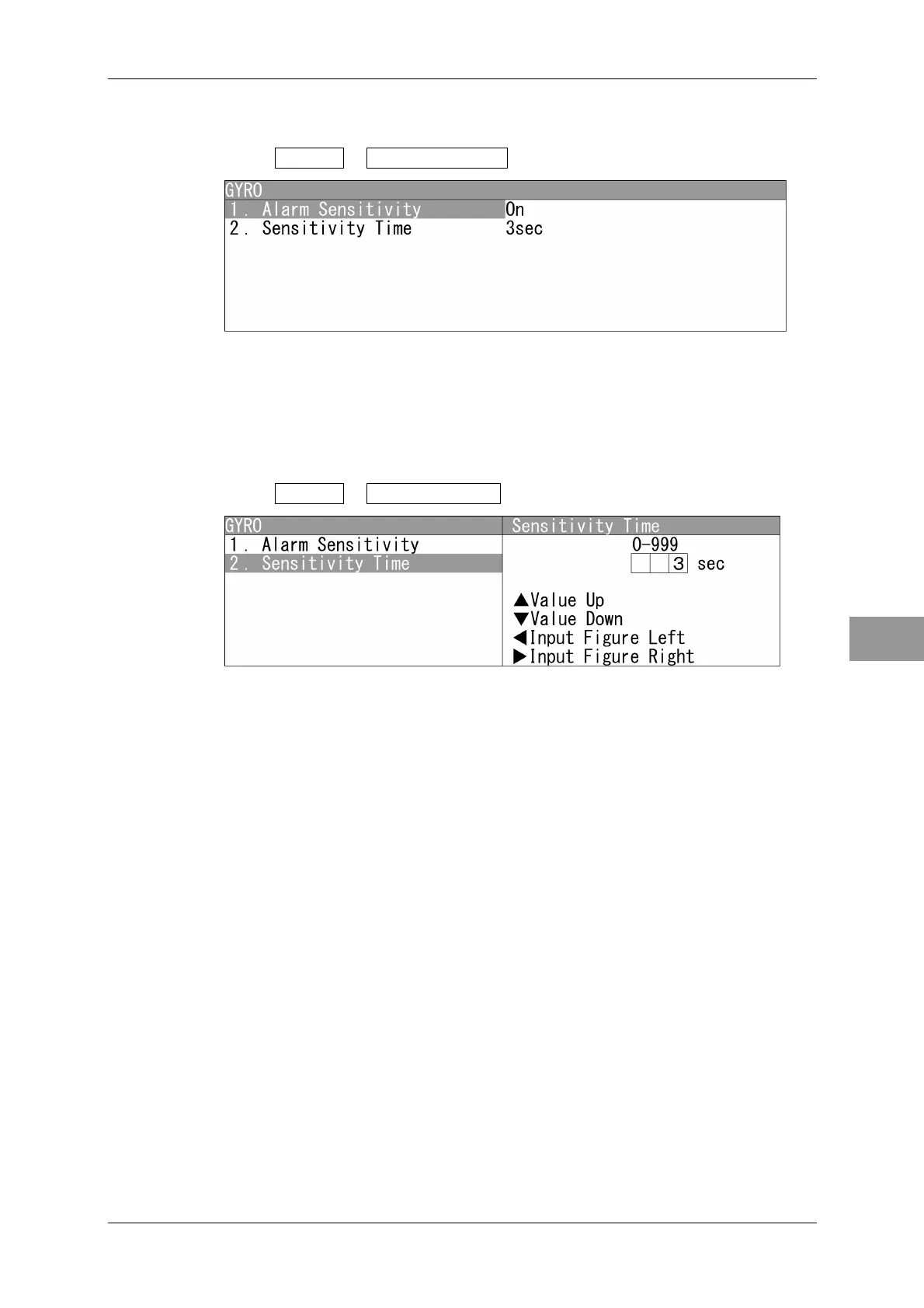
Alarm Sensitivity
Turns on/off the alarm sensitivity.
1 Open GYRO - Alarm Sensitivity .
Switches on/off for the alarm sensitivity.
Operate the same way for the other items.
Sensitivity Time
Sets the time for generating alarm after error detection.
1 Open GYRO - Sensitivity Time .
"Sensitivity Time" menu appears.
Press the cursor key or turn the [MULTI] control to set the time.
The time can be set between 0 and 999 sec.
Operate the same way for the other items.


 To Next Page
 Loading...