DisplayScreens
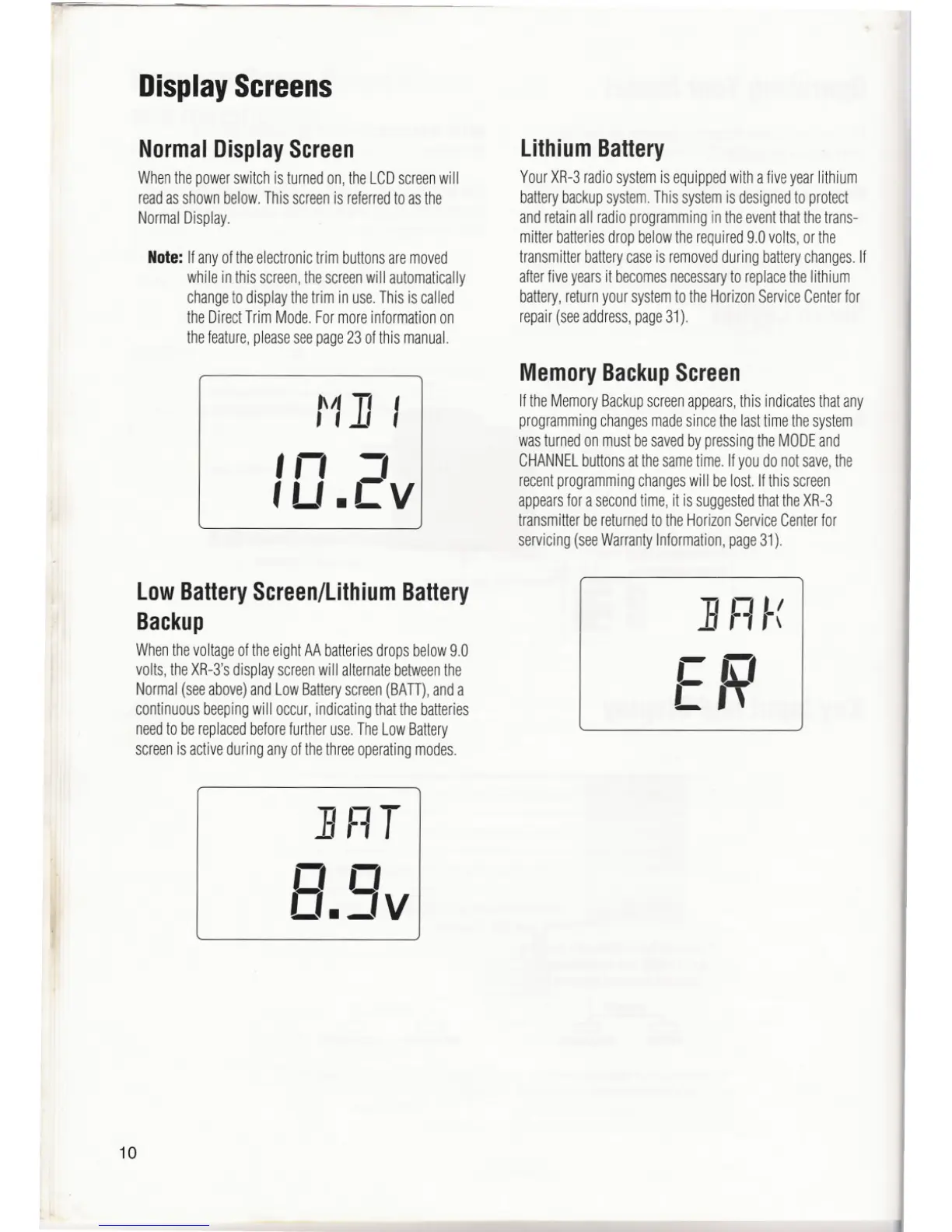
NormalDisplayScreen
Whenthe powerswitch is turned on, the LCDscreenwill
readasshown below. This screenis referredto as the
Normal Display.
Note:Ifanyoftheelectronictrimbuttonsaremoved
whileinthisscreen,thescreenwillautomatically
changeto display thetrim in use.This is called
the DirectTrim Mode. For moreinformation on
thefeature,pleaseseepage23 of this manual.
r'/] I
In ='
, Lf.L V
low BatteryScreen/lithiumBattery
Backup
WhenthevoltageoftheeightAAbatteriesdropsbelow9.0
volts,theXR-3'sdisplayscreenwill alternatebetweenthe
Normal(seeabove)andLowBatteryscreen(BATT),anda
continuousbeepingwill occur,indicatingthatthebatteries
needto bereplacedbeforefurtheruse.TheLowBattery
screenisactiveduringanyofthethreeoperatingmodes.
]1=lT
nn
O.JV
10
lithiumBattery
YourXR-3radiosystemisequippedwithafiveyearlithium
batterybackupsystem.Thissystemisdesignedtoprotect
andretainall radioprogrammingintheeventthatthetrans-
mitterbatteriesdropbelowtherequired9.0volts,orthe
transmitterbatterycaseisremovedduringbatterychanges.If
afterfiveyearsit becomesnecessaryto replacethelithium
battery,returnyoursystemtotheHorizonServiceCenterfor
repair(seeaddress,page31).
MemoryBackupScreen
IftheMemoryBackupscreenappears,this indicatesthatany
programmingchangesmadesincethelasttimethesystem
wasturnedonmustbesavedbypressingtheMODEand
CHANNELbuttonsatthesametime.Ifyoudonotsave,the
recentprogrammingchangeswill belost.Ifthisscreen
appearsforasecondtime,it issuggestedthattheXR-3
transmitterbereturnedtotheHorizonServiceCenterfor
servicing(seeWarrantyInformation,page31).
] FI f(
en
L'~



 To Next Page
 Loading...
