-
ModelNameEntry
(SystemMode)
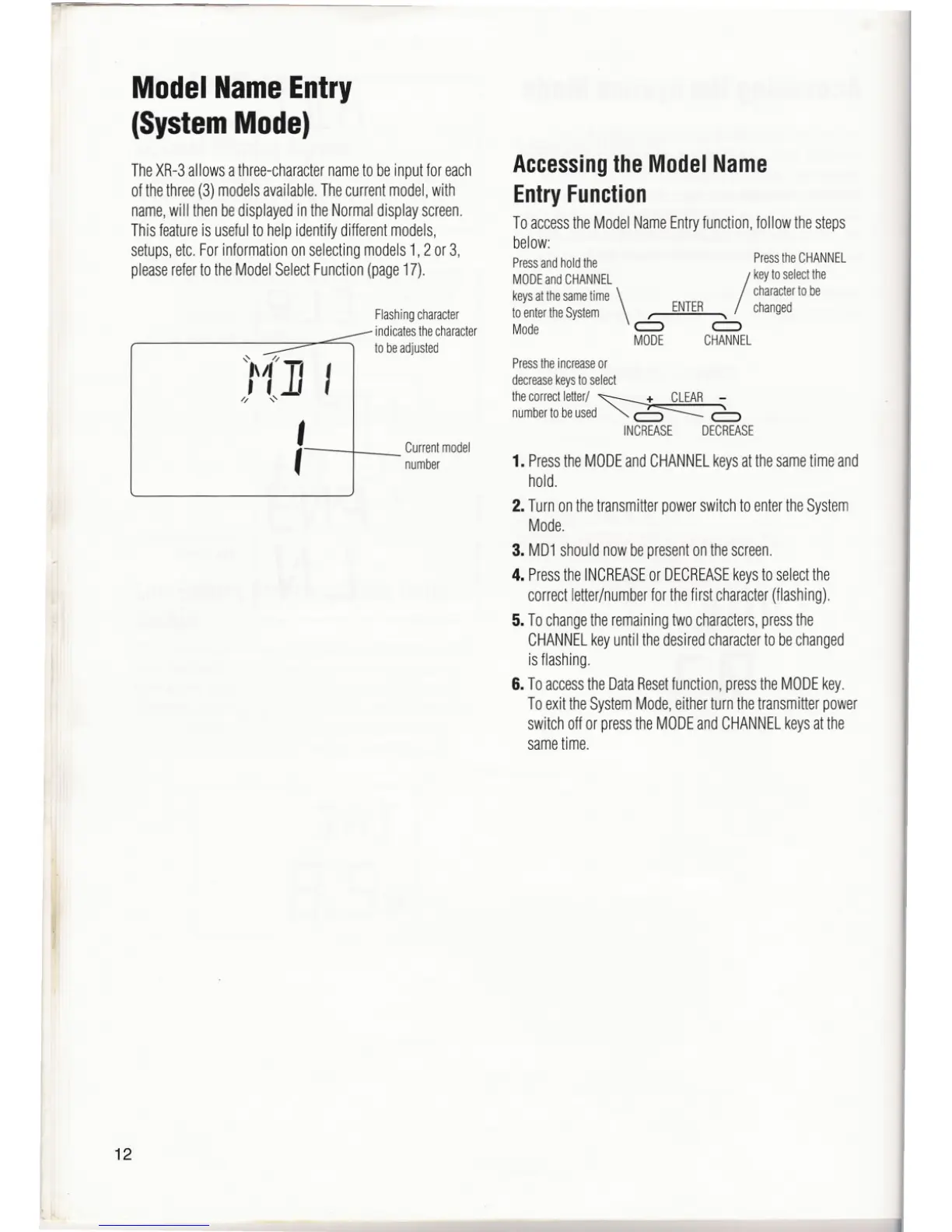
TheXR-3allowsathree-characternametobeinputforeach
ofthethree(3)modelsavailable.Thecurrentmodel,with
name,will thenbedisplayedintheNormaldisplayscreen.
Thisfeatureis usefulto helpidentifydifferentmodels,
setups,etc.Forinformationonselectingmodels1,2 or3,
pleaserefertotheModelSelectFunction(page17).
12
Flashingcharacter
indicatesthecharacter
to beadjusted
Currentmodel
number
AccessingtheModelName
EntryFunction
ToaccesstheModelNameEntryfunction,followthesteps
below:
Pressandholdthe PresstheCHANNEL
MOOE and CHANNEL
/
key to select the
keysatthesamelime character10be
toentertheSystem \ ' ENTER , changed
Mode c:::> c:::>
MODE CHANNEL
Press the increase or
decrease keys to select
thecorrectletler/~
numbertobeused "'" c:5"--- 6
INCREASE DECREASE
1. Pressthe MODEand CHANNELkeysat the sametime and
hold.
2. Turn on thetransmitter power switch to enterthe System
Mode.
3. MD1shouldnowbepresentonthescreen.
4. PresstheINCREASEor DECREASEkeysto selectthe
correctletter/numberforthefirstcharacter(flashing).
5. Tochangetheremainingtwocharacters,pressthe
CHANNELkeyuntilthedesiredcharacterto bechanged
isflashing.
6. ToaccesstheDataResetfunction,presstheMODEkey.
ToexittheSystemMode,eitherturnthetransmitterpower
switchoffor presstheMODEandCHANNELkeysatthe
sametime.



 To Next Page
 Loading...
