Accessingthe
FunctionMode
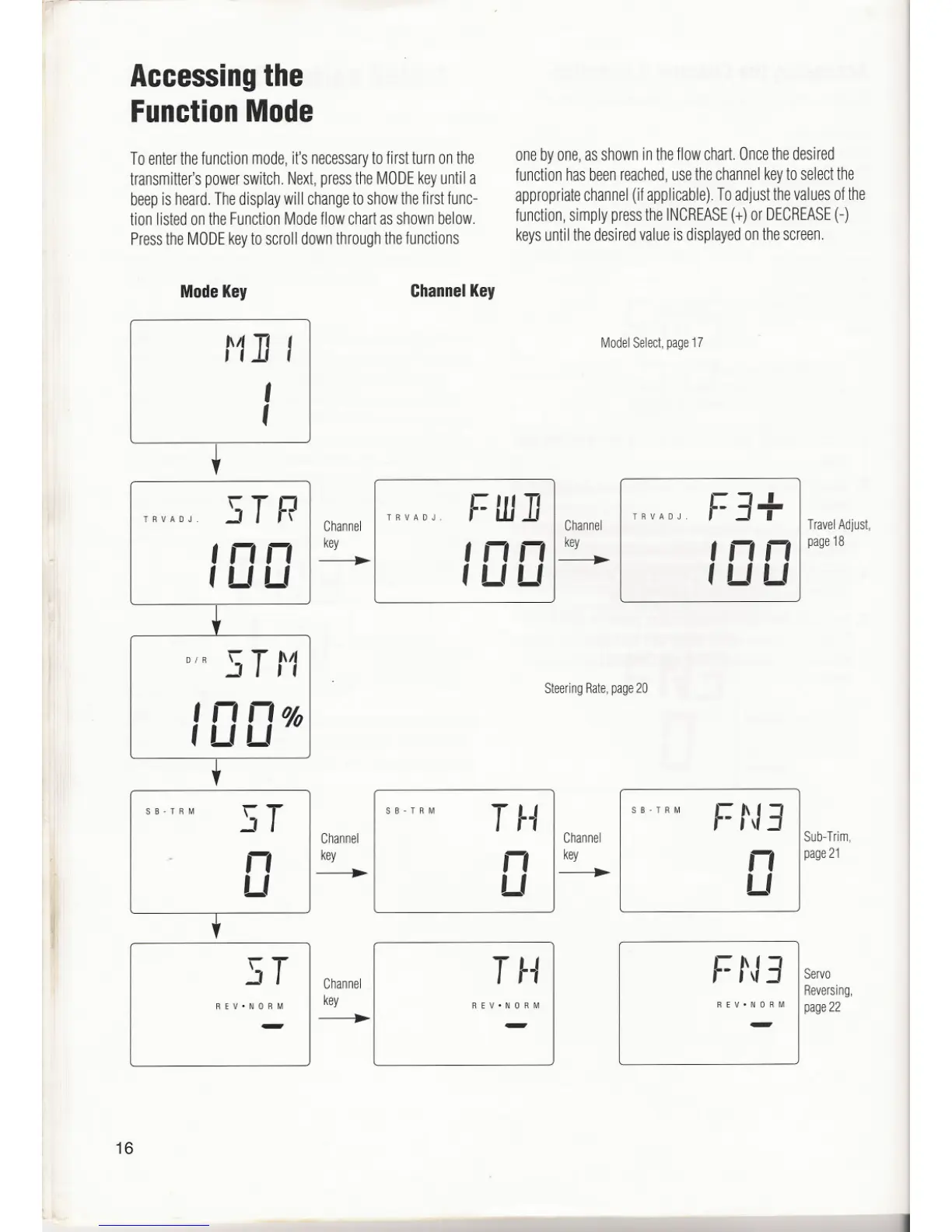
Toenterthefunctionmode,it'snecessarytofirstturnonthe
transmitter'spowerswitch.Next,presstheMODEkeyuntila
beepis heard.Thedisplaywill changetoshowthefirstfunc-
tionlistedontheFunctionModeflowchartasshownbelow.
PresstheMODEkeytoscrolldownthroughthefunctions
onebyone,asshownintheflowchart.Oncethedesired
functionhasbeenreached,usethechannelkeytoselectthe
appropriatechannel(ifapplicable).Toadjustthevaluesofthe
function,simplypresstheINCREASE(+)orDECREASE(-)
keysuntilthedesiredvalueisdisplayedonthescreen.
ModeKey
ChannelKey
tll] I
I
,
Model Select, page 17
TRVADJ.
STR
Inn
'LILI
Channel
key
TRVADJ.
FUJ]
Inn
, U LI
Channel
key
TRVADJ
F3+
TravelAdjust,
page
18
,nn
, LILI
01 R S Ttll
,nn%
, LI LI
Steering Rate,page 20
ST
Channel
key
T~.I
f. tJ3
REV. NORM REV.NORM
REV. NORM
Servo
Reversing,
page22
-
-
-
16
1
SB-TRM
ST
I
SB.TRM
T .I
SB-TRM
f-t,I3
Channel Channel
I Sub-Trim,
n
I
n
key
n page21
LI
LI
.
LI



 To Next Page
 Loading...
