AccessingtheDirect
TrimMode
TheDirectModefunctionoftheXR-3isaccessiblethrough
theuseoftheelectronicthrottleorsteeringtrimlevers,as
wellasthetwoelectronicgriplevers(A&B)locatedonthe
upperportionofthegriphandle.Thisfunctionallowsfor
quicktrimadjustmentofthesecontrols,withouttheneedto
accessthesefunctionsthroughthefourkeypadcontrolkeys.
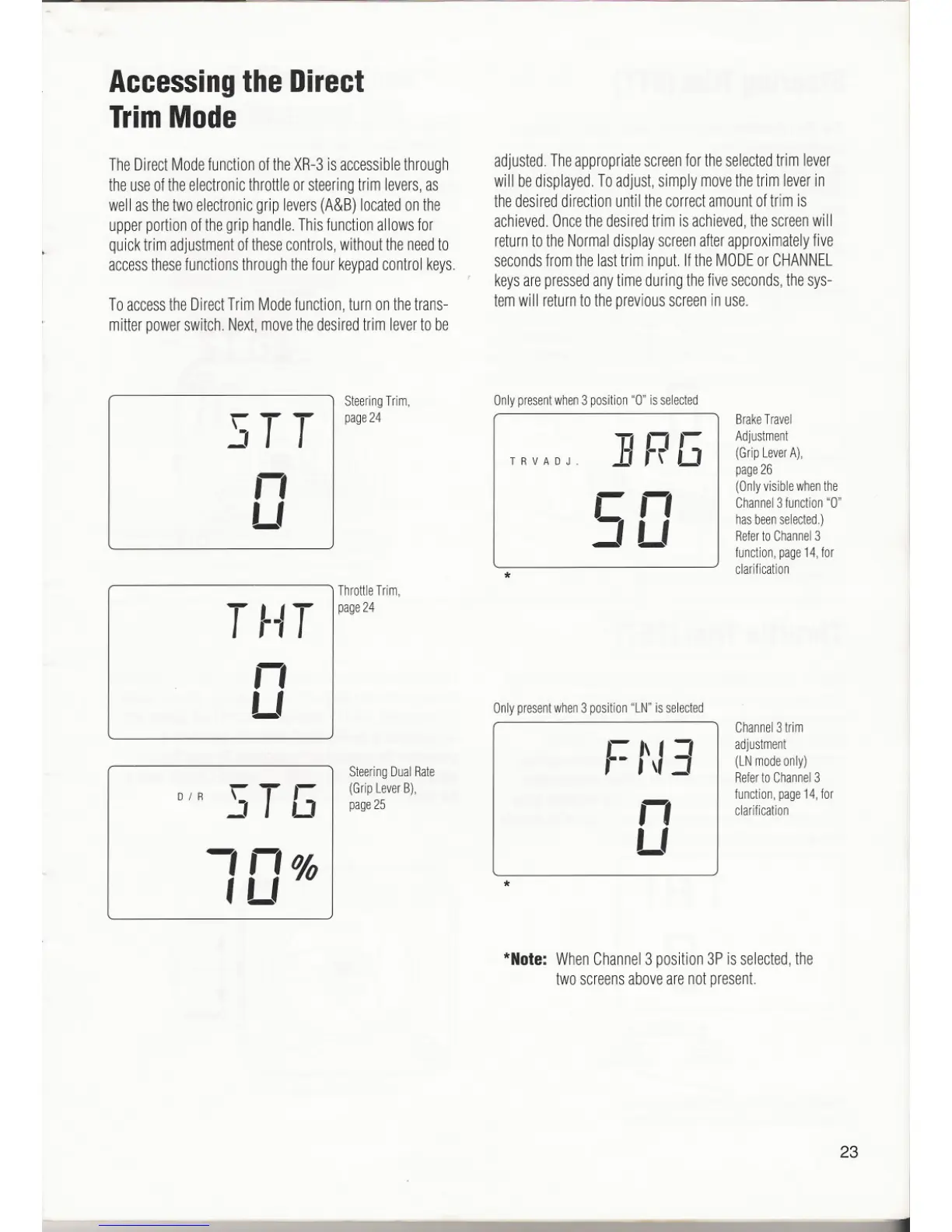
ToaccesstheDirectTrimModefunction,turnonthetrans-
mitterpowerswitch.Next,movethedesiredtrimlevertobe
adjusted.Theappropriatescreenfortheselectedtrimlever
will bedisplayed.Toadjust,simplymovethetrimleverin
thedesireddirectionuntilthecorrectamountoftrimis
achieved.Oncethedesiredtrim isachieved,thescreenwill
returntotheNormaldisplayscreenafterapproximatelyfive
secondsfromthelasttriminput.IftheMODEor CHANNEL
keysarepressedanytimeduringthefiveseconds,thesys-
temwill returntothepreviousscreeninuse.
23
J
SteeringTrim, Onlypresentwhen3position"0" isselected
STT I page24
BrakeTravel
]RG
Adjustment
TRVAOJ.
(GripLeverA),
n
page26
rn
(Onlyvisiblewhenthe
LI
Channel3function"0"
LI
hasbeenselected.)
Referto Channel3
function,page14,for
*
clarification
ThrottleTrim,
T -IT
Ipage24
n
LI
I
Onlypresentwhen3position"LN"is selected
Channel31rim
.- "I-,
adjustment
SteeringDualRate
,.-,\
(LNmodeonly)
RefertoChannel3
DI R
'T ,- I
(GripLeverB),
function,page14,for
J LJ
page25
n
clarification
,n%1
I
LI
, LI '0 I
*
J
*Note:
WhenChannel3position3Pisselected,the
twoscreensabovearenotpresent.


 To Next Page
 Loading...
