ServoReversing
(FunctionMode)
TheServoReversingfeatureoftheXR-3isaveryconvenient
featurewhensettingupanewmodel.Thepurposeofthe
servoreversingfunctionistochangethedirectionofthe
servorotationinrelationtothewheel/triggermovement.The
ServoReversingfunctionisavailableforthesteering,throttle
andChannel3 oftheXR-3.
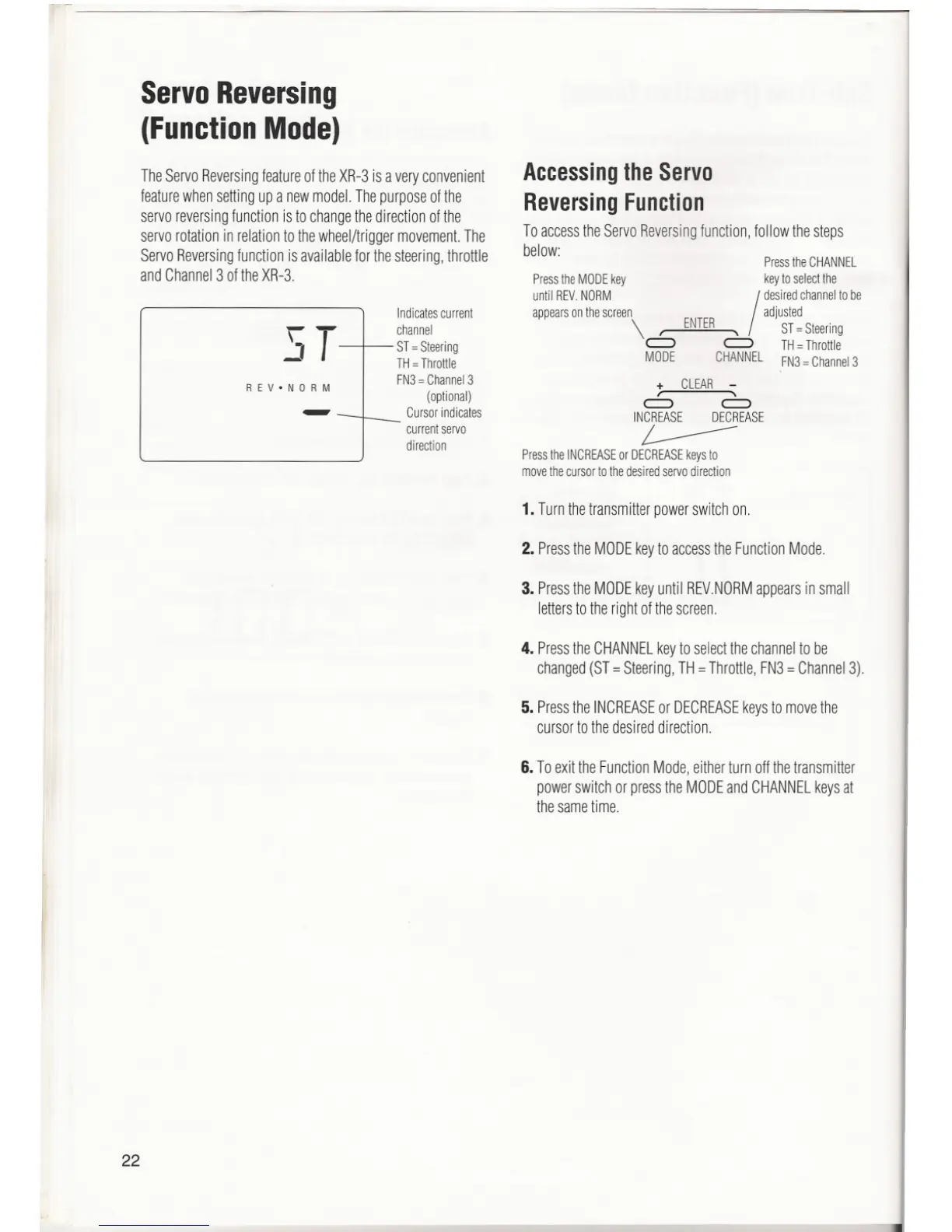
ST
REV.NORM
--
22
Indicatescurrent
channel
ST=Steering
TH=Throttle
FN3 = Channel 3
(optional)
Cursor indicates
- currentservo
direction
AccessingtheServo
ReversingFunction
To accessthe ServoReversingfunction, follow the steps
below:
Press the CHANNEL
PresstheMODEkey keytoselectthe
until REV.NORM
I
desiredchannelto be
appearsonthescreen adjusted
\ ' ENTER, ST=Steering
c::::> c::::> TH=Throttle
MODE CHANNELFN3=Channel3
+ CLEAR -
, ,
c::::> c::::>
INCREASE DECREASE
L-----
Press the INCREASEor DECREASEkeys to
move the cursor to the desired servo direction
1.Turnthetransmitterpowerswitchon.
2. PresstheMODEkeytoaccesstheFunctionMode.
3. PresstheMODEkeyuntilREV.NORMappearsinsmall
letterstotherightofthescreen.
4. PresstheCHANNELkeytoselectthechannelto be
changed(ST= Steering,TH=Throttle,FN3=Channel3).
5. PresstheINCREASEor DECREASEkeystomovethe
cursortothedesireddirection.
6. ToexittheFunctionMode,eitherturnoffthetransmitter
powerswitchor presstheMODEandCHANNELkeysat
thesametime.
""'11



 To Next Page
 Loading...
