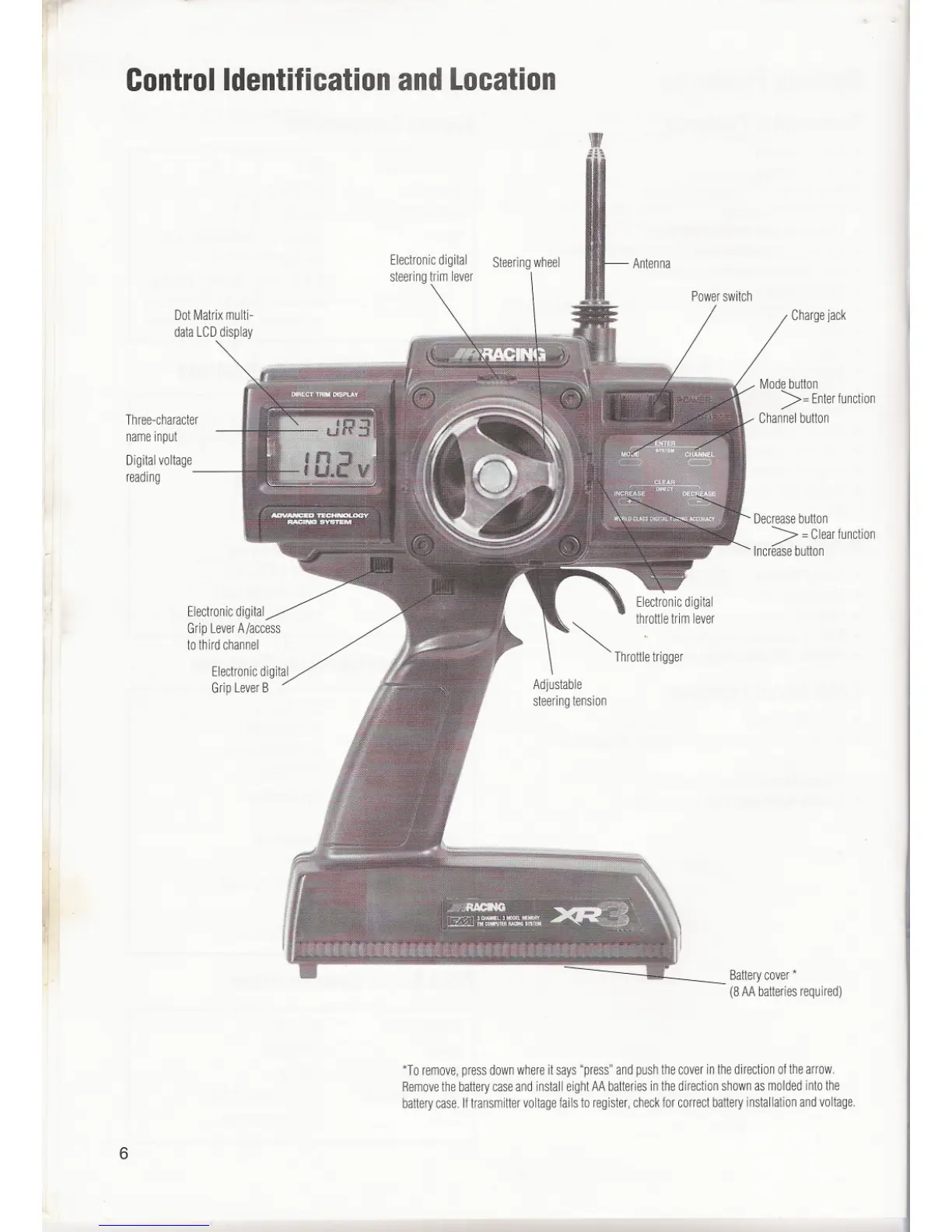
ControlIdentificationandLocation
Three-character
nameinput
Digitalvoltage
reading
Steering wheel
Chargejack
Modebutton
>=Enterfunction
Channelbutton
Decrease button
>=Clearfunction
Increase button
Electronicdigital
GripLeverA/access
to thirdchannel
Electronicdigital
~ throttletrimlever
Throttletrigger
Battery cover *
(8 AA batteries required)
*T0 remove, press down where it says "press" and push the cover in the direction of the arrow.
Remove the battery case and install eight AA batteries in the direction shown as molded into the
battery case. If transmitter voltage fails to register, check for correct battery installation and voltage.
6



 To Next Page
 Loading...
