Operating controls and functional elements
18
4. Operating controls and functional elements
4.1. Circulator
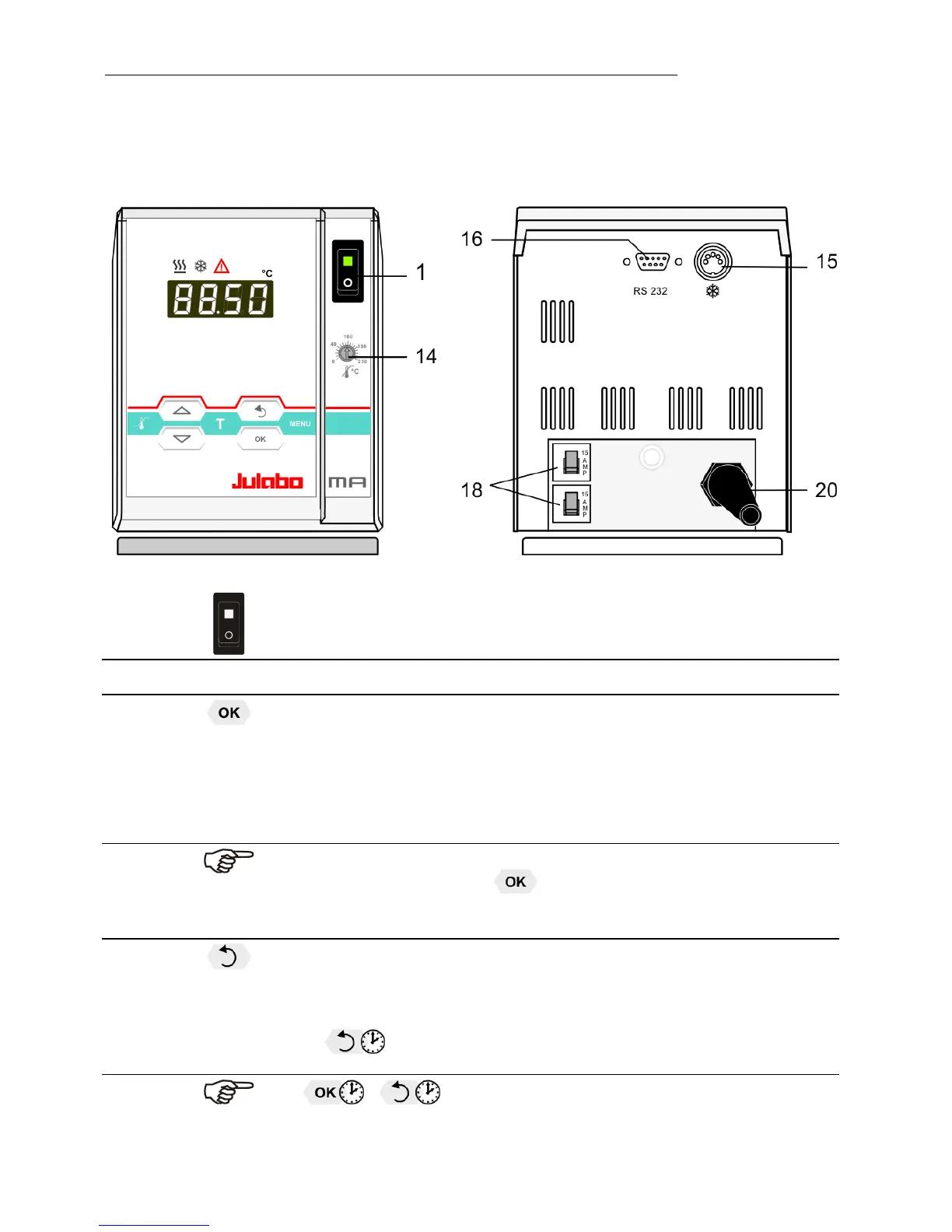
Front view Rear view
1
Mains power switch, illuminated
Navigation keys
2
1. Key: >OK< Start / Stop (pump / heater )
2. >OK< in the menu Menu item / select submenu for setting
Save set value
Save selected parameter
A beep signals the end of setting
After the actions Start, Stop and change from VFD Display to
standard display the key is locked for a short time.
The above graph “front side” shows an example for standard display.
3
1. Key: >Return< Stop (pump / heater )
2. >Return< in the menu one menu level down
Correction function for parameters or values (prior to OK)
immediately back to standard display
- icon for „keep key pressed down“.



 To Next Page