Menu functions
50
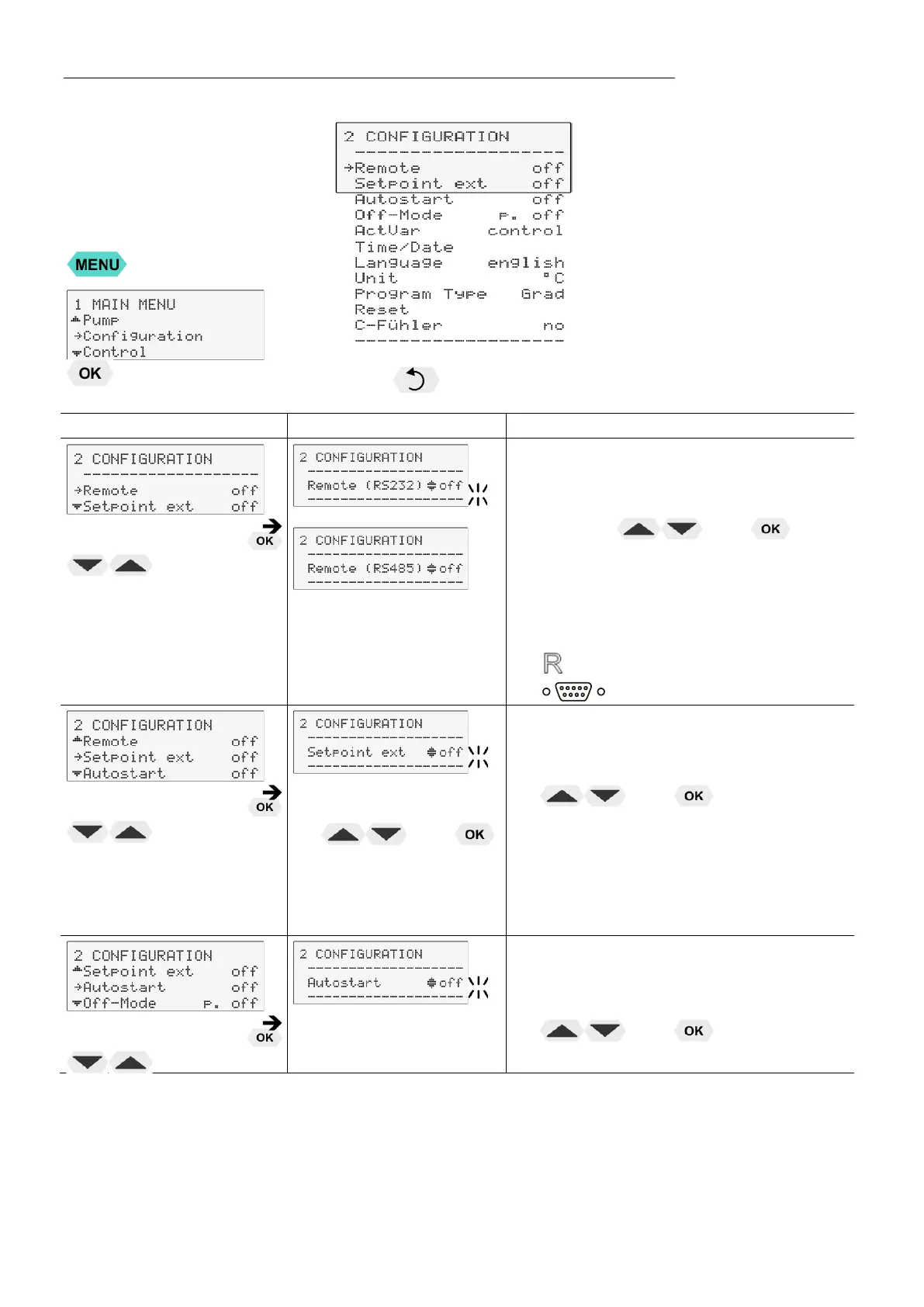
9.4. Configuration
Press the key if a parameter is to be retained. (prior to OK)
or
Remote control via serial interface.
Possible parameters: off / on
Switch on and off remote control by
pressing and
First set the >type< of interface (RS232
or RS485) in the MENU >INTERFACE
SERIAL< and then switch >Remote< to
>on<.
Control display in the top line
for Remote
Connect SERIAL with PC.
• Switch over setpoint
setting by pressing
and
External setpoint setting
Possible parameters: off / Eprog / PT100
• Switch over setpoint setting by pressing
and
off – Setpoint setting with the keys
or
Setpoint setting via the analog socket „ext.
Pt100
or
analog socket >REG+EPROG<
Autostart
Possible parameters: on / off
• Switch on and off Autostart by pressing
and


 To Next Page